Firm Onboarding Videos
18 videos
 0:30
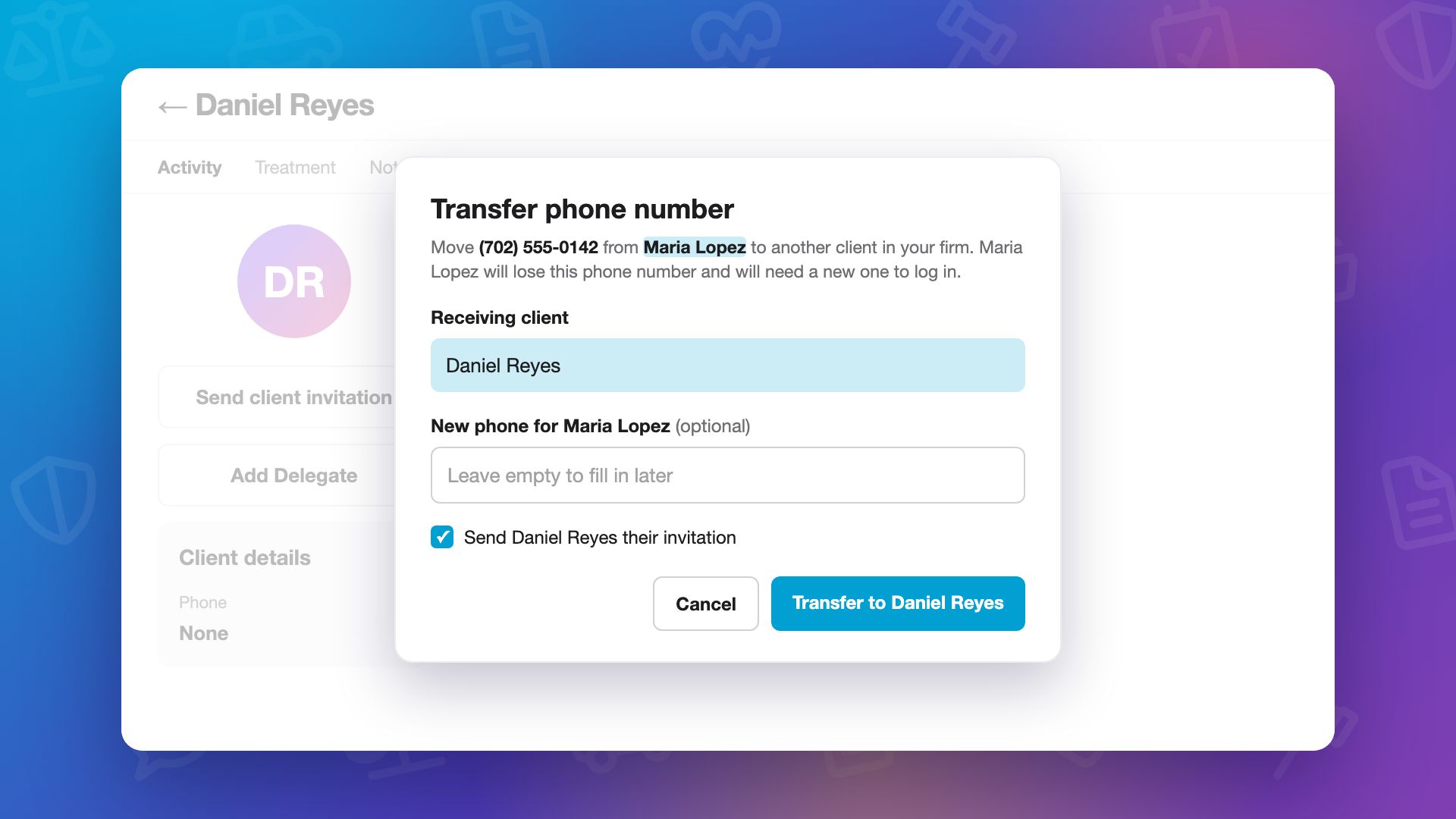
0:30Two Clients, One Mobile Number
A client’s mobile number is their Quilia sign-in, so it can belong to only one client. When a new client’s number already belongs to another client, the alert email has a Move the number button.
trainingfirm onboardingclientstroubleshooting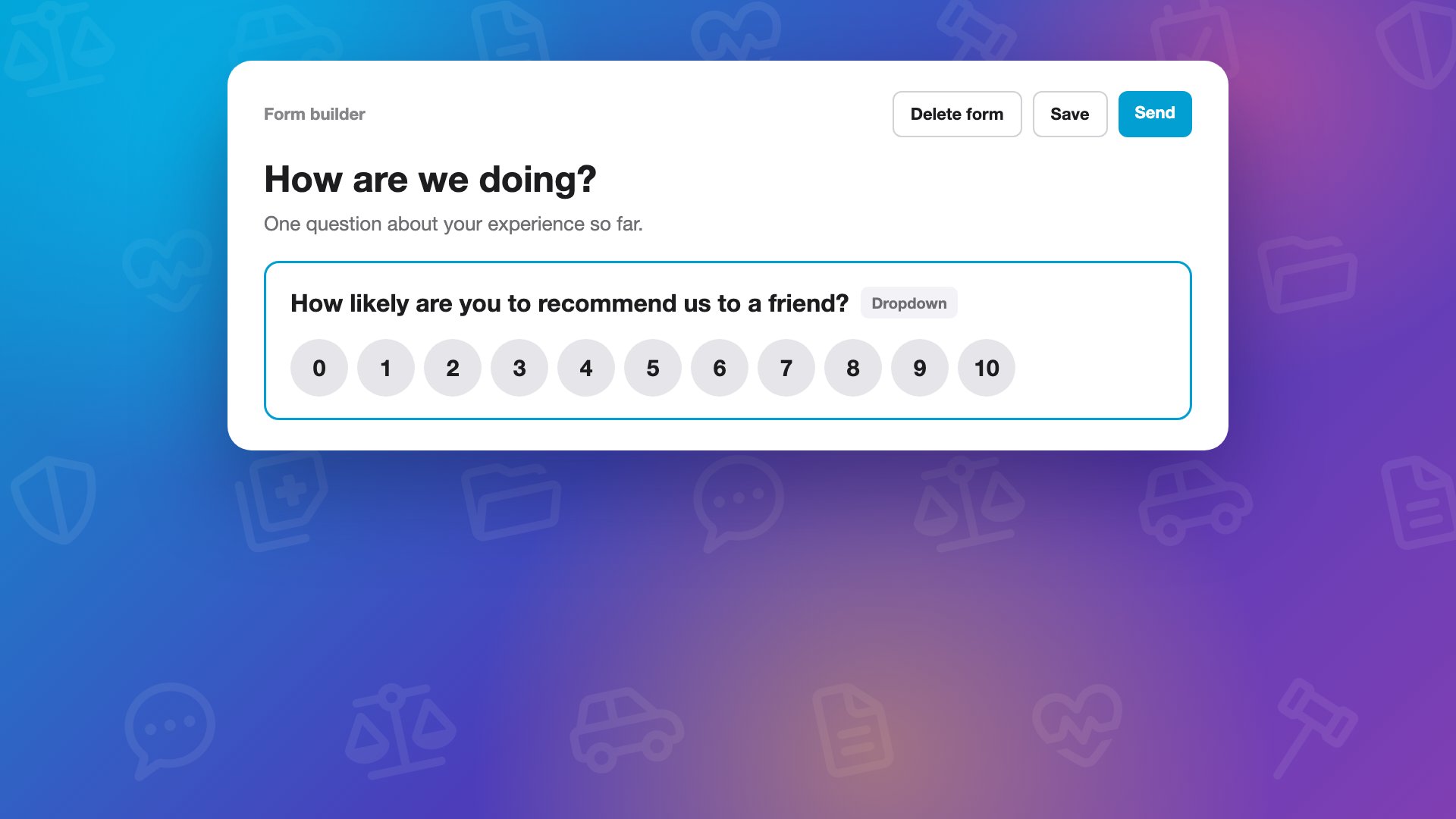 0:52
0:52Build a Form, Send It Anywhere
In Forms, click New form: copy one you already have, drop in a document, or start a blank form. Add a question, make it a dropdown, and click Use a 0 to 10 scale, and short lists show up as buttons clients tap. Save it, and it is ready to reuse.
trainingfirm onboardingformsautomations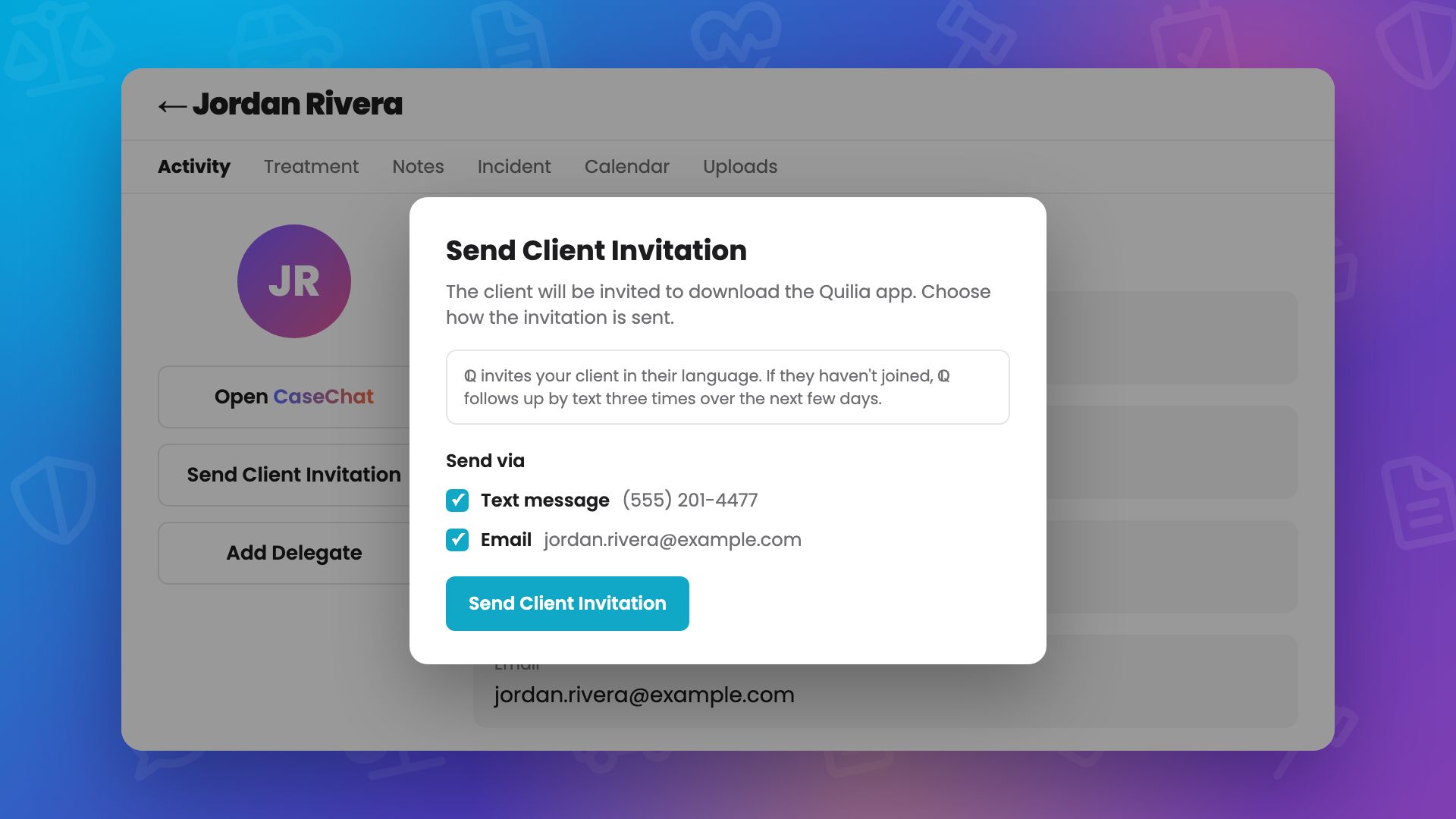 1:05
1:05Inviting a Client During Intake
How firm staff get a client on Quilia during intake: send the invite from the client's case, or from an Invite to Quilia button in the case management system, or automatically when the case is opened. Then stay with the client while they download the free app and sign in with a 6-digit code.
trainingfirm onboardingclient onboardinginvite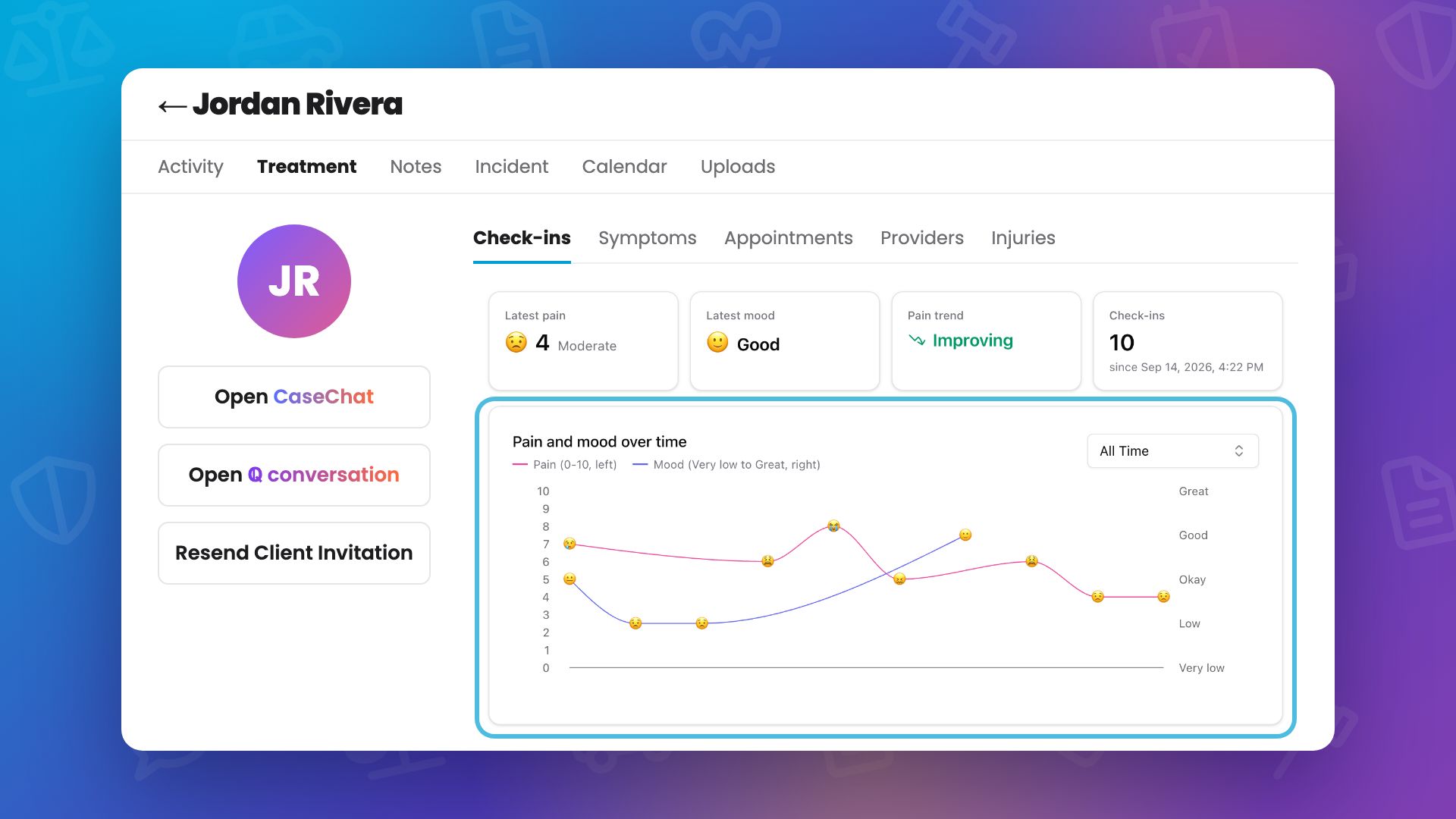 0:46
0:46Pain Scores and Health Check-ins: Reviewing a Client's Check-ins
Clients log pain scores and how they are feeling in the Quilia app, with a Physical Check-in (pain from 0 to 10, a rating for each injury, and symptoms) and a Mental Check-in (one tap, from very low to great).
trainingfirm onboardingpain scorescheck-ins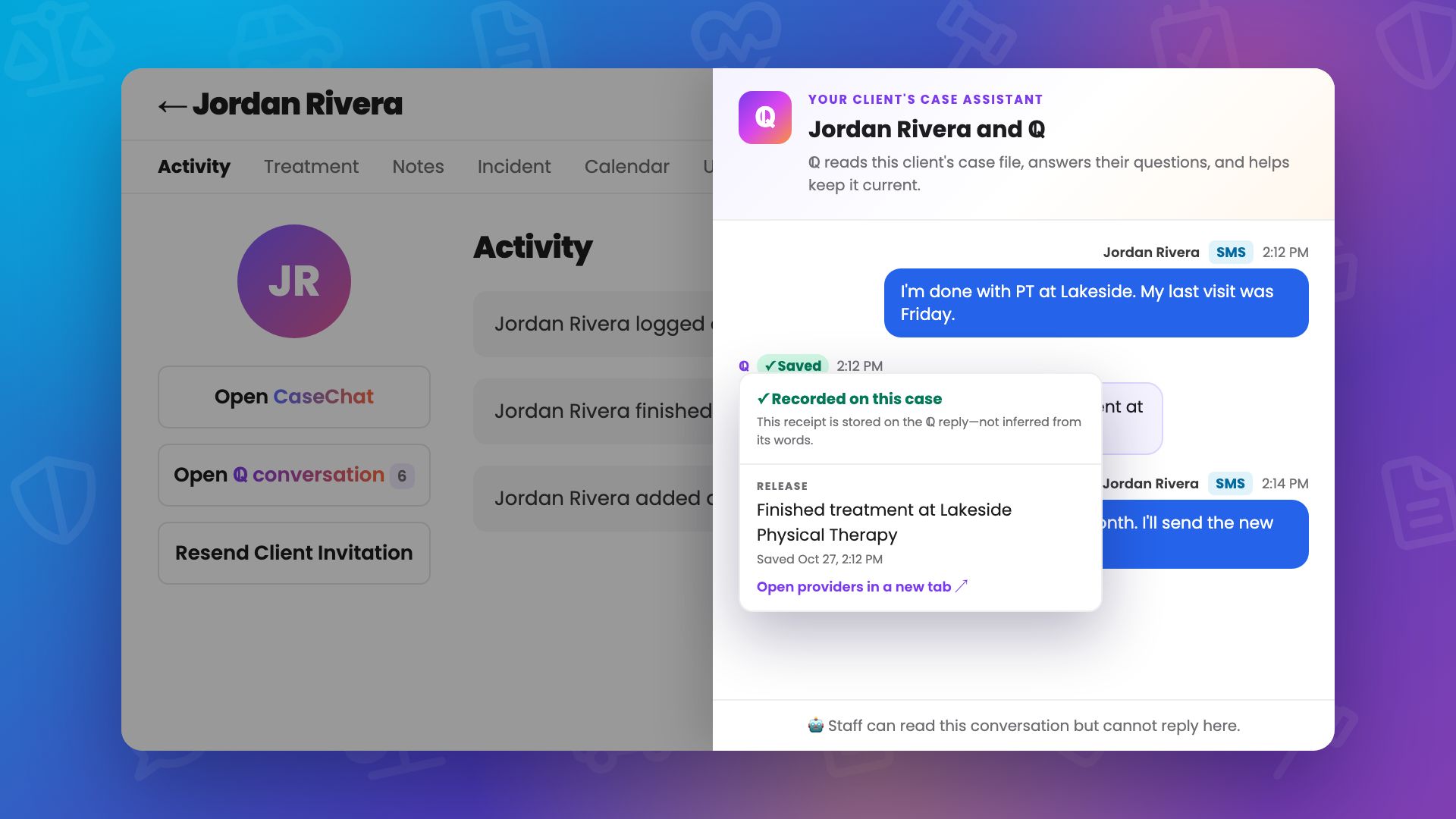 0:42
0:42Reading a Client's Conversation With ℚ
How firm staff read a client's conversation with ℚ, in the app or by text, from the client's case in the Quilia portal. Messages sent by text are marked SMS, and a ℚ reply that recorded something on the case is marked Saved, with a receipt of exactly what was saved and where.
trainingfirm onboardingqclient communication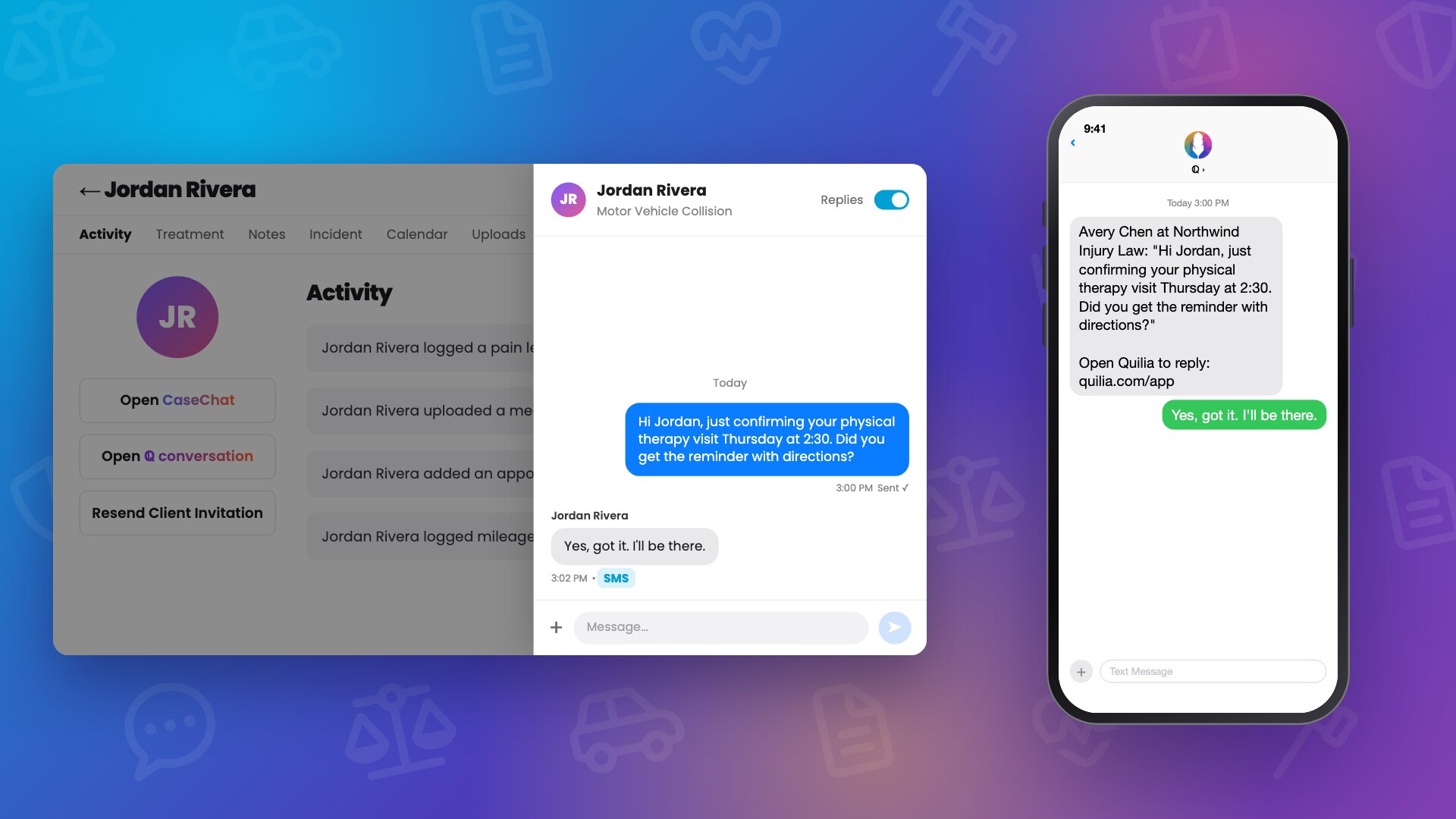 0:45
0:45CaseChat: Messaging a Client From Their Case
How firm staff message a client with CaseChat, right from the client's case in the Quilia portal. The conversation slides out over the case file, and the client gets the message in the Quilia app, or as a text if the app can't reach them.
trainingfirm onboardingcasechatclient communication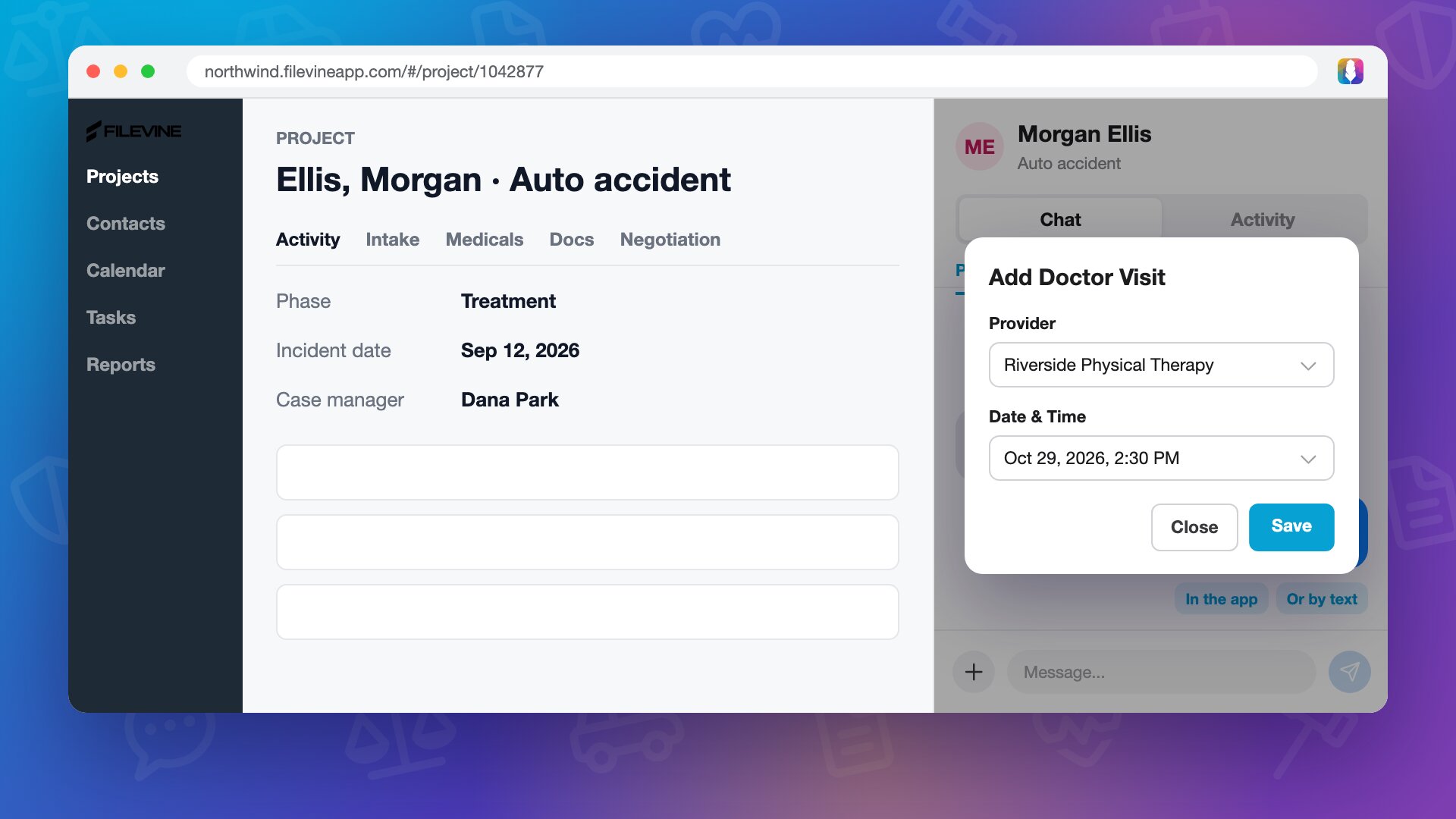 0:44
0:44Working With a Client From Filevine: CaseConnect
How firm staff work with a Quilia client without leaving Filevine, using the CaseConnect browser extension. The panel opens beside the project with that project's client.
trainingfirm onboardingcaseconnectfilevine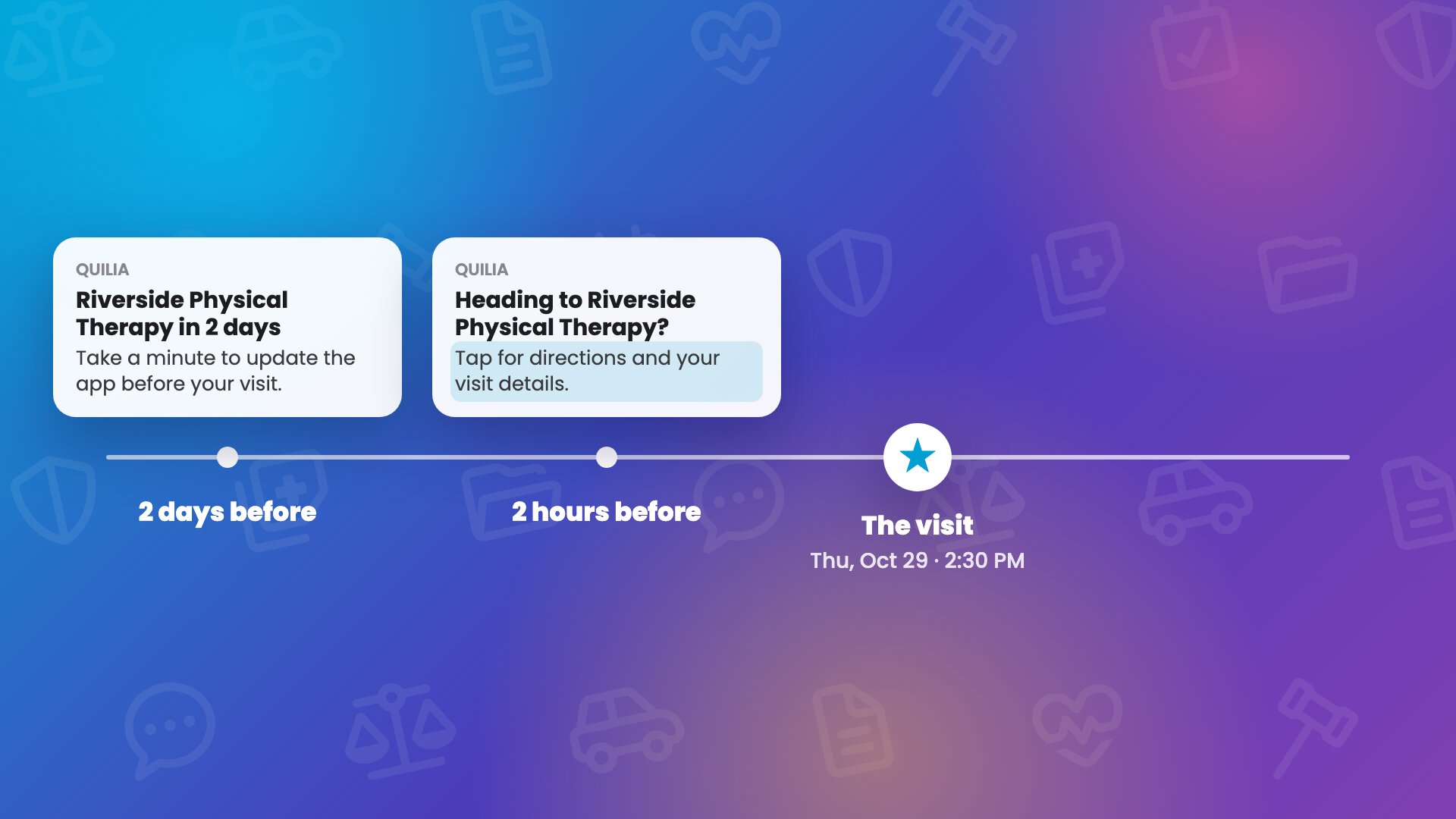 0:52
0:52Automatic Appointment Reminders and Follow-Ups
Add an appointment once and Quilia handles the reminders and the follow-up. Staff add it on the case's Treatment tab, and the client is notified and can add it to their phone's calendar.
trainingfirm onboardingappointmentsreminders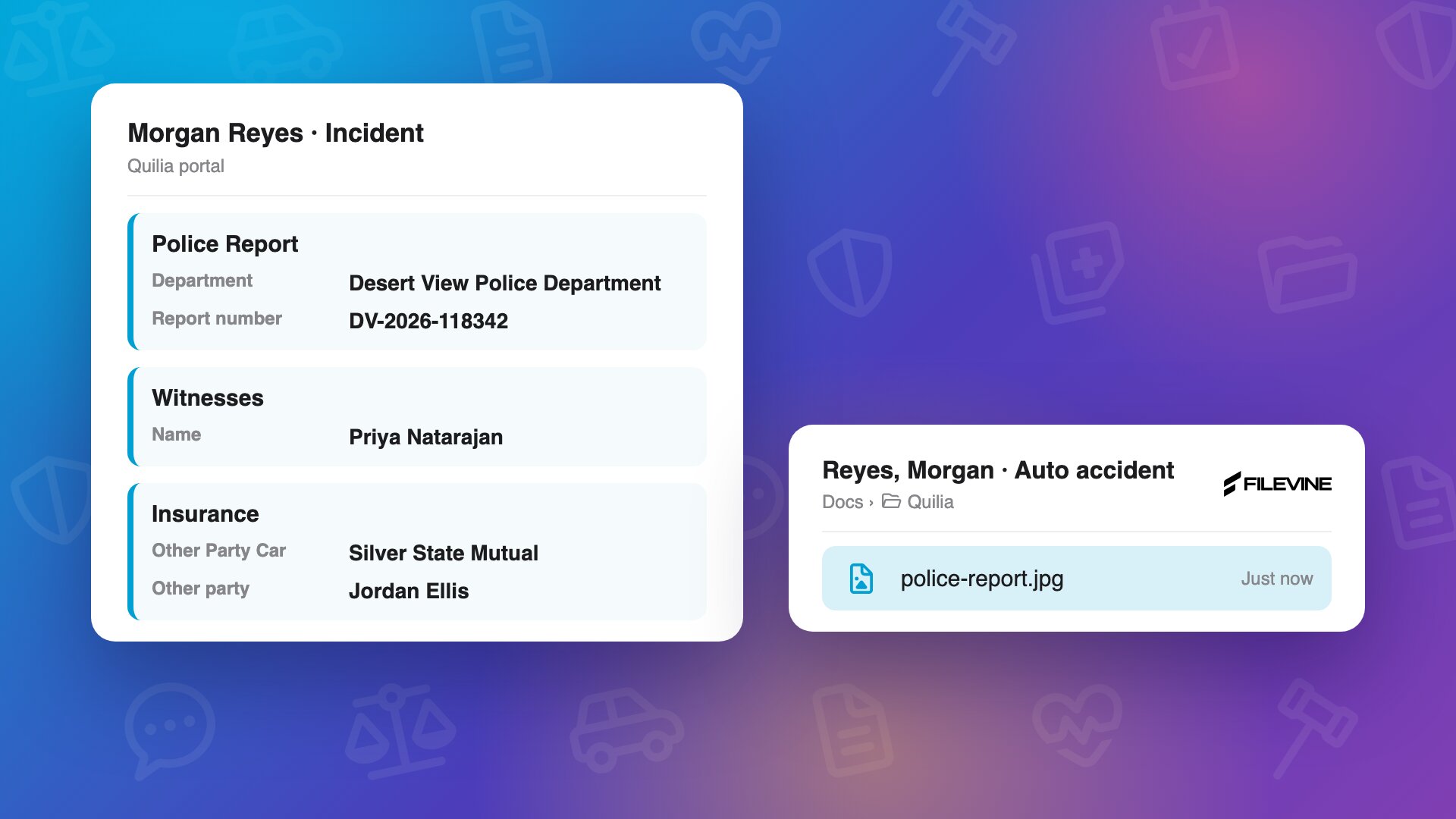 0:38
0:38What Happens When Clients Send Photos and Documents
Clients can take a picture of anything they get in the Quilia app, without saying what it is. Quilia reads it: from a police report, that's the report number, the other driver, their insurance and the witnesses.
trainingfirm onboardingclient uploadsdocuments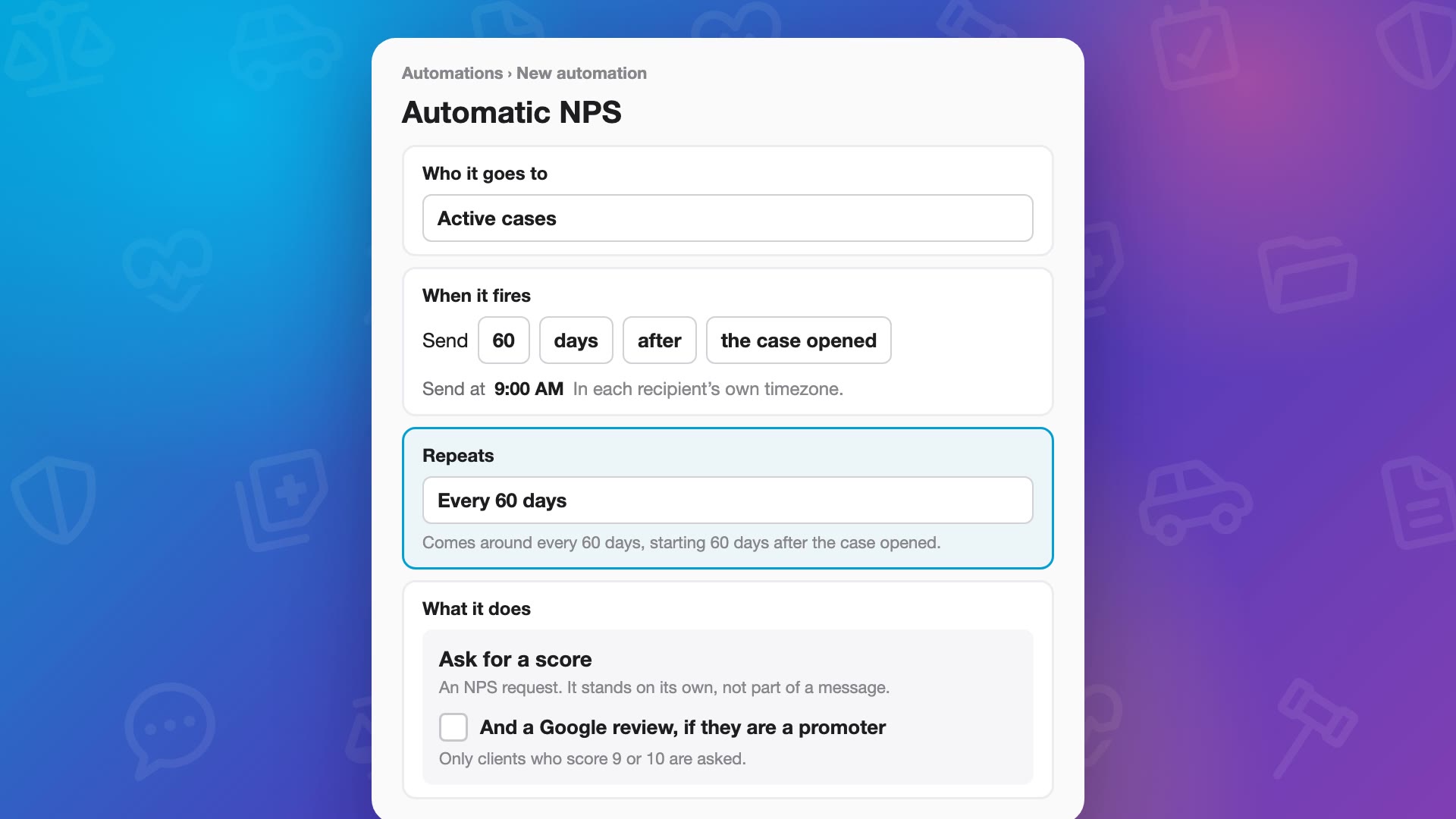 0:53
0:53Happy Clients to Google Reviews: NPS in Automations
Add “Ask for a score” to an automation, sixty days after the case opens, and set it to repeat every sixty days to keep a pulse on clients all the way through the case. Clients get a notification and one question in the Quilia app: how likely are they to refer your firm to their friends, from zero to ten. Turn on the Google review link, and a nine or ten gets it right when they’re happiest. Lower scores get a thank-you and room to say what would help, and your team gets an email.
trainingfirm onboardingnpsgoogle reviews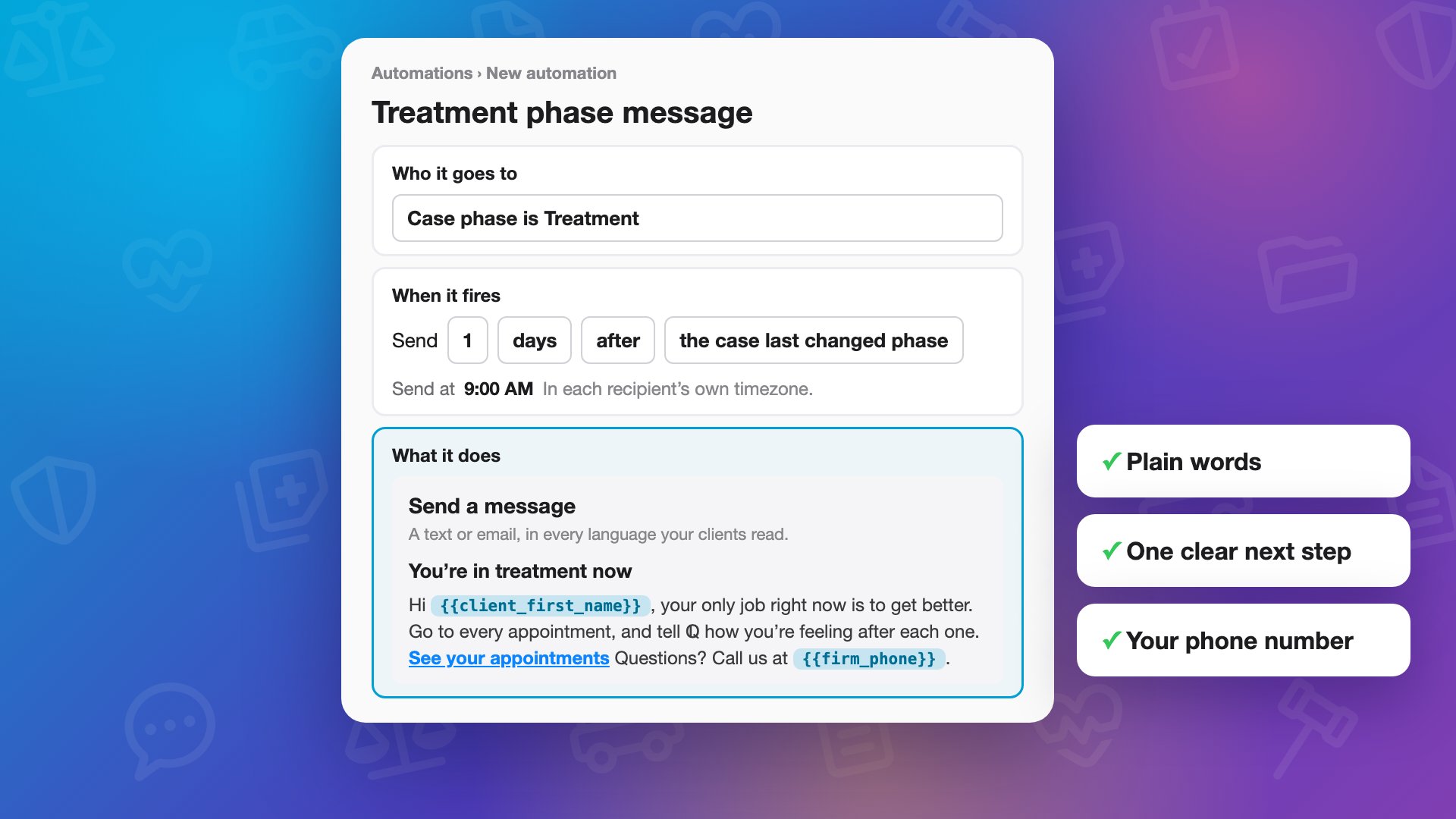 0:39
0:39Client Messages That Sound Like Your Firm
Make your automated client messages sound like your firm. In Automations, choose who a message goes to and when, like the morning after a case moves to treatment, then write it the way your team talks on the phone.
trainingfirm onboardingautomationsclient communication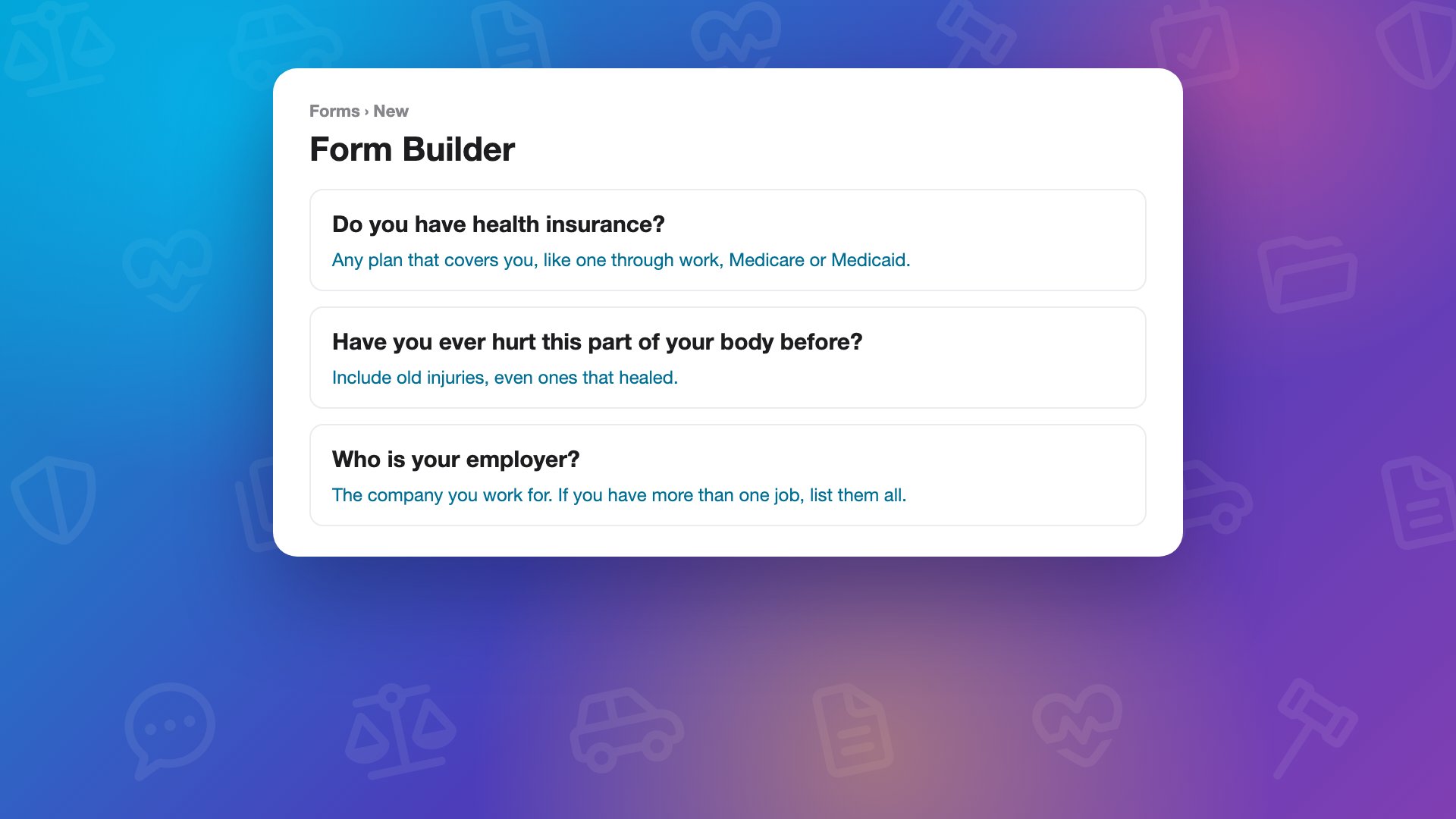 0:44
0:44Intake Forms Clients Fill Out on Their Phone
Turn your intake packet into a form clients fill out on their phone. In Forms, drop in the packet and Smart Extract turns it into questions, with plain-word help under each one. Send it from the case, or let an automation send it when the case opens.
trainingfirm onboardingintakeforms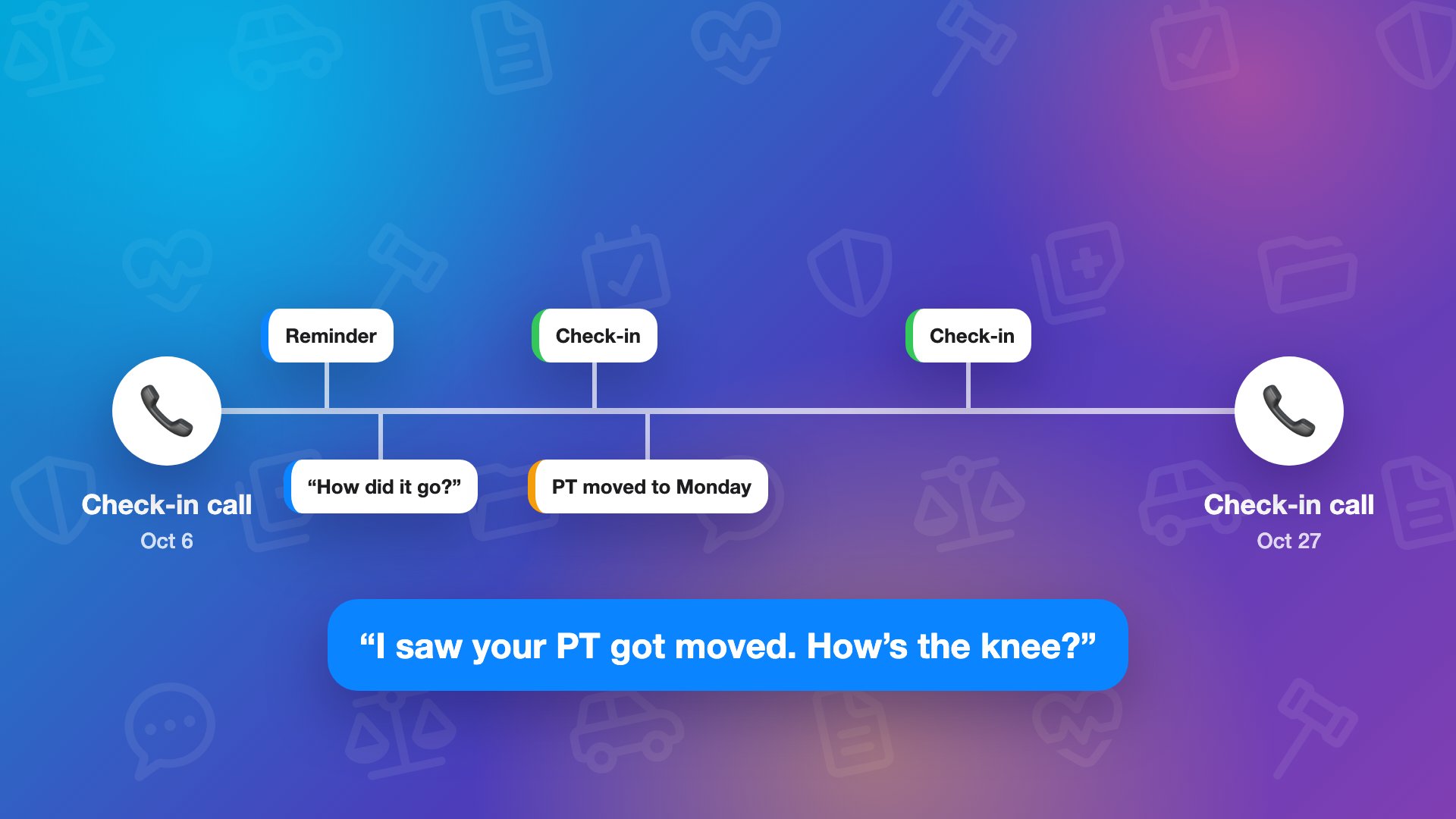 0:39
0:39A Check-In You Set Up Once: How ℚ Fills the Days Between Your Calls
Your team’s check-in calls are the backbone of every case, and ℚ fills in the days between them. Clients get a reminder before each appointment and a quick “how did it go?” after, and you can add your own recurring check-in in Automations, every week, or every day for a busy case.
trainingfirm onboardingcheck-in callsautomations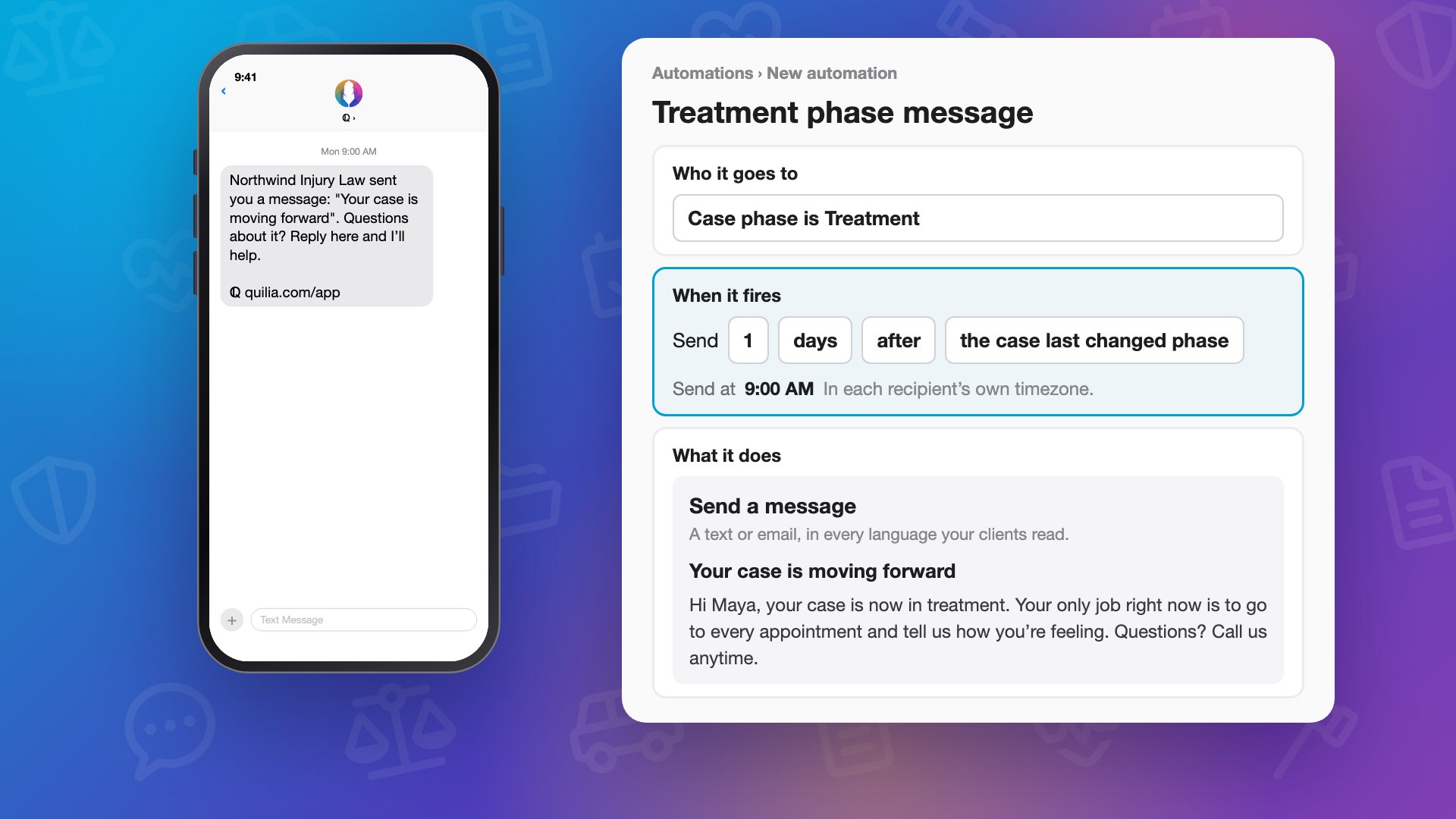 0:48
0:48What Five-Star Feels Like: One Client’s Week Between Calls
Five-star client service happens in the days between your calls. Follow one personal injury client’s week from their phone: a message from the firm the morning after the case moves forward, written once in Automations, a reminder before physical therapy, and ℚ asking how the visit went.
trainingfirm onboardingclient experienceautomations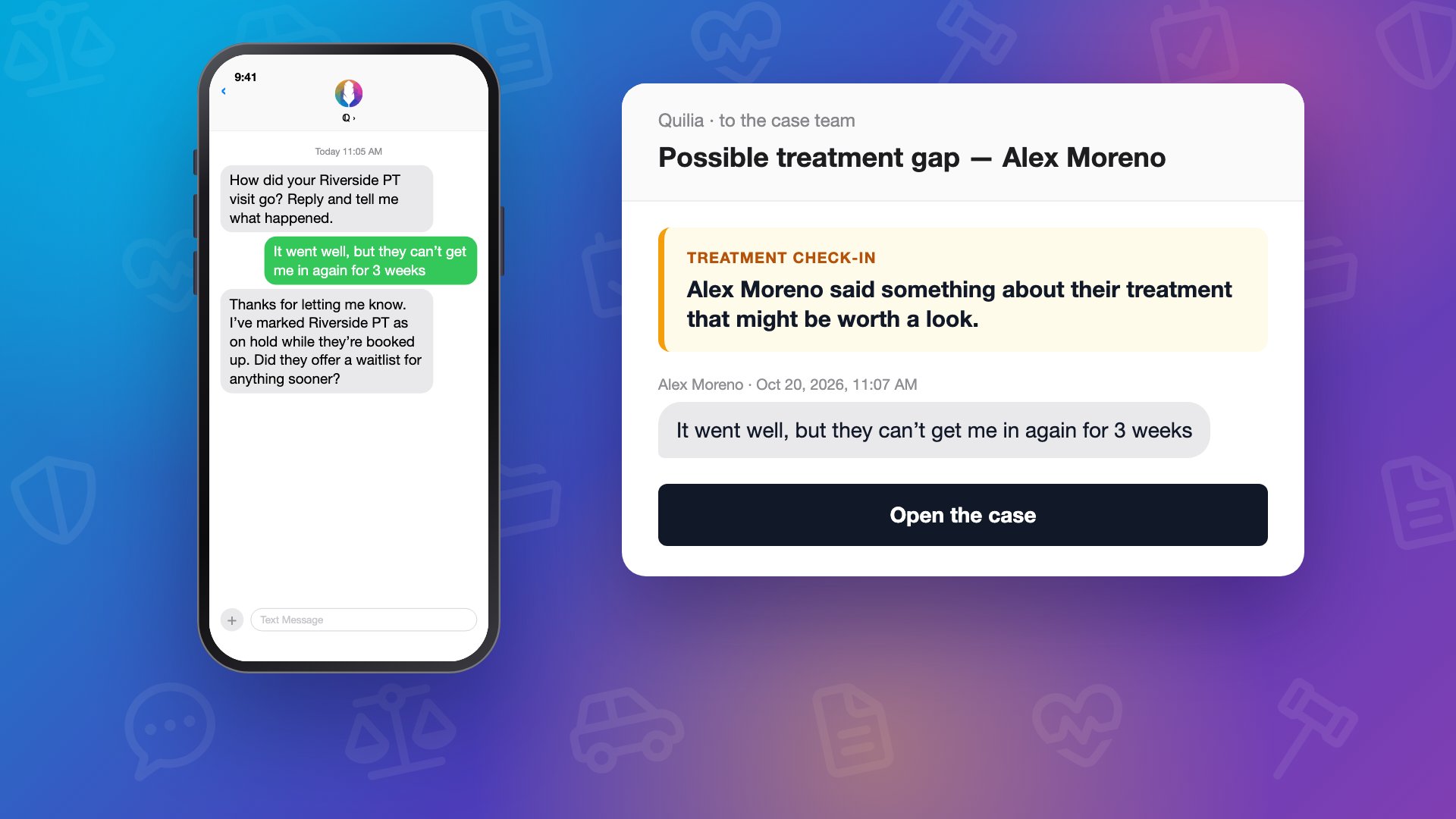 0:48
0:48Between Check-In Calls: Treatment Gaps and Releases ℚ Catches for You
Between client check-in calls, ℚ, Quilia's assistant, stays in touch with personal injury clients and lets the case team know the moment something needs them. When a client says the clinic can't get them in for weeks, ℚ marks that provider on hold, asks one easy question, and the case team gets an email right away with the client's own words and a link to the case.
trainingfirm onboardingtreatment gapscase manager alerts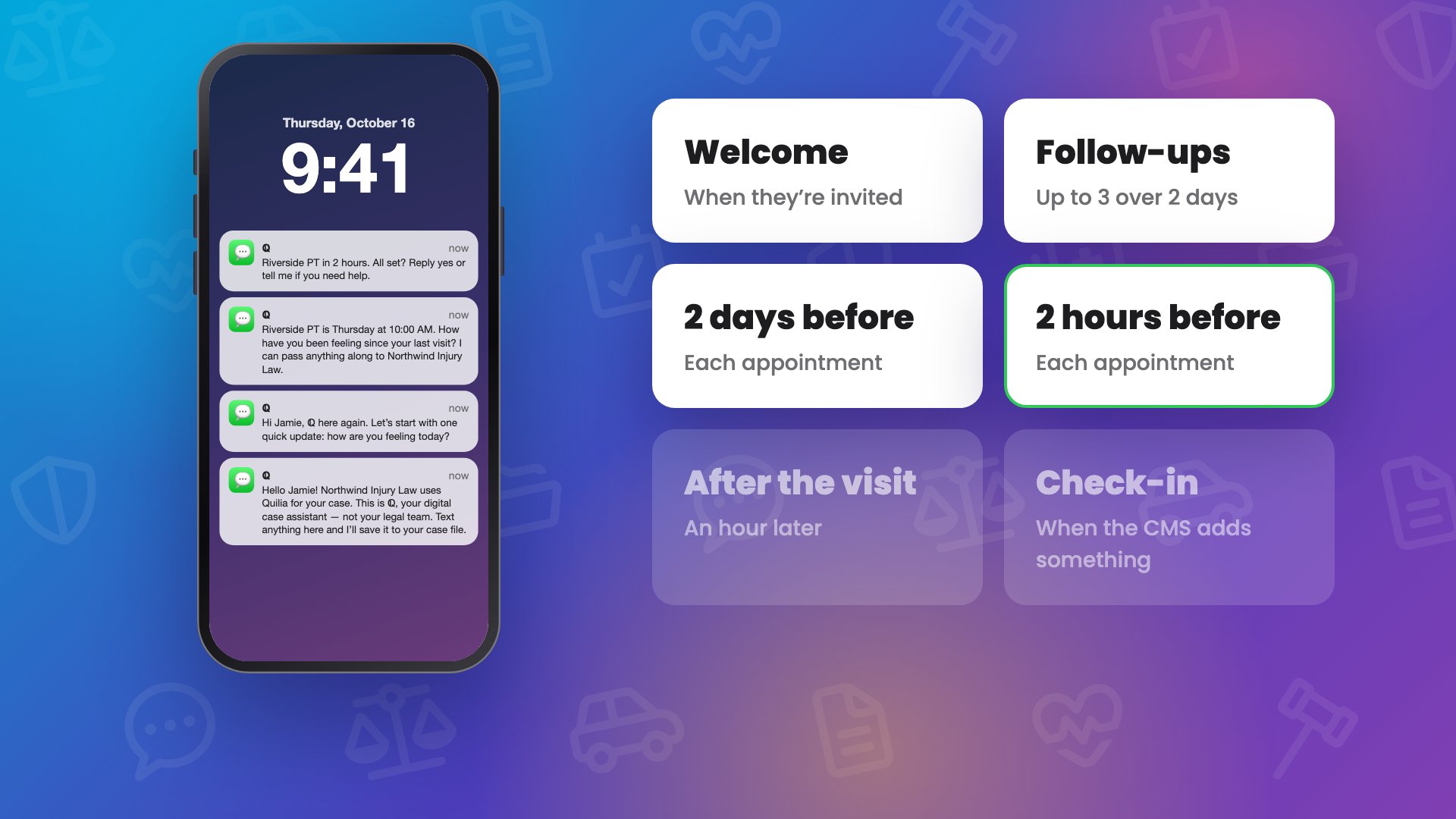 1:00
1:00What ℚ Sends Your Clients: Every Default Text, from Welcome to Check-In
Every text ℚ, Quilia's assistant, sends a personal injury client by default, so your team always knows what went out. A welcome when the client is invited, introducing ℚ as their case assistant and not their legal team, and up to three follow-ups over two days if they don't sign up.
trainingfirm onboardingclient textingappointment reminders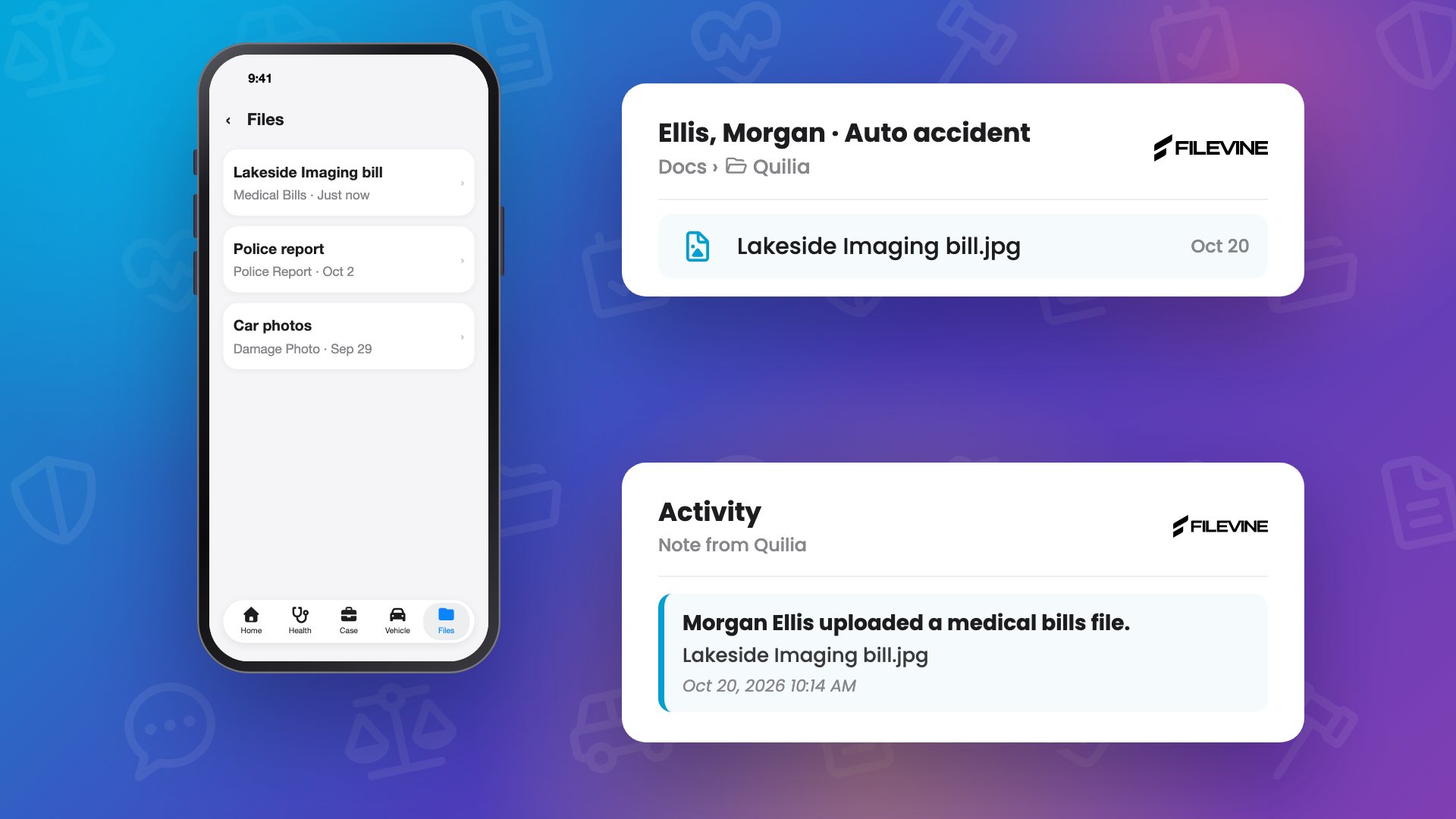 0:50
0:50Where Client Uploads Land: Bills and Records in Your Case File
When a bill or a record shows up in a personal injury client's mailbox, the easiest way to get it into the firm's file: in the Quilia app they tap Upload File, snap a picture and pick what it is. The file lands in the case's documents, in the Quilia folder, with an entry in the activity feed so staff know it came in.
trainingfirm onboardingclient uploadsmedical bills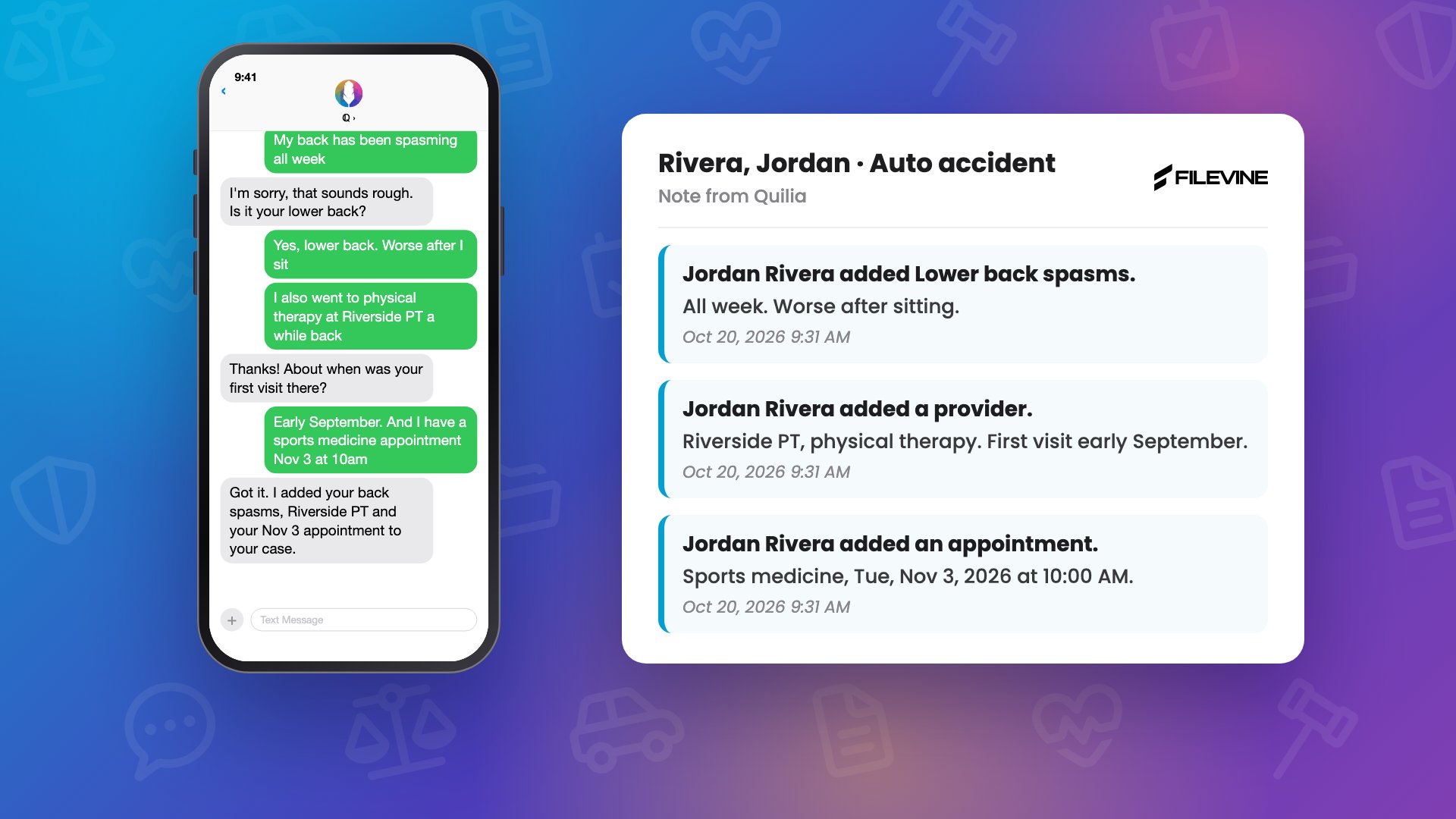 0:46
0:46A Client's Day with ℚ: Client Texts That Land in Your Case File
What it looks like when a personal injury client texts ℚ, Quilia's assistant: a new symptom, a provider they forgot to mention, an upcoming appointment. No app and no login, just a text.
trainingfirm onboardingclient communicationclient texting