CaseChat: Every Client Conversation, in the Case File
One conversation per case, two ways in.
Clients can text your team the way they already do, or message you in the Quilia app. Either way the conversation, photos included, is saved to the right case, where your team, ℚ and your case management system can use it.
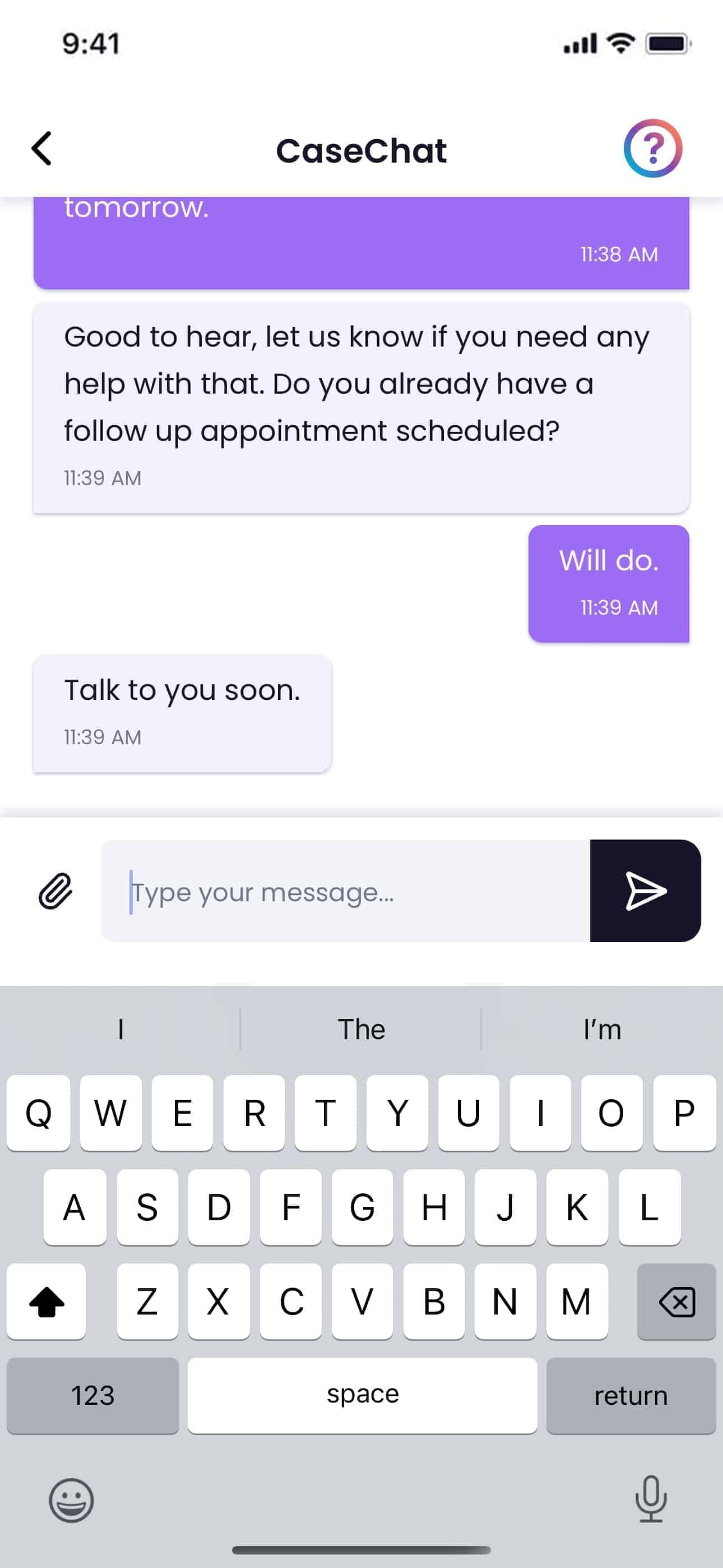
Two ways in, one thread
Every case has one CaseChat thread. Your firm decides how clients reach it, for the whole firm or client by client.
By text
Your team adds Quilia’s number to a group text with the client. Everyone keeps texting from their own phone, and the thread is saved to the case. Always available, no setting needed.
In the Quilia app
Turn on replies in CaseChat and clients can message your team from the app, while your team replies from the portal, the attorney app or the browser extension.
By text: keep texting, we keep the record
Add Quilia’s number to any group text with a client. Every message and photo from then on is saved to their case, attributed to whoever sent it. Nobody switches apps, and the client does nothing new.
- No texts scattered across phones: three paralegals texting one client from three phones still add up to one thread on the case.
- Photos become documents: a picture of an insurance card or a medical bill is filed and read like any upload.
- Works with RingCentral and Google Voice: any number your team texts from, once it is on their profile.
- Reaches your CMS: the day’s messages are exported nightly as a case note.
Your Team, Anywhere
Every CaseChat thread, texted or typed in the app, is in the portal on the client’s case, with photos and documents filed alongside it.
With replies on, your team answers from the portal, the attorney side of the Quilia app, or the CaseConnect browser extension. All three stay in sync, so a reply sent from court shows up at the office.
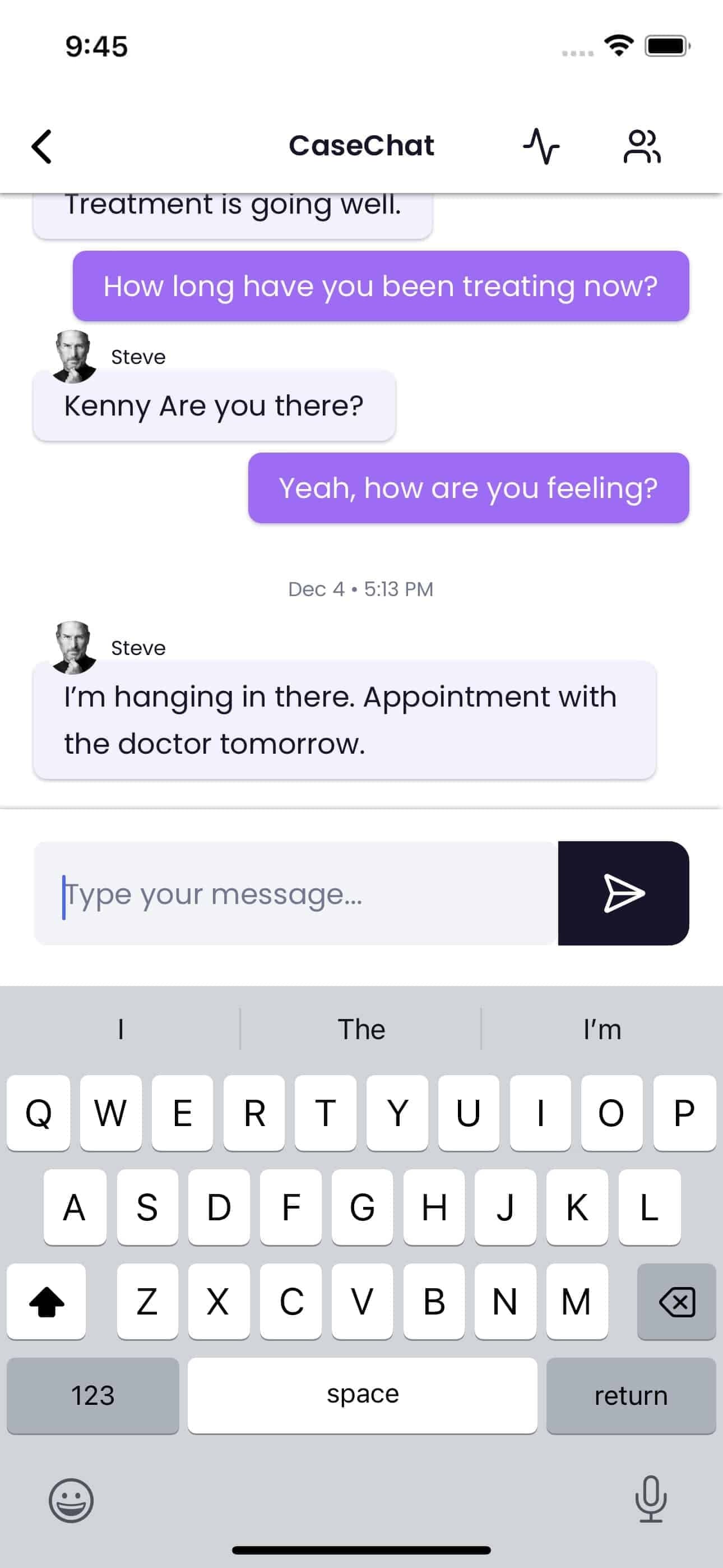
CaseConnect Browser Extension
Stay connected to your cases anywhere online with the CaseConnect browser extension. Available for Chrome, Edge, and Firefox. Get instant notifications for new CaseChat messages and case updates, even while working in other browser tabs.
The browser extension seamlessly integrates into your existing workflow, allowing you to access CaseChat without leaving your current page. Whether you’re reviewing documents, managing cases in your CMS, or conducting legal research, CaseConnect keeps you connected to your clients.
- Instant Notifications: Real-time alerts for new messages and case updates
- Quick Access: Open CaseChat modals instantly, linked to the page you're viewing
- Works Anywhere: Access CaseChat from your case management system, document review, or legal research tools
- Seamless Integration: Keep your team aligned with faster responses and better collaboration

What Every Thread Gets
Whichever way a client reaches you, the conversation is attached to their case and works the same way.
- In the case file: every message and photo is saved to the client’s case, and photos and documents are filed and read like any other upload.
- Exported to your CMS: the day’s messages go to Clio, Filevine, MyCase, Neos, Smokeball or CasePeer as a case note every night.
- Read by ℚ: the case memory ℚ works from includes the conversation, so ℚ knows what the client and your team have already said.
- Translated: messages in the app are translated between your team’s language and the client’s.
- Nothing left waiting: if a client’s message in the app goes unanswered, the case team gets an email during business hours.
- The right sender: when a case delegate writes, like a guardian or power of attorney, the thread shows who is actually speaking.
- Secure: conversations are stored under the same HIPAA safeguards as the rest of the case file.
CaseChat FAQs
Can our team keep texting clients?
Yes. Add Quilia's number to a group text with the client and everyone keeps texting from their own phone. The whole thread, photos included, is saved to the client's case and exported to your CMS. Clients in the thread see the number each teammate texts from, the same as any group text.
Can clients message us in the Quilia app instead?
Yes, when replies in CaseChat are on. You choose that for the whole firm or client by client. With replies on, clients message your team from the app and your team answers from the portal, the attorney app or the browser extension. With replies off, the thread still shows everything texted to the case.
How does our team see CaseChat?
Every thread is in the portal on the client's case. With replies on, your team can also answer from the attorney side of the Quilia app or the CaseConnect browser extension for Chrome, Edge and Firefox.
Does CaseChat use AI?
CaseChat conversations are part of the case memory ℚ works from, so ℚ knows what the client and your team have already discussed. Photos and documents sent in the thread are read and filed like any other upload.
Is CaseChat secure?
Yes. Conversations are stored with the rest of the case file under the same HIPAA safeguards and are only available to your firm's team. In the app, clients never see staff phone numbers. In a group text, everyone sees the numbers in the thread, as with any text message.