Family Law Clients Upload It.
Quilia Organizes It.
A divorce runs on what is already in your client’s phone: statements, card bills, loan papers, texts. With Quilia, the client app for family law firms, they just upload it. ℚ, our digital case assistant, sorts it and lists every account, car and loan for them to confirm.
Quilia features for Family Law
Every feature below works on this case type. Pick one to see how it works.
Talk with clients
- CaseChatSecure, privileged client messaging, translated into the language each client reads.
- TextingTwo-way client texting where every text, one-to-one or in a group, is logged on the case.
- Mass MessagingReach one, several or every client at once, safely.
- MultilingualClients use Quilia in their own language, and your team reads it in English.
Collect documents and signatures
- OnboardingClients sign in with a magic link to a profile already filled in from your case file.
- Document ManagementRecords, bills and photos clients upload are sorted and synced to the case.
- Document SharingSend firm documents to clients from the folder you already use.
- E-SignaturesGet documents signed in the app, with no per-signature fees.
Run your firm
- AutomationsInvitations, follow-ups, phase updates and re-engagement run on their own while you focus on cases.
- Attorney DashboardOne place to manage cases, track progress and talk with clients.
- A.I. InsightsRisks and next steps surfaced from what clients share, before anyone has to ask.
- Internal NotesTeam-only notes that never reach the client.
- Case DelegatesExecutors, guardians and family members on the case, with access you control.
- Case ReferralsRefer cases to other attorneys and track their status.
- AI Assistants (MCP)ChatGPT, Claude and other assistants connect to Quilia with one sign-in.
Grow your reputation
Privilege and security
How Does a Family Law Client App Work?
Most firms ask clients to retype their finances into worksheets, then a paralegal rebuilds the picture the week a disclosure is due. Here is what happens instead.
Step 1
Your Client Uploads
Screenshots of statements, texts and social posts, and photos of paperwork, straight from the camera roll. No forms to fill out and nothing to sort.
Step 2
ℚ Analyzes Every One
ℚ pulls out the accounts, vehicles, cards, loans and people in each upload. The same account seen in a dozen statements becomes one entry, not twelve.
Step 3
The Case Fills In
Assets and Debts arrive with the bank, whose name it is in and the last four digits, waiting for the client to add them. Your team sees everyone in the files and how many uploads they appear in.
of clients would recommend their attorney because of Quilia.
889 clients surveyed
A Client Portal Built for Divorce and Custody
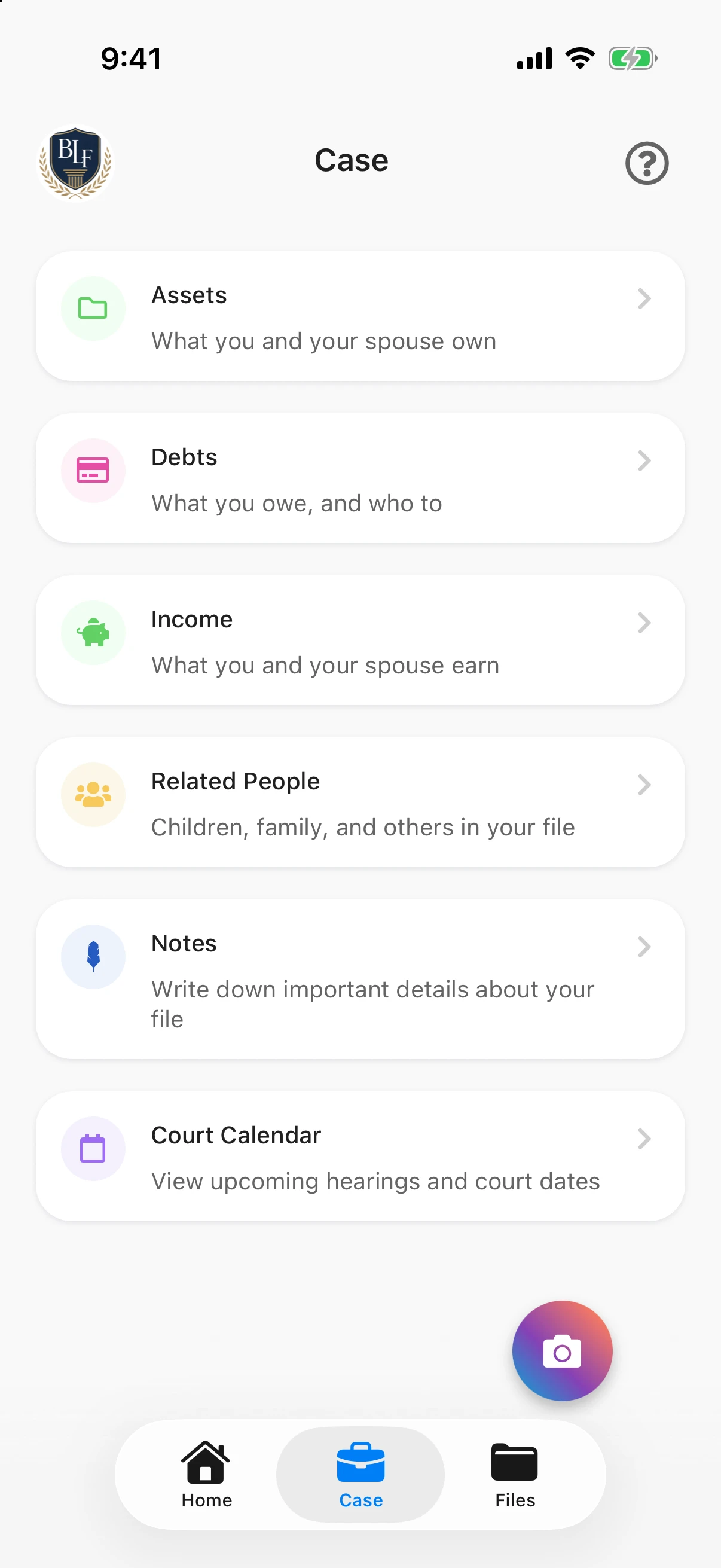
A family law client sees a Case tab built for their matter: what they and their spouse own, what they owe, what each of them earns, the people in the case, their notes and the court calendar. Requests and online payments show up there too when your firm uses them.
Nothing on it is about injuries or medical treatment. Every screen is written for someone going through a divorce or a custody case, in plain language, in their own language.
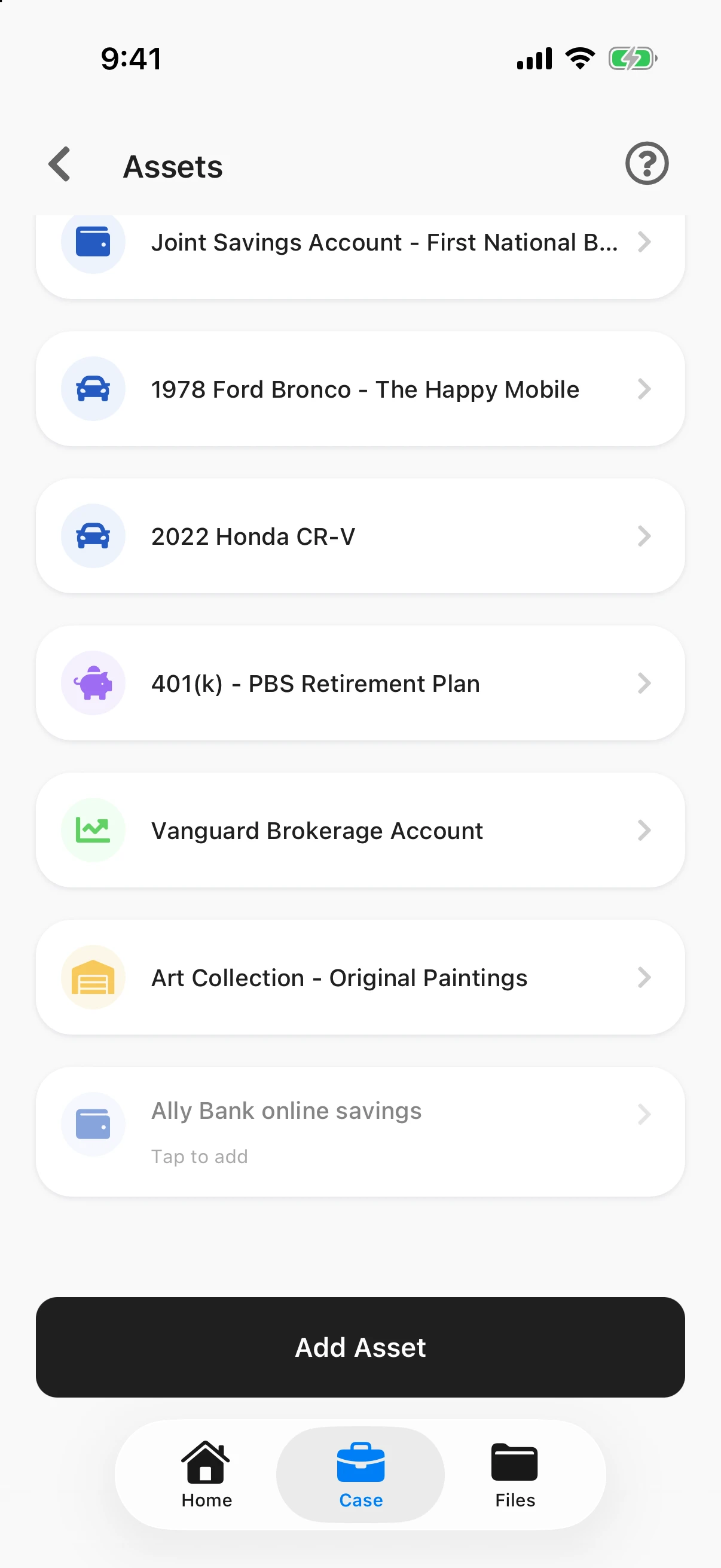
The Marital Estate, Listed by the Client
Clients list the house, bank and retirement accounts, vehicles, a business, and anything else of value, along with whose name it is in.
They don’t have to type most of it. When a client uploads bank, loan or vehicle statements, ℚ analyzes them and offers each account it finds, shown faded at the bottom of the list. One tap adds it; one tap removes it. Nothing goes on the list until the client says it belongs there.
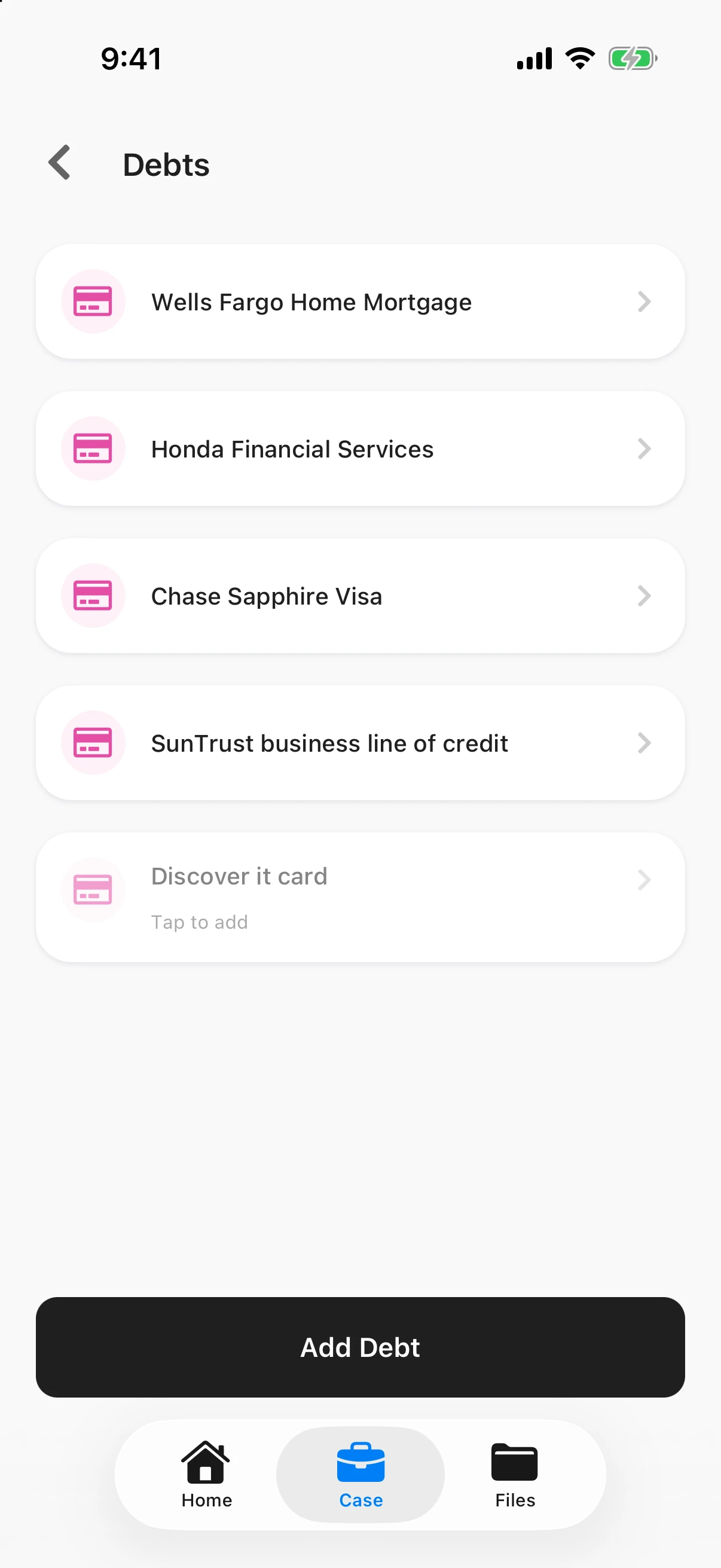
Every Debt, and Who It’s Owed To
Mortgages, car loans, credit cards, student loans, tax debt and personal loans each get their own entry, with the lender, whose name it is in and the last four digits of the account. Cards and loans found in the client’s statements show up here the same way, ready to add.
The result is a list of liabilities your team can work from on day one, instead of one you piece together the week the financial affidavit is due.
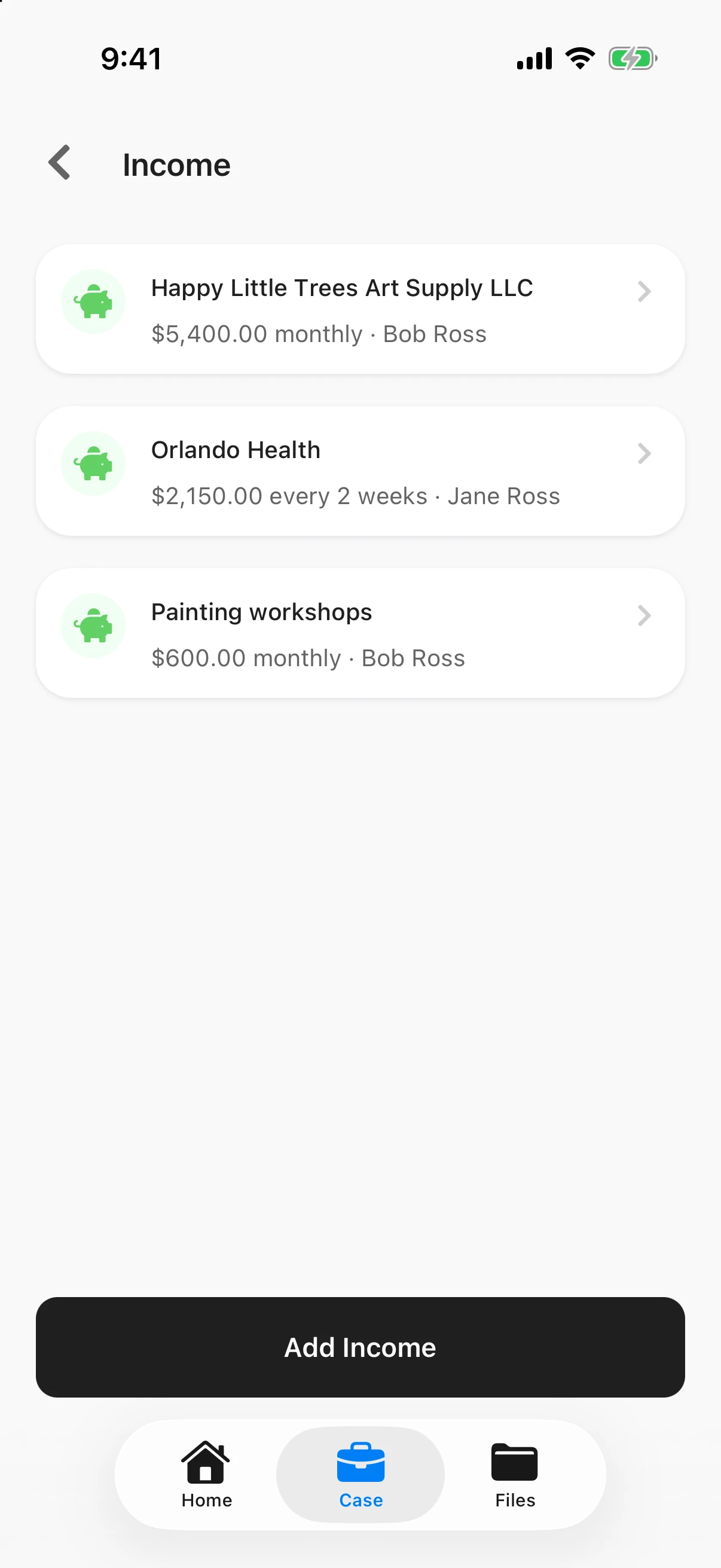
Income for Both Spouses
Support starts with income. Clients add each job, business, benefit or support payment, for themselves and for their spouse, with the amount and how often it is paid: weekly, every two weeks, twice a month, monthly or yearly.
A past job counts too, so the history is there when earning capacity comes up.
A Court Calendar Clients Actually Check
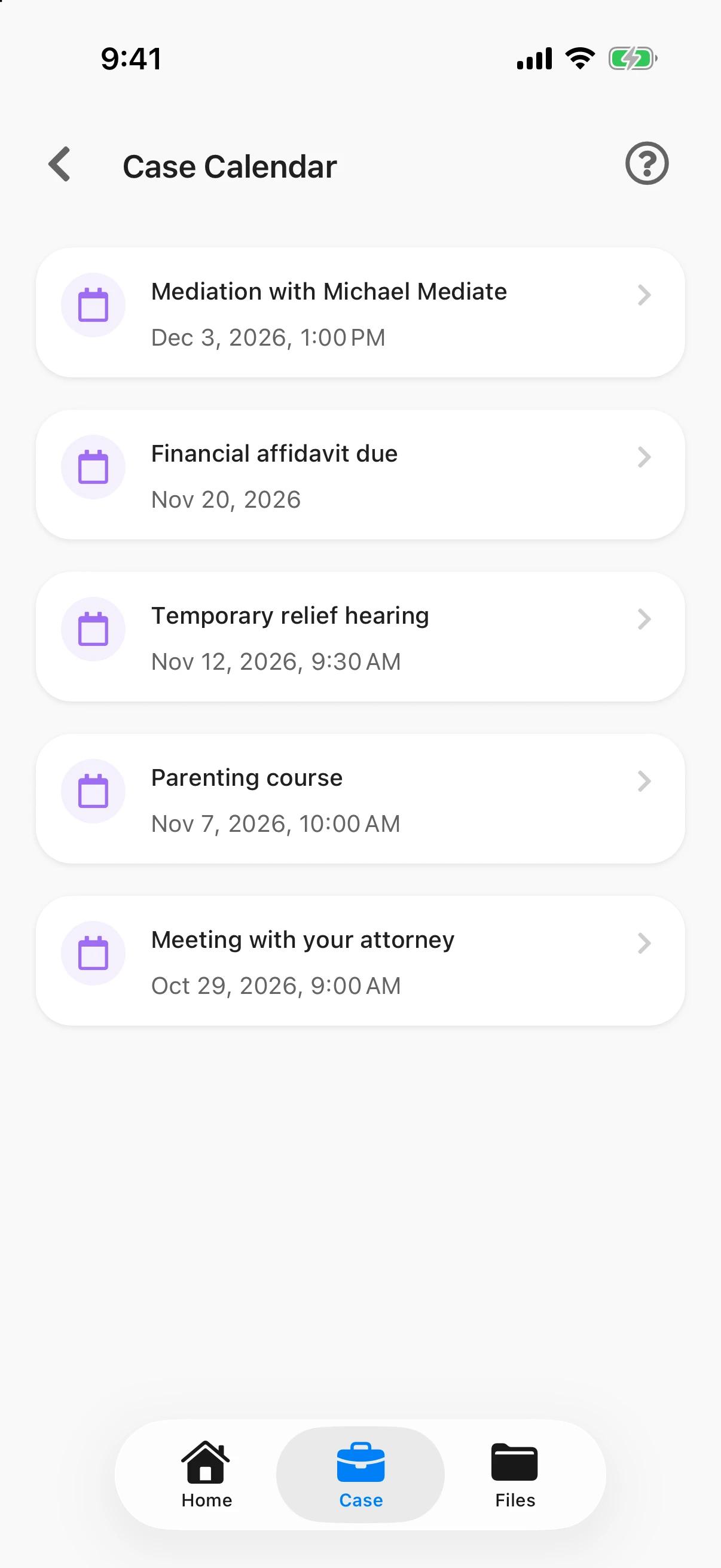
Hearings, mediation, the parenting course, disclosure deadlines and meetings with your team all live on one calendar, with the notes the client needs: where to go, what to bring, how long to plan for.
Clients get a reminder when a date is added, two days before and two hours before, so fewer people show up unprepared or not at all.
A Dated Record of What Happened
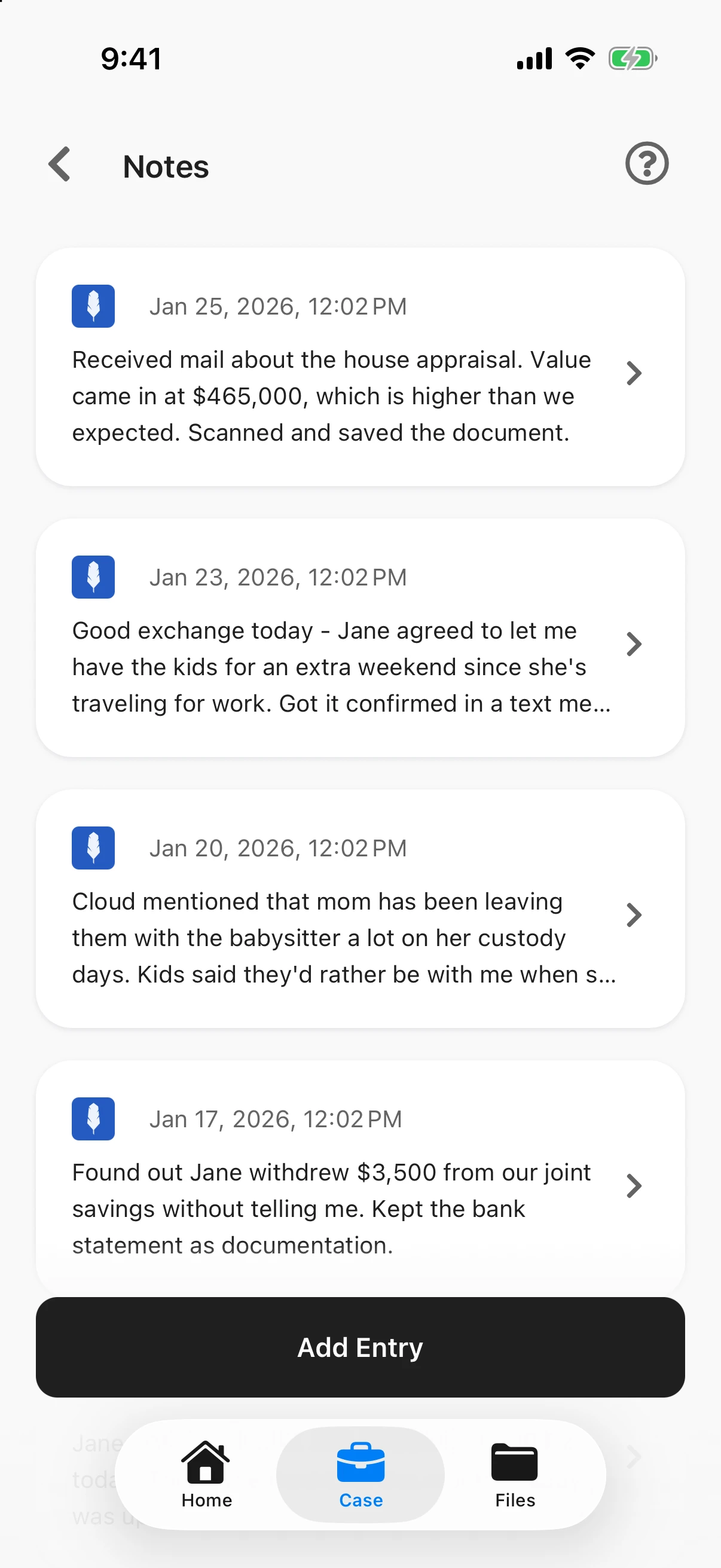
A late exchange, a withdrawal from a joint account, something the kids said, an appraisal that came in the mail. Clients write it down when it happens, and every note is dated.
Your team gets a running account in the client’s own words, instead of trying to reconstruct six months from memory the week before a hearing.
Everyone in the Case
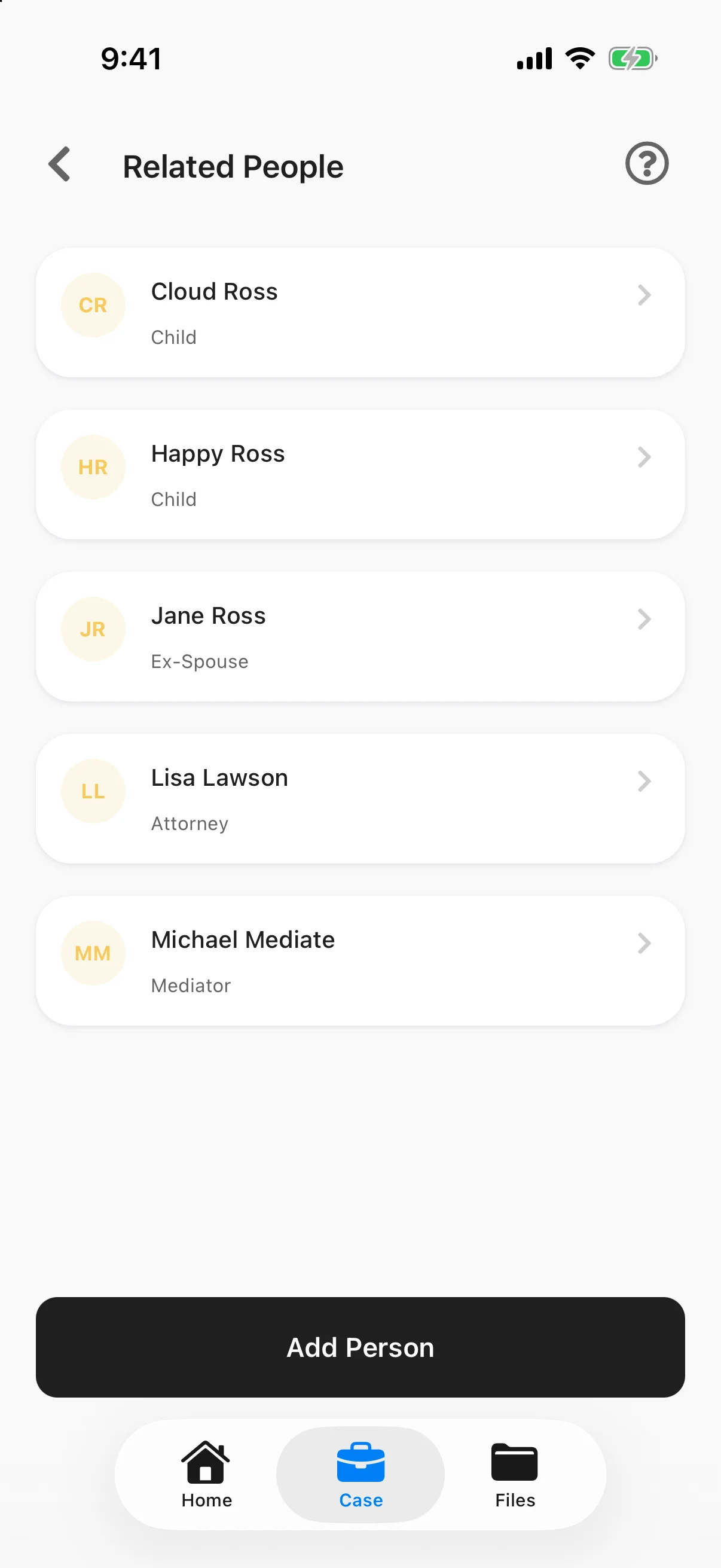
The children, the other parent, opposing counsel, the mediator and the guardian ad litem, with contact details and notes in one place. Each one carries a short label in plain words, like Child, Ex-Spouse or Mediator, so everyone can see at a glance who is who.
Private by Design
Messages, notes and documents stay between the client and your firm. Read how Quilia protects privilege.
Parents and Guardians
When the client is a minor or can’t act for themselves, Case Delegates give a parent or guardian exactly the access your firm decides.
Every Family Law Matter
Divorce, custody and timesharing, child and spousal support, modifications, paternity, prenuptial agreements, adoption and guardianship.
Family Law FAQs
What firms ask before they put Quilia in front of clients
What can a family law client keep in Quilia?
Their assets, debts and income (for themselves and their spouse), the people in the case, dated notes, and a court calendar with hearings, mediation and deadlines. Requests, requested documents and online payments appear too when your firm uses them. None of the injury or medical treatment screens appear on a family law case.
Will our clients actually use it?
They do. 82% of the 889 clients surveyed in the app say they would recommend their attorney because of Quilia. Clients sign in with a one-time code sent to their phone or email, so there is no password to remember, and the app only asks for what their case type needs.
Do clients have to type in every account by hand?
No. Clients upload what is already on their phone: screenshots and photos of bank, card, loan and vehicle statements. ℚ, Quilia’s digital case assistant, analyzes every upload and offers each account, car, card and loan it finds on the Assets and Debts screens, with the bank, whose name it is in and the last four digits. The same account seen in a dozen statements shows up once. The client adds each one with a tap or removes it, and nothing goes on their list unless they add it.
How does this help with financial disclosure?
Most of what a financial affidavit asks for (what the client owns, what they owe, and what each spouse earns and how often) is already in the client's file, entered as they went. Your team starts from a complete list instead of a blank worksheet and a round of follow-up calls.
Do clients get reminded about court dates?
Yes. When your team adds a hearing, mediation or deadline to the client's calendar, the client is notified, then reminded two days before and again two hours before.
Can the other spouse or opposing counsel see anything?
No. A case in Quilia is shared only between your client and your firm, plus any parent or guardian your firm adds as a case delegate. The other party and opposing counsel appear only as names in your client's Related People list.
What if our clients don't speak English?
The Quilia app is available in 25 languages, and each client uses it in their own.