
Reputation Management for Law Firms
One dashboard to track NPS, reviews, and team performance across your firm.
See who's delighting clients and catch issues before they go public. Every piece of feedback is automatically tied to the right case and person.
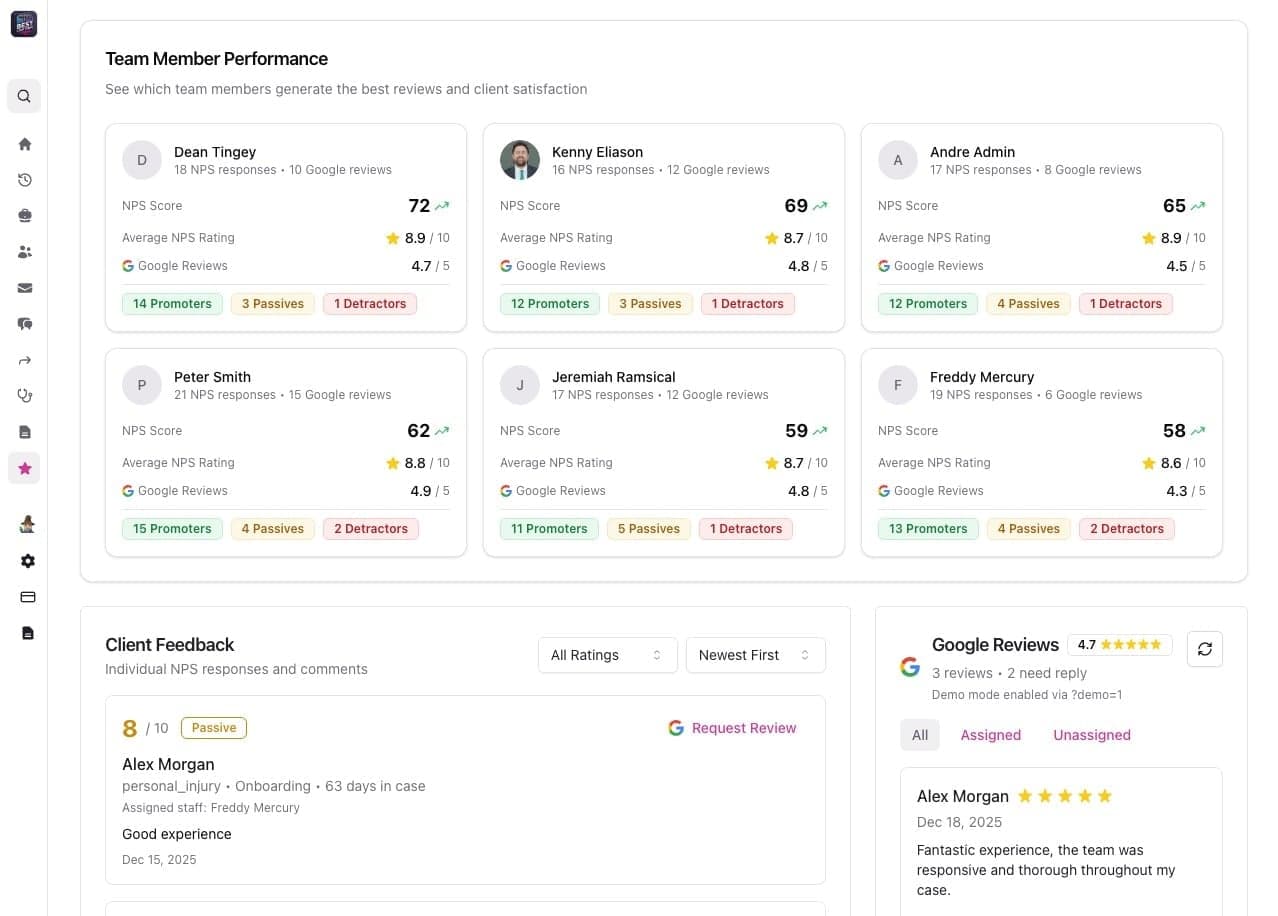
See Which Team Members Generate the Best Reviews
Filter your reputation dashboard by any team member—attorney, case manager, or intake specialist. See their individual NPS scores, review counts, and client sentiment breakdown. Celebrate top performers and identify who needs coaching with clear, actionable data.
Everything You Need to Build a Five-Star Reputation
The NPS survey and automatic Google review requests that feed this dashboard are covered on the Google Reviews page.
Every Response Linked to the Right Case
NPS scores and Google Reviews are automatically tied back to the specific case file, giving you full context on which matters are generating positive feedback and which need attention. No manual tracking or spreadsheets required.
Unified Dashboard
See NPS trends, review volume, and completion rates in one place. Filter by date range, team member, or case type to spot momentum and bottlenecks quickly.
Role-Based Controls
Decide who can enable automatic review requests, view scores, or respond to detractors. Keep sensitive feedback secure and actions accountable.
Works With Your Case System
NPS results and review links stay in sync with your existing case management workflows, so your team never re-enters data or chases spreadsheets.
Ready to Transform Your Firm's Reputation?
See how Quilia's reputation management dashboard helps you track NPS, manage reviews, and build accountability across your team. Let's show you how it works.