Work with law firms
Bills and records to the attorney, without the fax
One click, and it is in the firm’s file.
When a firm asks for a bill or a record, you should not have to find a fax machine. Share it from the patient’s page and it goes straight to the attorney.
How do I send medical records to a law firm?
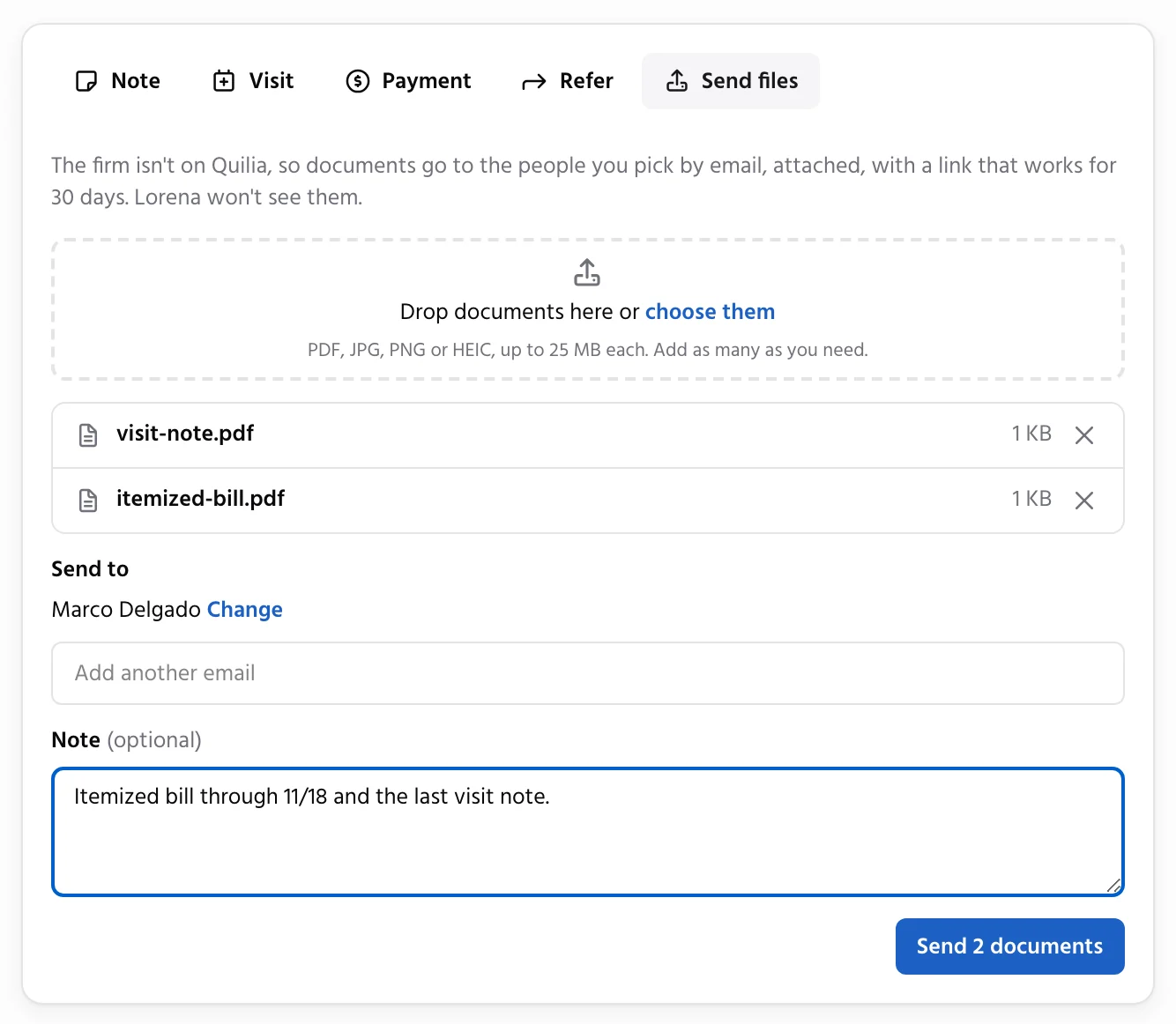
Open the patient in Quilia, click Send files, drop in the bill or records and click Send. A firm on Quilia gets the file on the client’s case and in its case management system. A firm that is not on Quilia gets it by secure email link or fax. The patient never sees it.
Straight Into the Firm’s File
What your practice does: record a payment, update a bill or drop in a file, and share it.
What happens automatically: the update lands on the firm’s case as a short note with the new balance, and in its case management system when it uses one. Files land in its documents.
Result: the firm works from your number, and its staff stop calling your billing office.
On Demo Injury Law’s case
From Demo Chiropractic
- Bill updated$4,200 billedNote in the CMS
- Payment recorded$500 · Balance $3,700Note in the CMS
- Medical records sharedPDF · 14 pagesIn the CMS documents
You Decide What Is Shared
Each kind of update has its own setting: share or don’t share. Change your mind later and share any update from the patient’s timeline. What you do not share stays with your practice, and the patient never sees a bill, a payment or a file.
Firm Not on Quilia? Still Easy.
Send the file to the attorney’s email or fax, right from the same page.
More for your practice
Run your practice
- Free Directory ListingGet found by the firms that refer patients, with your hours, offices and patient reviews. Free, always.
- Bills and LiensEvery bill, reduction and payment by patient, with totals for each firm you work with.
- Patient ImportPaste your spreadsheet and every row becomes a case with its bill, payments and visits.
Work with your patients
Work with law firms
- Patients From FirmsWhen a firm lists your practice on a client’s case, the patient is waiting for you to confirm.
- ModMedConnect your EMR and chart documents and visits reach the attorney on their own.
- Records RequestsAnswer a firm’s records request by fax or upload, with no account needed.
- Status UpdatesAsk any firm where every open case stands with one link, no phone tag.
- Refer PatientsRefer a patient to another provider. The firm approves it in one click, and you see the answer on the patient.