Work with law firms
Refer a patient, and get the firm’s okay in one click
No calls to chase an approval.
When a patient needs care you don’t provide, like an MRI or a pain specialist, the law firm has to sign off first. Send the referral from the patient’s page and the firm answers in one click.
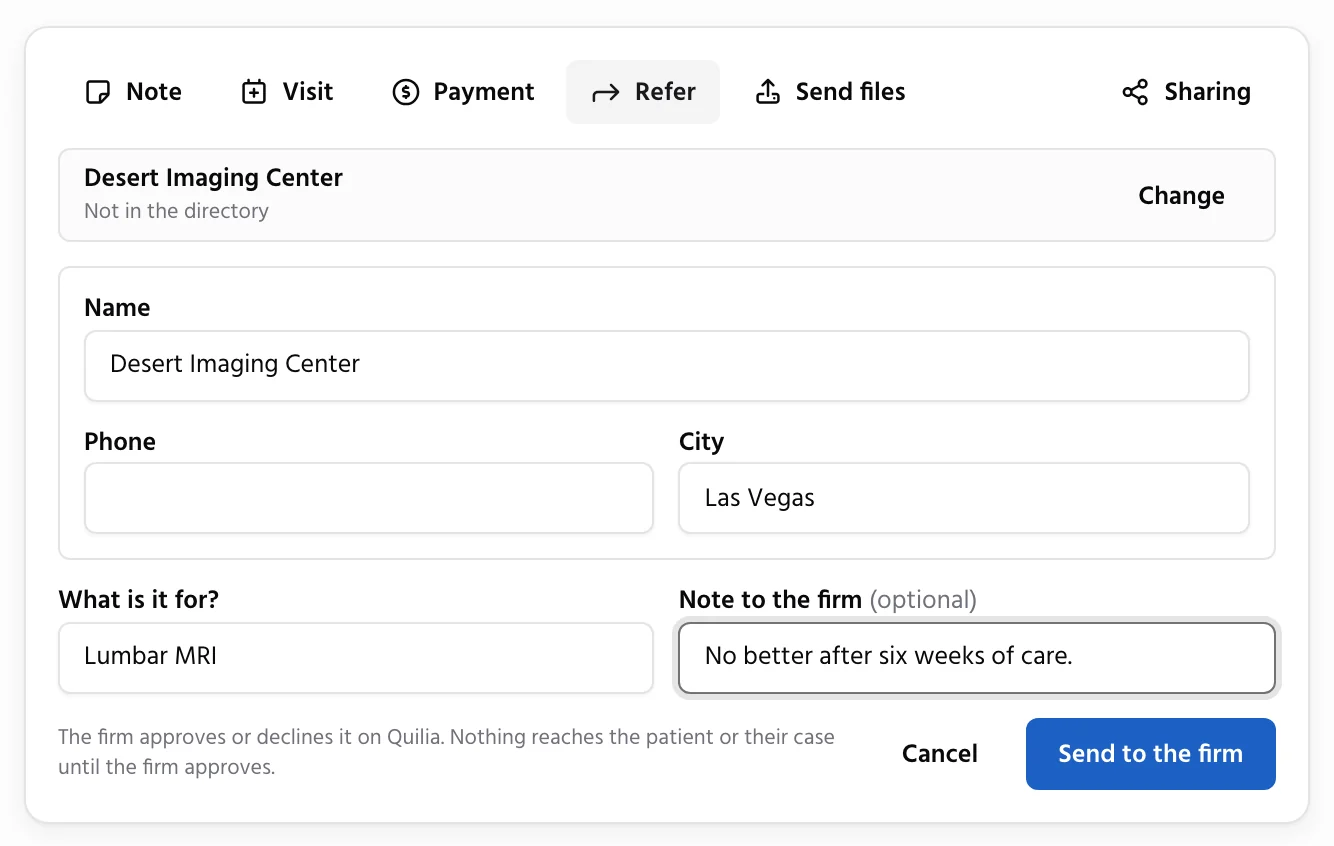
Sent From the Patient’s Page
What your practice does: click Refer on the patient’s page, pick the provider from the directory and say what it is for.
What happens automatically: the referral goes to the patient’s law firm. A firm on Quilia answers in its portal. Any other firm gets an email from your practice and answers with no account needed, and one reminder goes out if it hasn’t answered in 3 business days.
Result: the firm approves or declines with a comment, and nothing reaches the patient until it does.
The Answer, Right on the Patient
Each referral shows where it stands, with the firm’s comment, and the answer lands on the patient’s timeline. Got the answer by phone instead? Mark it approved or declined yourself.
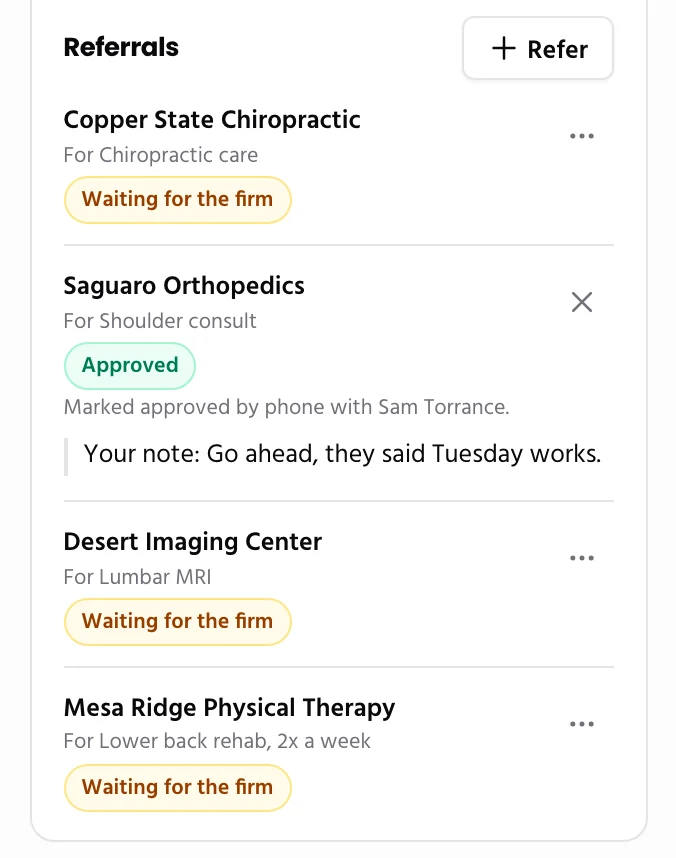
The Provider Hears About It
Once the firm approves, the provider you referred the patient to gets an email. A verified practice on Quilia finds the patient already in its list.
More for your practice
Run your practice
- Free Directory ListingGet found by the firms that refer patients, with your hours, offices and patient reviews. Free, always.
- Bills and LiensEvery bill, reduction and payment by patient, with totals for each firm you work with.
- Patient ImportPaste your spreadsheet and every row becomes a case with its bill, payments and visits.
Work with your patients
Work with law firms
- Patients From FirmsWhen a firm lists your practice on a client’s case, the patient is waiting for you to confirm.
- Share With the FirmBills, payments, lien status and records go straight into the firm’s file.
- ModMedConnect your EMR and chart documents and visits reach the attorney on their own.
- Records RequestsAnswer a firm’s records request by fax or upload, with no account needed.
- Status UpdatesAsk any firm where every open case stands with one link, no phone tag.