Run your practice
Bring your spreadsheet. Leave the retyping.
Every row becomes a case in minutes.
Your patients are already in a spreadsheet: who they are, which firm has the case, what you billed and what you have been paid. Import it once and you are up and running.
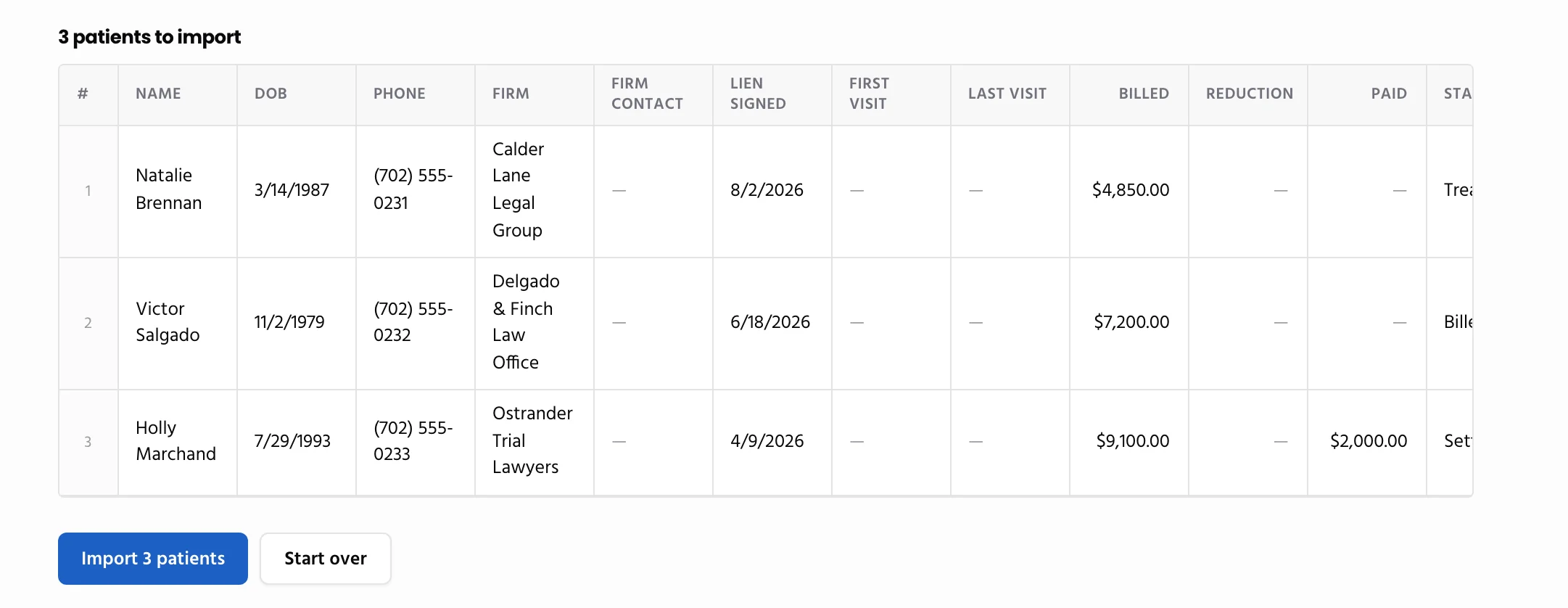
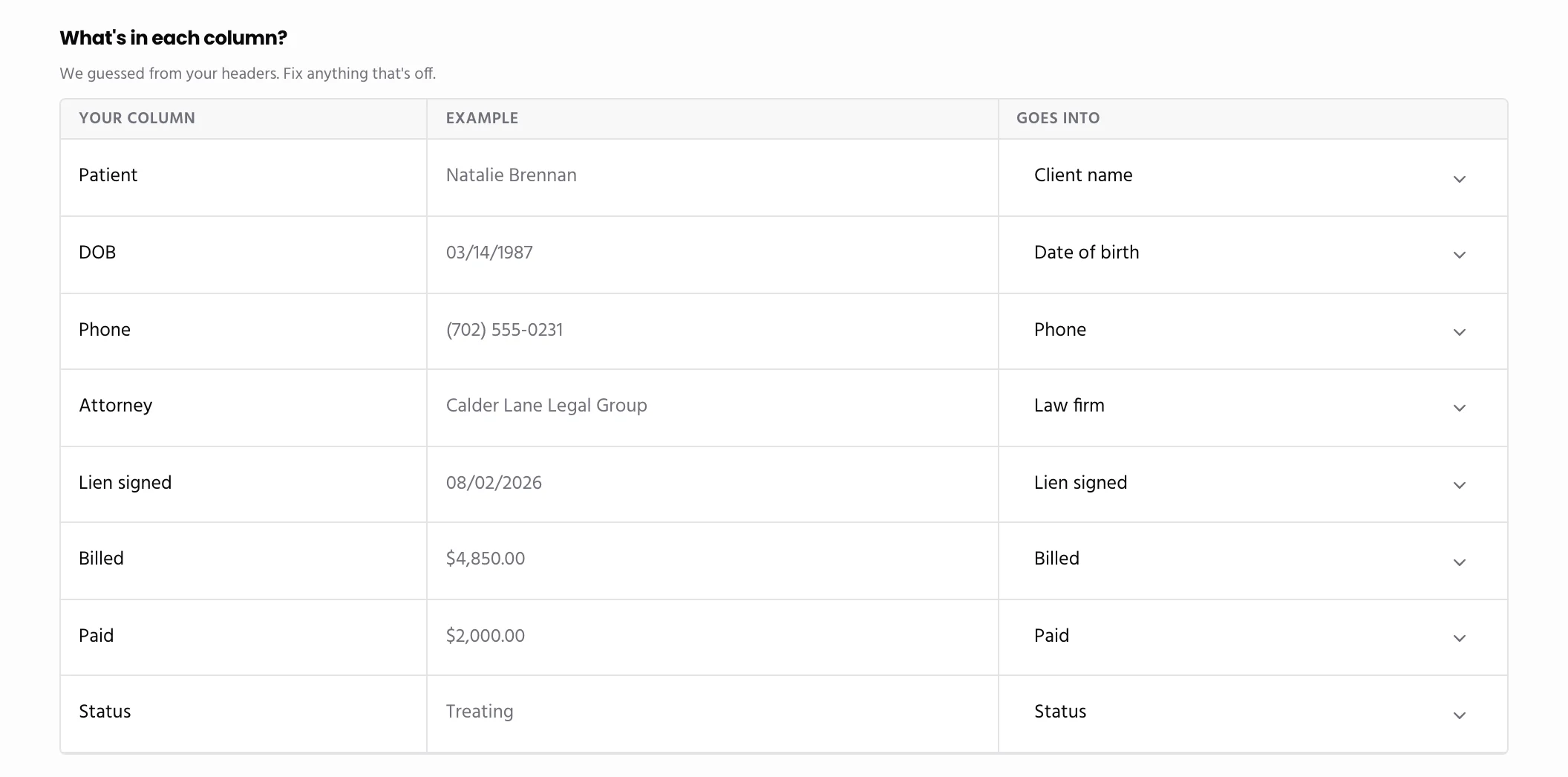
Paste It or Upload It
What your practice does: paste the sheet from Excel or Google Sheets, or upload the file.
What happens automatically: Quilia matches your columns to the right fields, turns each row into a case with its bill, payments, visits and notes, and adds every firm to your list.
Result: a running balance for every patient from day one, without typing a single one in.
Import Again Without Doubling Up
Bring an updated sheet any time. Patients you already have are skipped, and a patient a firm on Quilia already linked to you is confirmed instead of copied.
More for your practice
Run your practice
Work with your patients
Work with law firms
- Patients From FirmsWhen a firm lists your practice on a client’s case, the patient is waiting for you to confirm.
- Share With the FirmBills, payments, lien status and records go straight into the firm’s file.
- ModMedConnect your EMR and chart documents and visits reach the attorney on their own.
- Records RequestsAnswer a firm’s records request by fax or upload, with no account needed.
- Status UpdatesAsk any firm where every open case stands with one link, no phone tag.
- Refer PatientsRefer a patient to another provider. The firm approves it in one click, and you see the answer on the patient.