Ride Requests for Personal Injury Clients
A missed appointment because there was no way to get there is a gap in treatment.
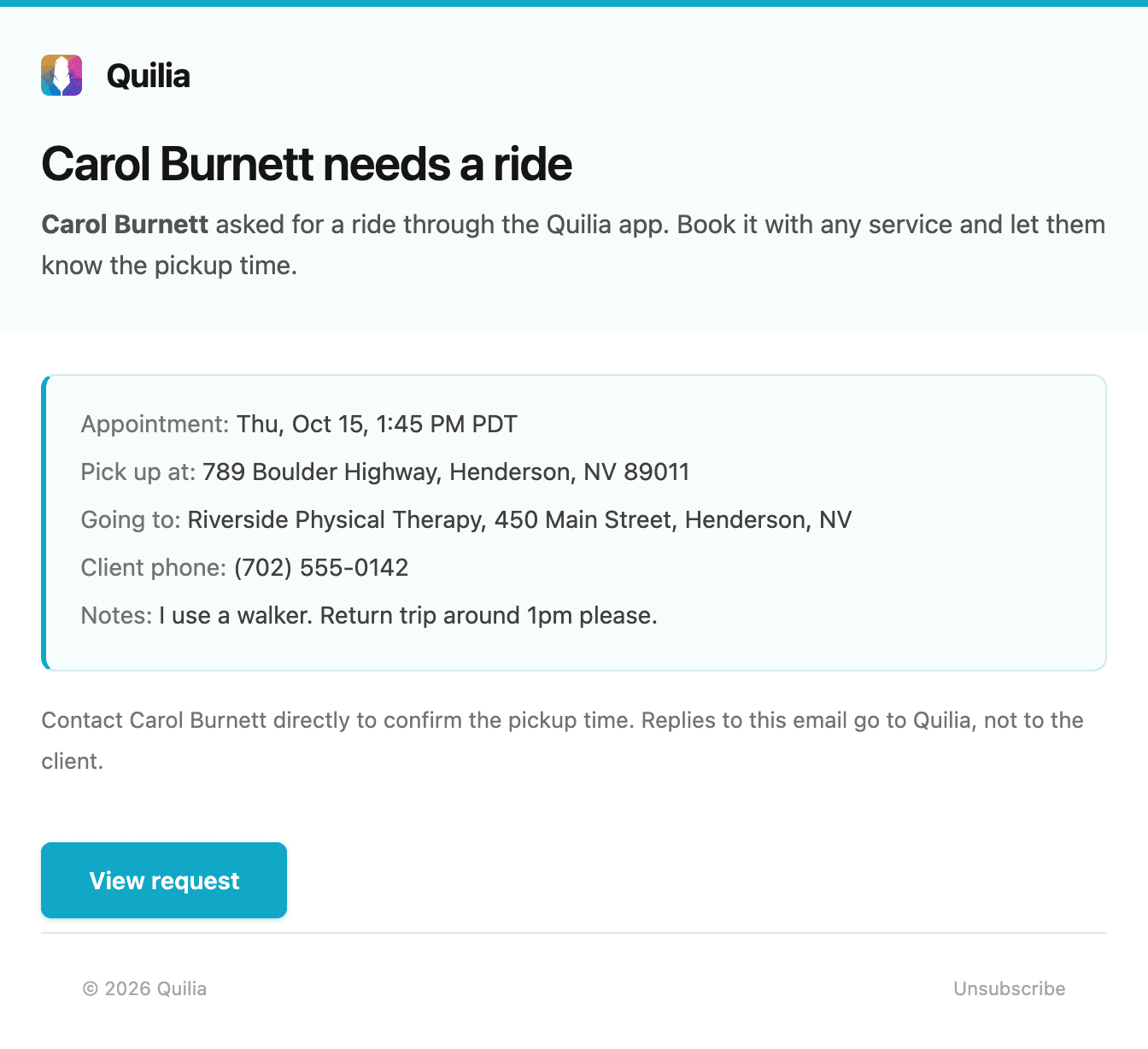
After a crash, plenty of clients have no car and no one to drive them. With Quilia, they ask your firm for a ride from the app, and your case team gets one email with the appointment, the pickup address, the destination and the client's phone number. You book it with whatever service you already use.
Clients Ask in Under a Minute
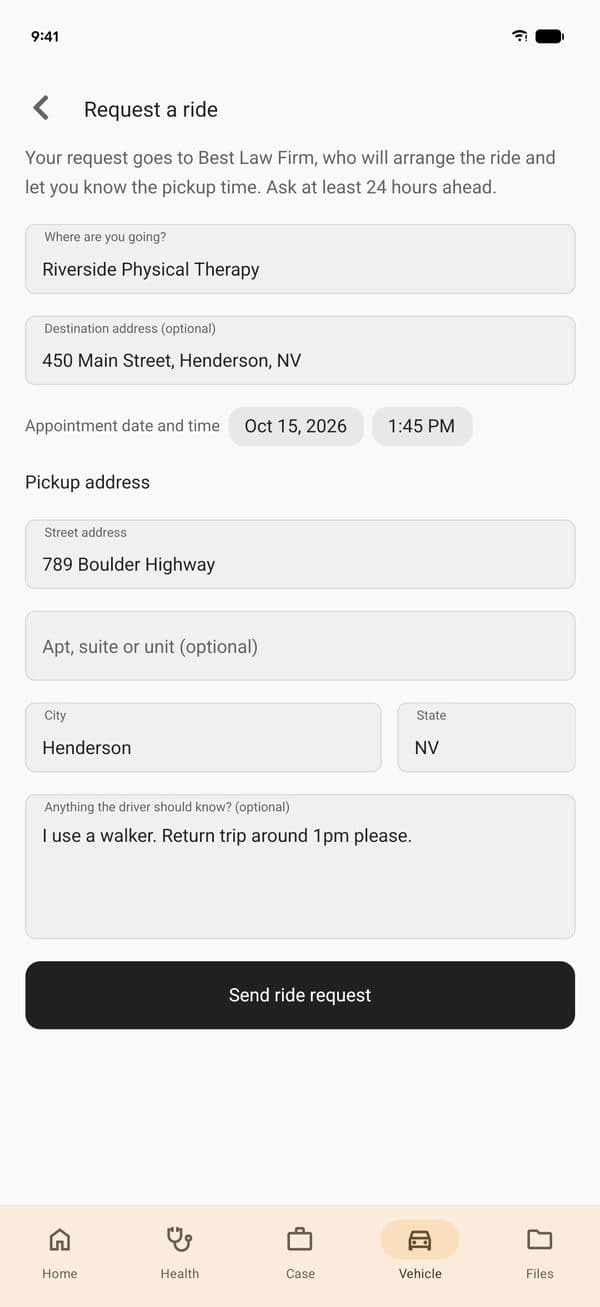
Under Transportation, a client taps Request a ride, says where they are going and when, and confirms where to be picked up. A note for the driver covers the rest, like a walker or a return trip. Requests come at least 24 hours ahead, so your team has time to book.
One Email With Everything Needed to Book
The client's case team is emailed the moment the request is sent. There is nothing to approve in Quilia. Book the ride, call the client with the pickup time, and the request is also on the case activity and in your case management system as a note.
Clients See What They Sent
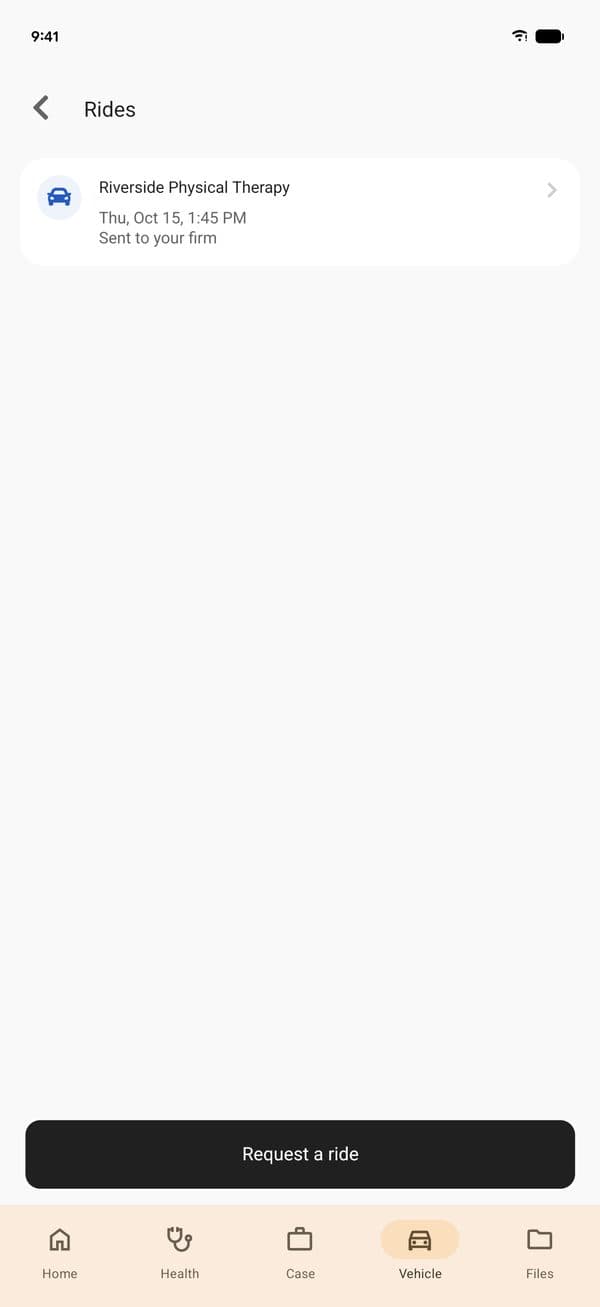
Every request stays on the client's Rides screen with the details they sent and when they sent it, so there is no wondering whether it went through.
On Where It Belongs, Off Where It Does Not
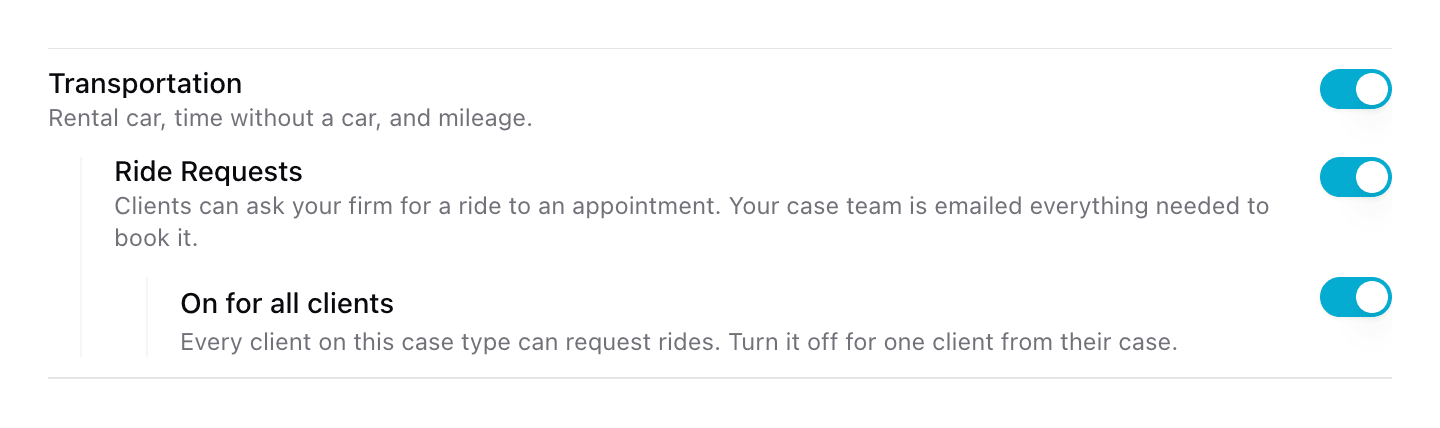
Ride requests turn on by case type, so a car accident client can ask for a ride and an estate planning client never sees the option. Turn it on for every client on that case type, or leave it off and switch it on one client at a time from the case.