Lien tracking for
personal injury providers
Know what every PI case owes you. Bring your patient spreadsheet and see every bill, payment and follow-up in one place, along with which law firms pay and which ones stall.
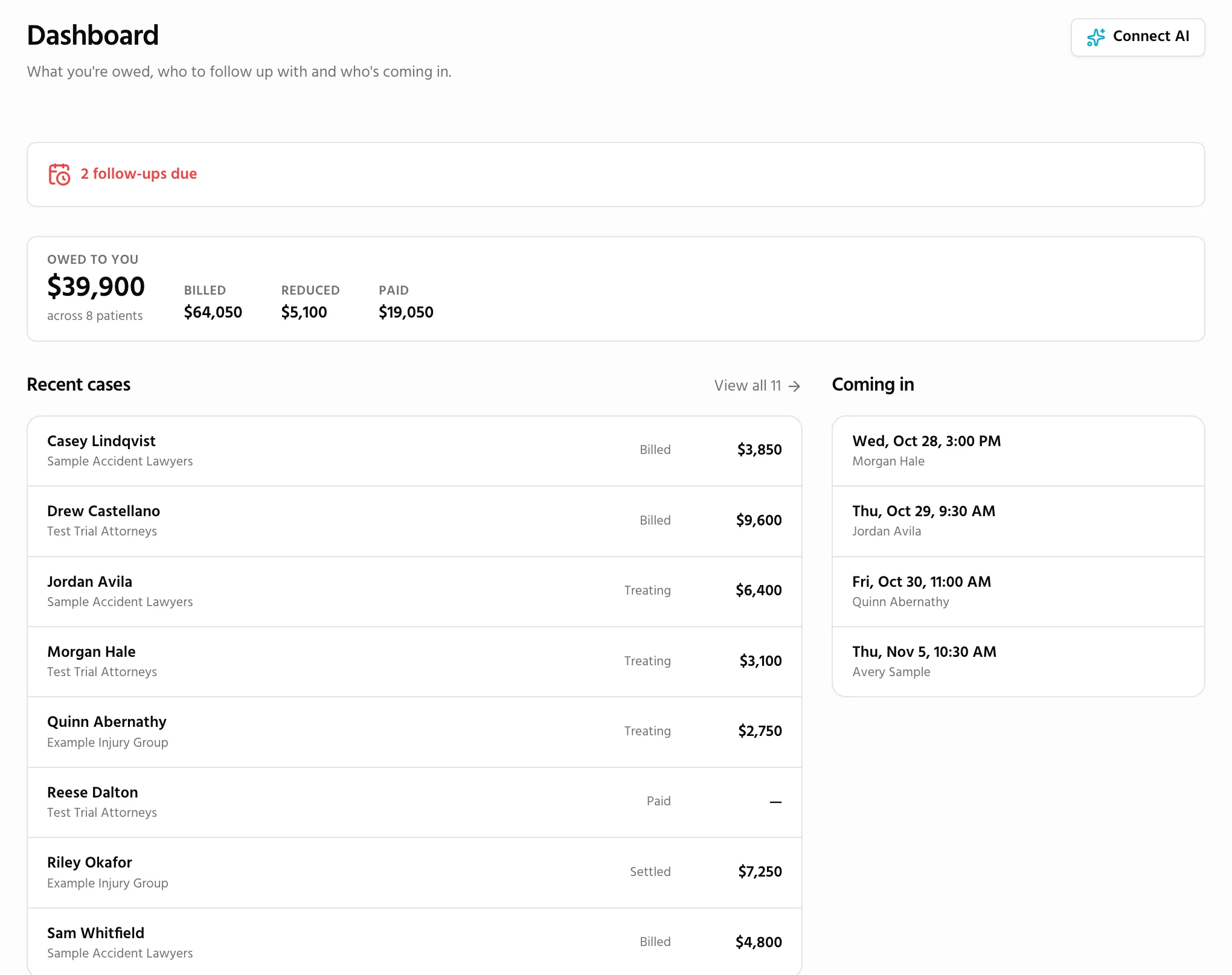
A lien tracker built for personal injury
Every lien, down to the dollar
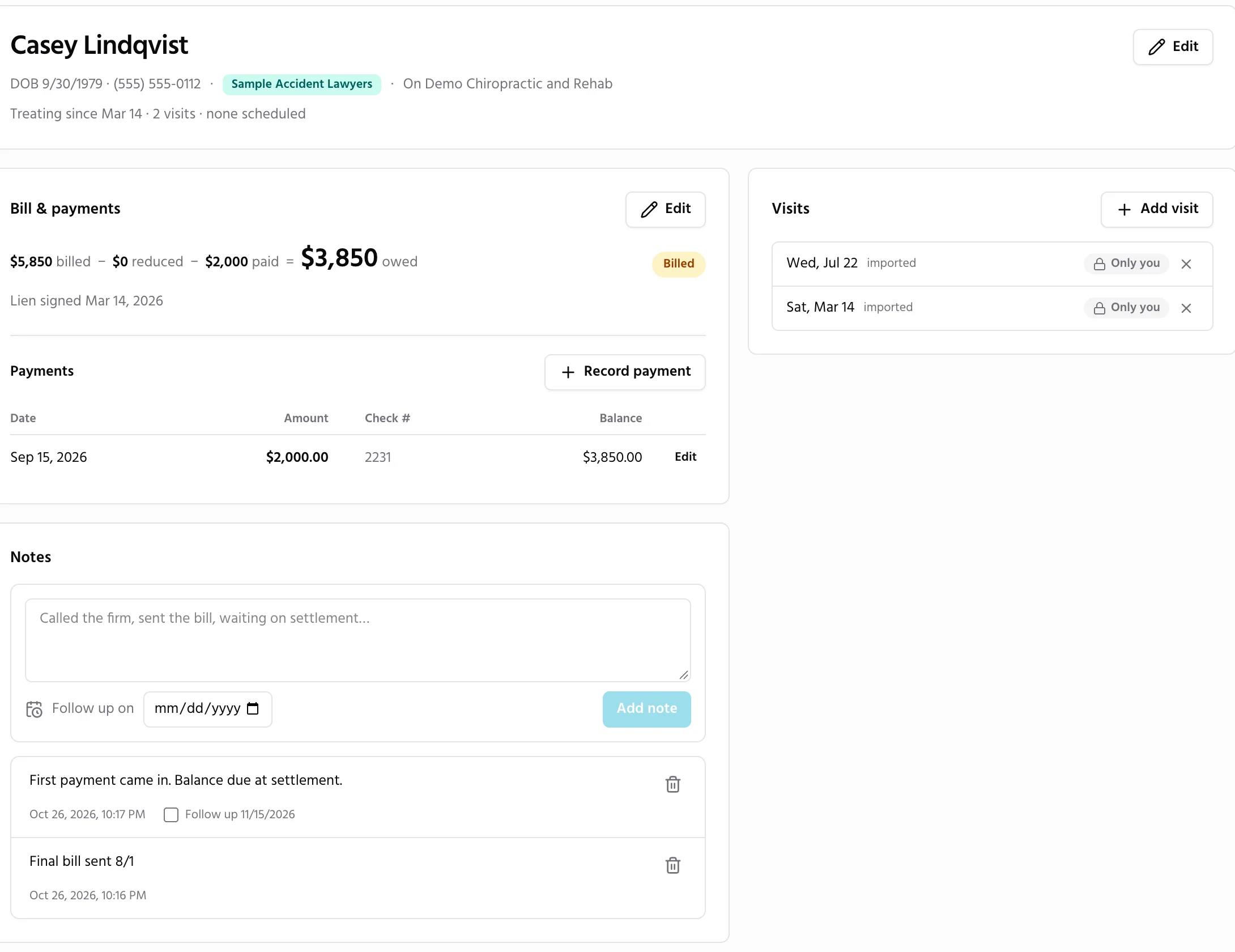
Each patient gets a ledger: what you billed, any reduction, every payment with its check number, and what is still owed. Mark the lien signed, settled or paid, and your dashboard totals follow.
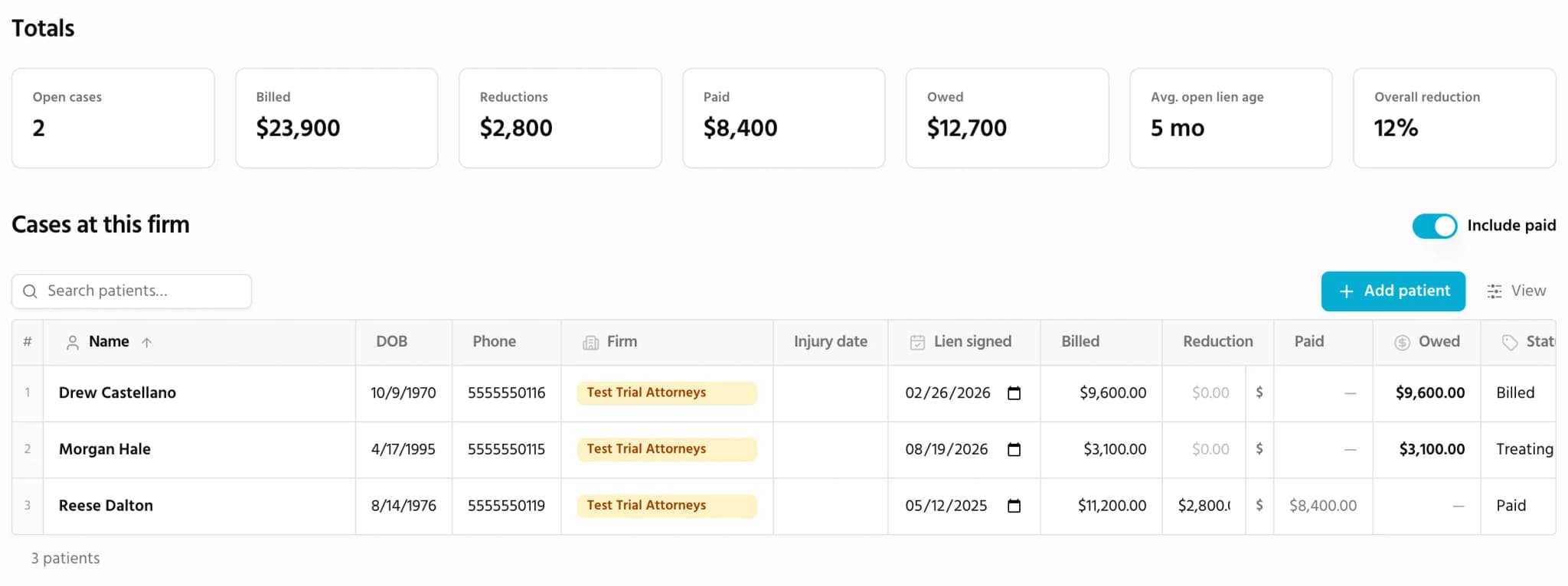
See which firms pay, and which ones stall
Every firm you work with gets its own page: open cases, what it owes you, how long its liens have been open and how much it has reduced your bills. It works for every firm, whether or not they use Quilia, so you know who you are working with before the next case comes in.
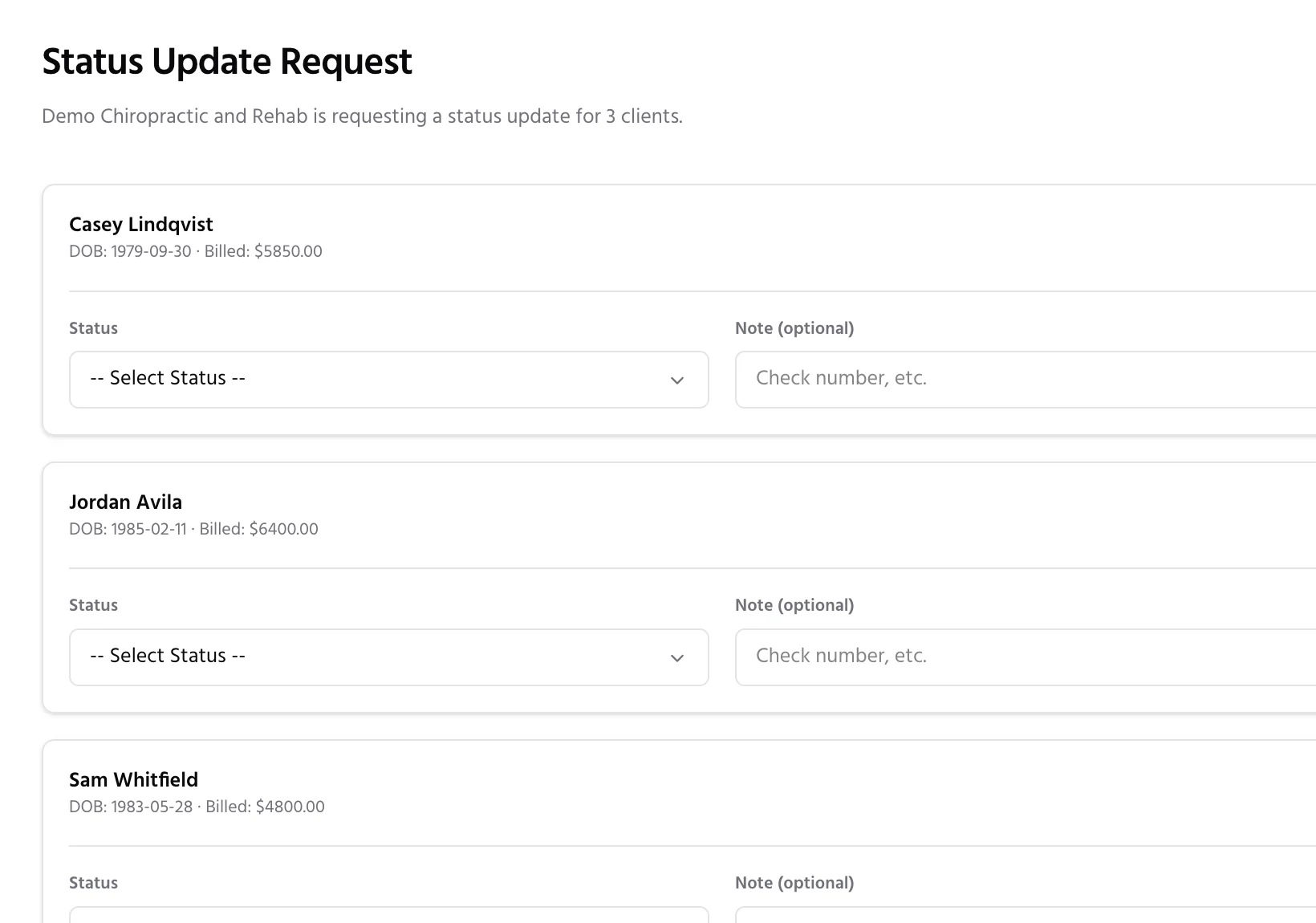
Ask any firm for a status, without the phone tag
Click Request status update and the firm gets one email with a link to every open case you have with them. They don’t need an account. They mark each case still treating, in negotiation, settled or paid, and their answers land on your cases.
Up and running in an afternoon
No law firm has to sign up for any of it.
- 1
Claim your free listing
Your practice is probably already in the Quilia directory. Claim it with a text to your practice phone, then fix your hours, add your other offices and say whether you take liens.
How to claim your free listing - 2
Import your patient list
Paste your spreadsheet from Excel or Google Sheets, or upload the file. Quilia matches your columns, and every row becomes a case with its bill, payments, visits and notes.
How to import your patient list - 3
Request a status update
Set follow-ups, record payments as they come in, and send any firm one link to update every open case. Export it all to Excel whenever you need it.
How to request a status update
Even better when the firm is on Quilia
Thousands of personal injury cases already run on Quilia. When one of them is your patient’s, the case comes to you.
Patients the firm already linked to you
When a firm on Quilia lists your practice on a client’s case, the patient waits on your Cases page until you confirm them with details from your records.
Updates you choose to share
Share a bill, a payment or a reduction, and a short note lands in the firm’s file. Each kind of update has its own setting, and what you don’t share stays with your practice.
Visits on the patient’s calendar
A visit you share shows on the firm’s case and on the patient’s calendar in the Quilia app, so everyone has the same date.
Records without the fax machine
Share a bill or medical records and they go straight into the firm’s file. Patients never see your bills, payments, notes or files.
Records from your EMR, straight to the attorney
Connect your EMR and every document you add to a patient’s chart goes to their attorney on its own: into the firm’s case file when the firm is on Quilia, by email when it isn’t. No faxes, no records requests to chase. ModMed connects today, from Integrations in your directory account. ChiroTouch is next.
Get found by the firms that refer patients
Personal injury firms search the Quilia directory by specialty and city when a client needs care. A claimed listing carries a Claimed badge and ranks first, with your current phone, hours and address, whether you are accepting new patients, and whether you take liens.
Turn on messages and visitors can reach you from your listing without ever seeing your email address.
Personal injury lien tracking questions
What does Quilia cost a medical provider?
Your listing is free, forever: no contract, no subscription and no fee on patients.
Can Quilia be our attorney portal for medical records?
Yes. Share a bill or records on a patient and they go to that patient’s law firm, straight into its case file when the firm is on Quilia. Connect ModMed, with ChiroTouch coming next, and the records you add to a patient’s chart reach their attorney on their own.
Do the law firms I work with need to use Quilia?
No. Quilia is built for your whole personal injury caseload. Add any firm, track every lien and send status requests to firms that have never heard of Quilia. When a firm is on Quilia, you also get the patients they link to you and updates you can share.
Can I bring my existing spreadsheet?
Yes. Paste it from Excel or Google Sheets, or upload a CSV or Excel file, and check which column is which before anything is saved. You can export your cases and firms back to Excel at any time.
Who can see my cases?
Your practice and the coworkers you invite. A firm sees nothing unless you share it, and a status request shows a firm only its own clients: their name, date of birth and what you billed.
Does the patient see my bill?
No. Patients never see your bills, payments, notes or files. The only thing that reaches them is a visit you share, which shows on their calendar.
Why is my practice already listed?
A personal injury firm or its client recorded your practice on a case, or we found you in the public NPI registry. Claiming the listing lets you correct anything out of date.
Your listing is already waiting.
Find your practice, claim it with a text to your practice phone, and bring your patient list. Your listing is free, with no credit card.
Find your practiceAlready claimed? Sign in or read the provider help center.