Medical records retrieval that requests and follows up on its own
The request nobody has to remember to send.
When a client finishes treating, someone at your firm has to ask the provider for the records and the itemized bill, then ask again, and again. Quilia does the asking, and files the answer when it comes.
How does medical records retrieval work in Quilia?
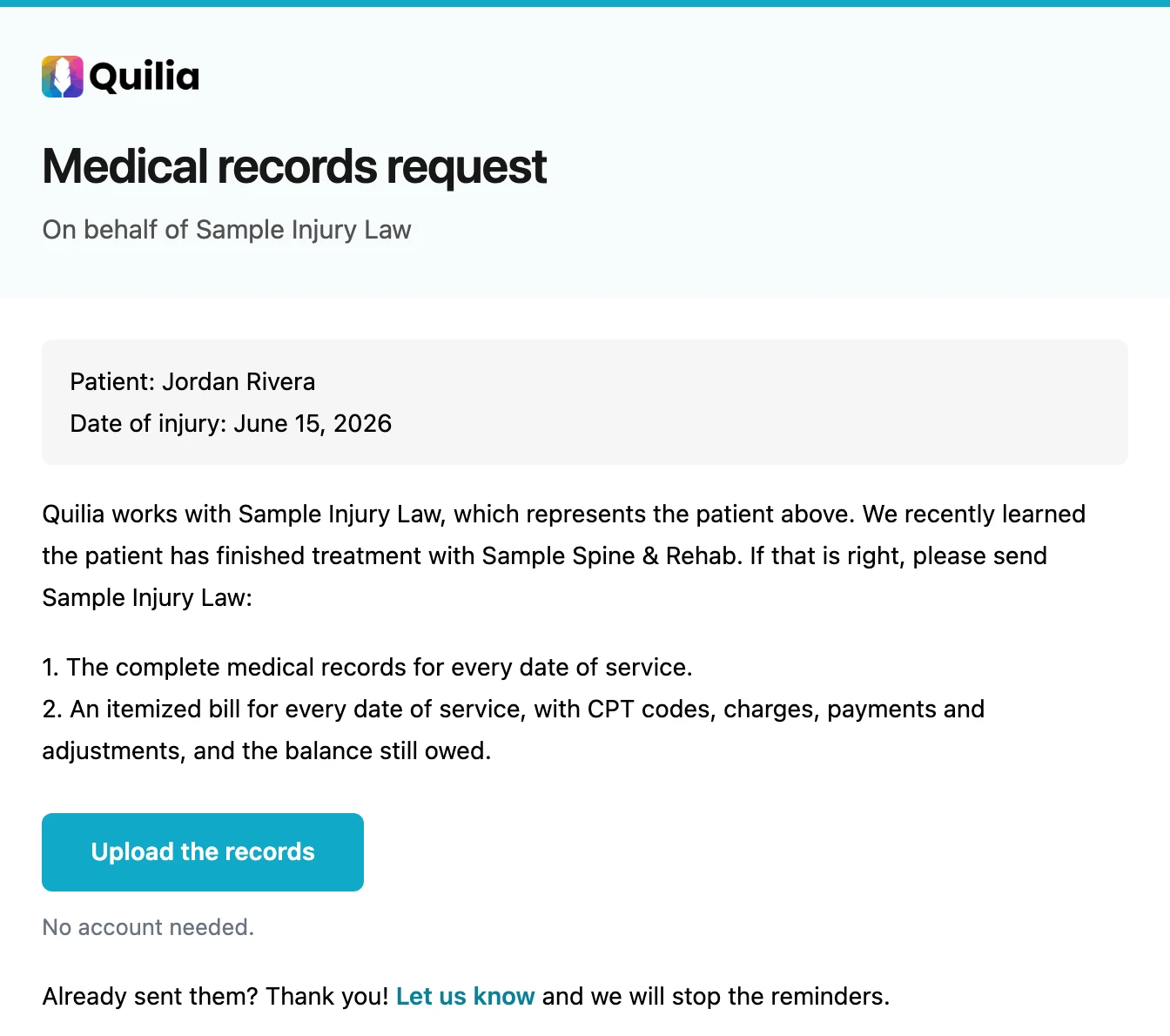
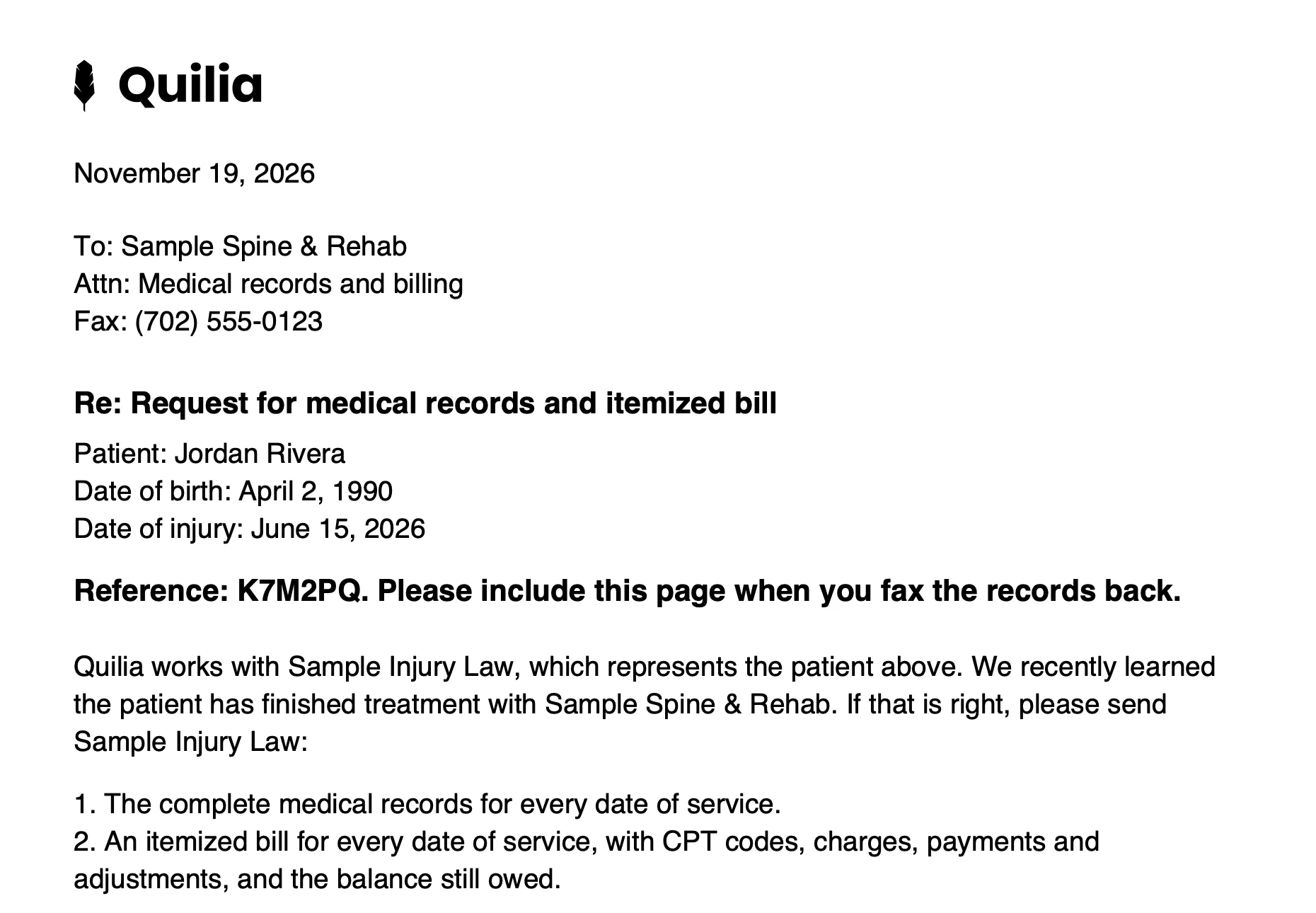
When a client finishes treating with a provider, Quilia waits two days, then requests the medical records and itemized bill on your firm’s behalf, by email or fax. It follows up every 7 days, up to six tries, and files the reply on the case and in your case management system.
What the practice receives
An email when the practice has a records address, a one-page fax when it doesn't. Both come from Quilia and name your firm.
- 1
From Quilia, on your behalf
It says Quilia works with your firm and asks for the records if treatment is really done. Nobody reads it as a letter your staff wrote.
- 2
Upload with no account
One button. The practice sends the records and the itemized bill without signing up for anything.
- 3
Already sent? One tap
If the records went out last week, the practice says so and the reminders stop.
- 4
A code that finds the case
A faxed reply carries the reference code, so it lands on the right case without anyone sorting the fax machine.
Sent on Your Firm’s Behalf
What clients experience: nothing new to do. They tell us treatment with a provider is done, in the app or in a text, or your team marks it.
What happens automatically: a few days later, Quilia sends that practice a request for the records and the itemized bill on your firm's behalf. It comes from Quilia, says we work with your firm, and asks for the records if treatment is really done, so a release that came early costs nothing. The practice's reply reaches your case team.
It goes by email when the practice has a records address, and by fax when it doesn't. No fax number on file? Quilia finds it on the practice's website.
Result: the request goes out days after the last visit, not whenever someone gets to it. Need records sooner? Click Request records on the provider in the Treatment tab, and it goes out now.
Follow-Ups Without a Calendar Reminder
Quilia follows up every week until the records arrive. If the practice still hasn't answered after six tries, the case gets a flag, so your team knows it's time to pick up the phone.
Records Land in Filevine, Clio, CasePeer and Your CMS
The practice can fax the records back, upload them from the link in the request without making an account, or tell us it already sent them. Every request carries a reference code, so a faxed reply finds its case on its own.
The records land on the case and in your case management system, and your team gets an email. Nobody sorts the fax machine.
Even Easier When the Practice Is on Quilia
A practice on Quilia shares records with your case in one click, or straight from its ModMed chart, often before you would have asked.