E-Signatures
Introducing Quilia Ink
What if your clients could sign retainers, medical authorizations, and case documents without ever leaving the app they already use? Clients get a notification, open the app, and sign. It just works.
Client Signature
The Notification Problem
You send a retainer through DocuSign. The email lands in spam. Or it gets buried under thousands of unread messages. Or Google sorts it into a tab the client never checks. Three days later, you're still chasing a signature for a document the client never even saw.
The biggest problem with third-party e-signature tools isn't the signing itself. It's getting the client to the document in the first place. Your clients already use Quilia for treatment tracking, document uploads, and secure messaging. Why send them somewhere else to sign?
- Emails land in spam or get buried in cluttered inboxes
- Clients need to create yet another account
- No visibility into whether the client even saw it
- Per-signature fees add up fast
- Signed documents live in a completely separate system
From PDF to Signed in Minutes
Upload PDF
Add your document
Place Fields
Drop in signature & form fields
Client Notified
SMS + push notification
Client Signs
In the app they already use
Done
You get notified, CMS synced
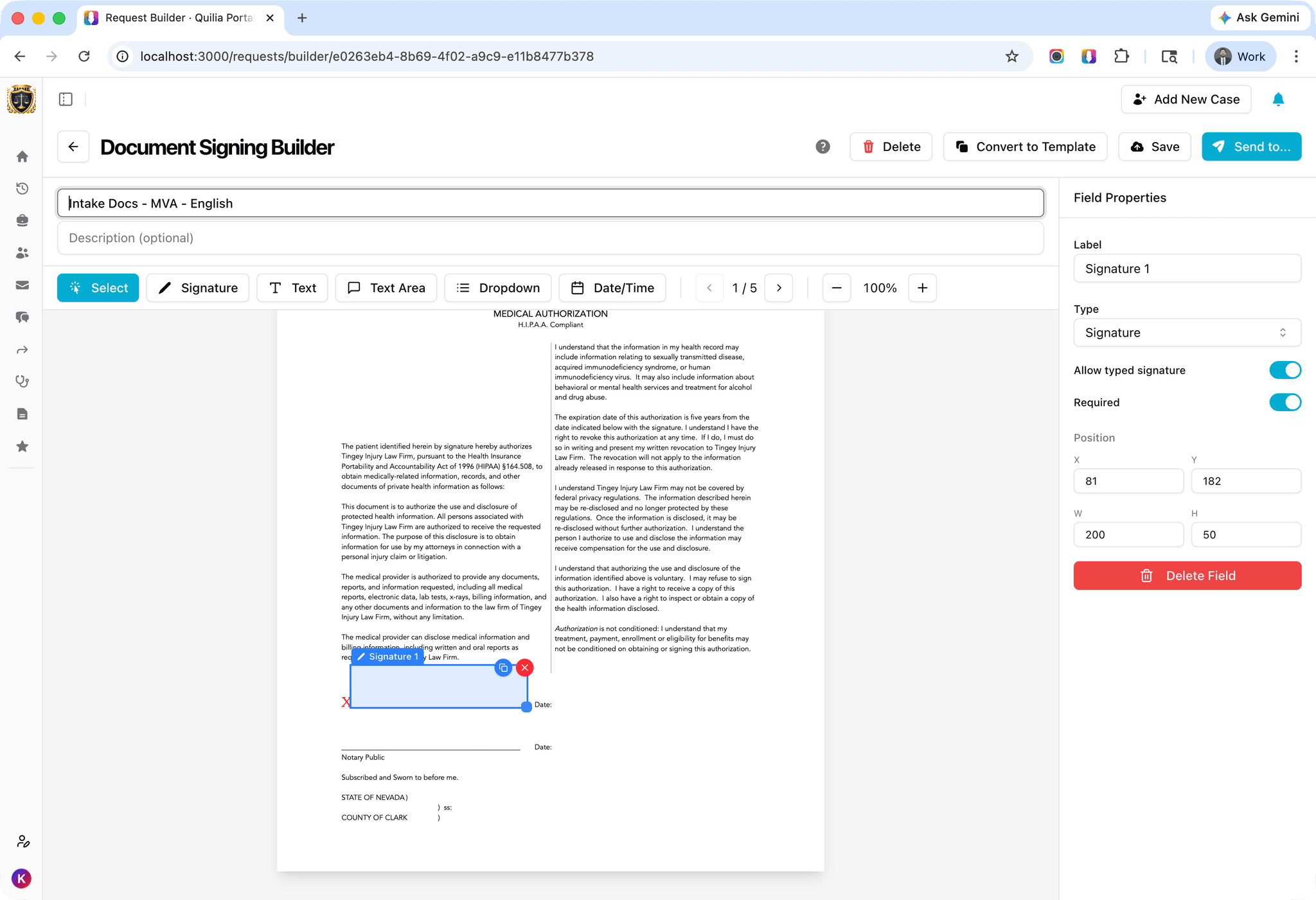
How E-Signatures Work for Attorneys
From the Quilia portal, create a new request from any PDF. Upload the document, then drop in the fields you need. Signature fields, text fields, date fields, dropdowns. Rename field labels to whatever makes sense for the document.
You control the signing experience. Want to require hand-drawn signatures only? Disable the typed signature option. Need multiple fields across pages? Place them exactly where they belong. Save the template and reuse it across cases without rebuilding from scratch.
When you're ready, pick the client and hit send. They get notified instantly.
- Drag-and-drop field placement on any PDF
- Signature, text, dropdown, and date fields
- Option to require drawn signatures only
- Save and reuse templates across cases
- Rename field labels to match your documents
Clients Actually See It
This is the part that changes everything. When you send a document for signature, the client receives a text message and a push notification that takes them straight to the signing page inside the app. No email to miss. No link to expire. No account to create.
The client taps the notification, opens the app, and they're looking at the document. The same app they already open every day for their case. That familiarity is the difference between a signature that takes three days and one that takes three minutes.
- SMS text message sent to the client
- Push notification on their phone
- Links directly to the signing page in the app
- No email links to miss or expire
- Attorney gets an email when the client submits
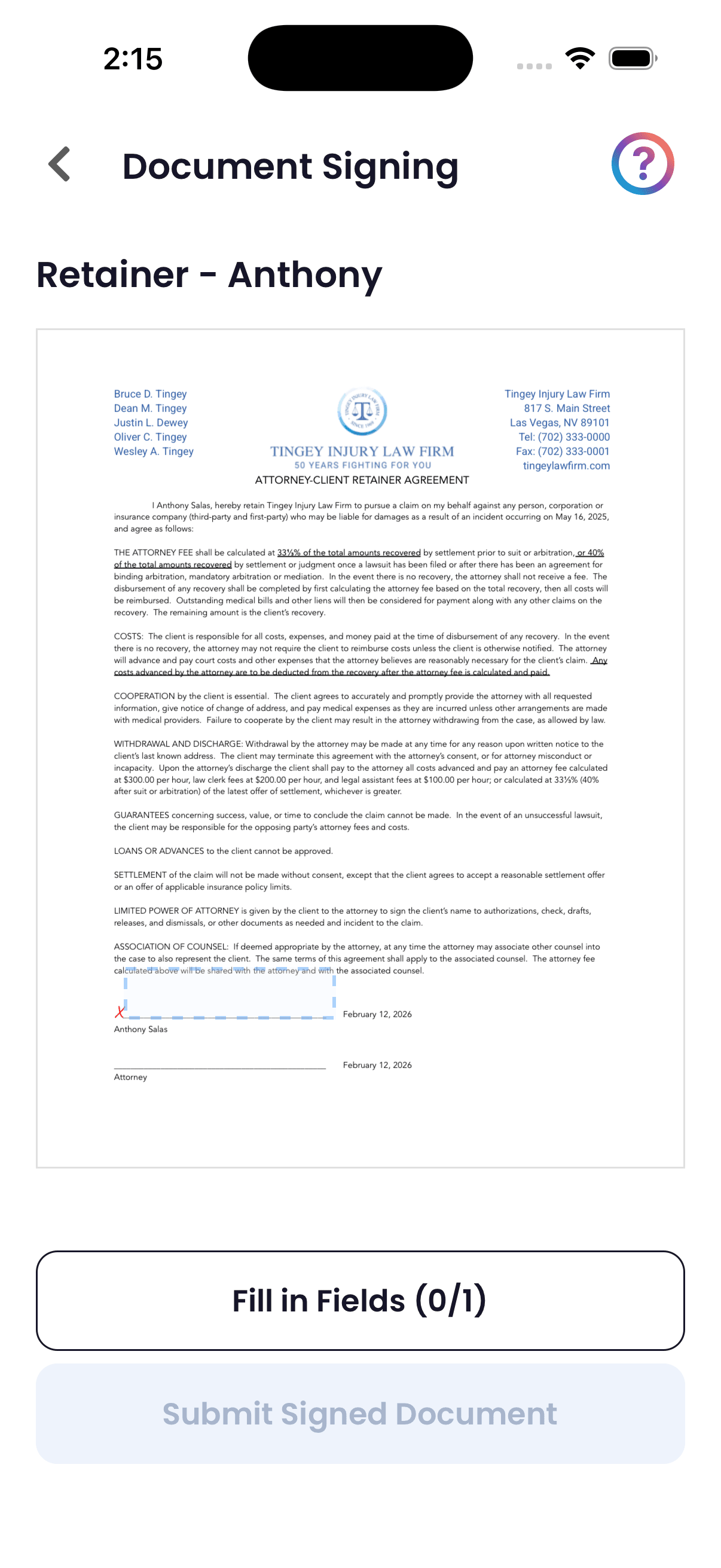
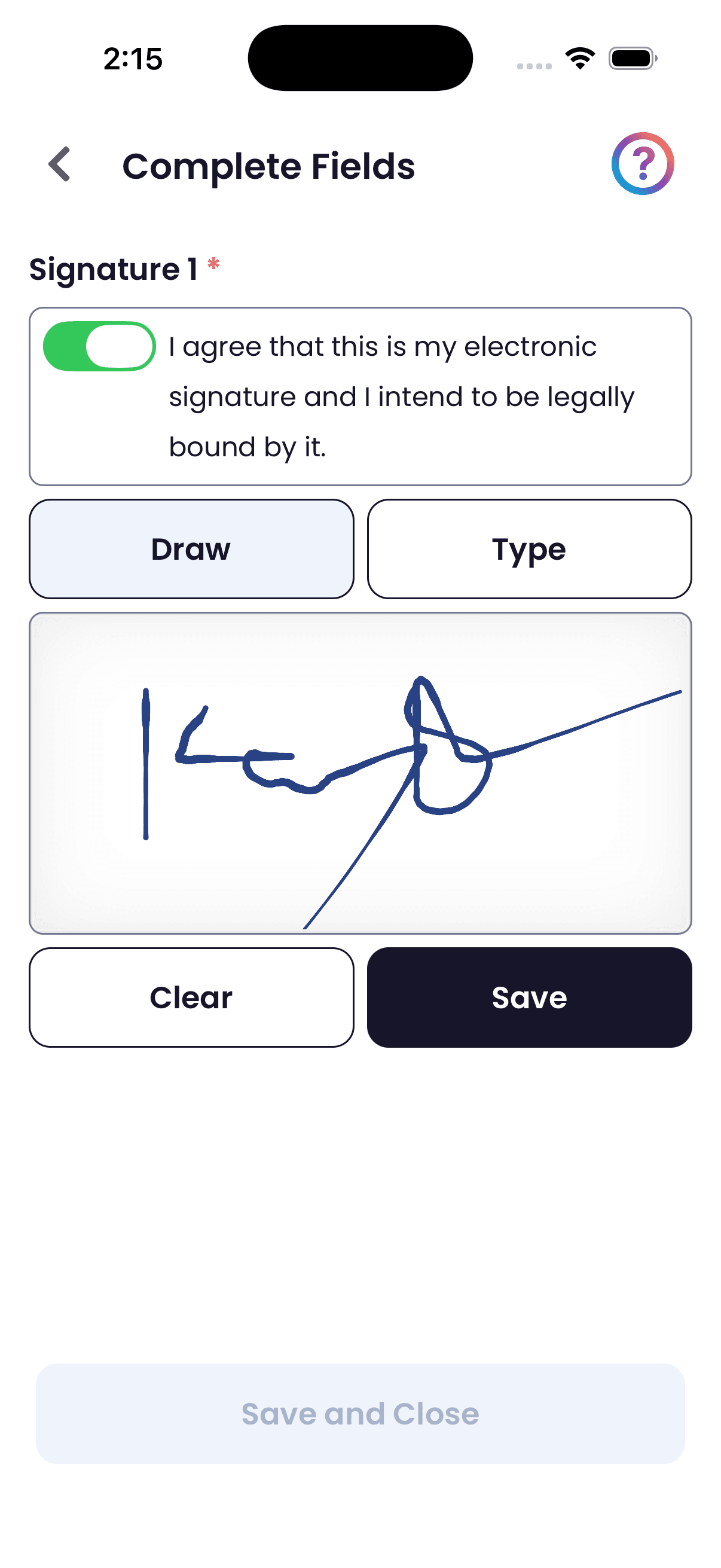
A Simpler Way to Sign
With most e-signature tools, clients sign directly on the document. They hunt around for the right field, zoom in, try to tap the right spot. It works, but it's clunky on a phone.
Quilia does it differently. The client sees the document, taps on it, and the fields expand into a clean, easy-to-read form. They fill out every field in one spot, including signatures, then hit save. The completed data gets placed back onto the document automatically. No hunting. No zooming. No guessing which field is which.
The whole experience happens inside the same app the client uses for everything else on their case. It's familiar, it's fast, and it's already on their phone.
- Fields extracted into a simple, readable form
- Sign by drawing or typing their name
- Completed data placed back onto the PDF automatically
- Works on iOS, Android, and web
Legally Binding E-Signatures with Full Audit Trail
Every signature captures the metadata you need for enforceability. Timestamp, platform, device information, screen resolution, and explicit consent acknowledgment are all recorded automatically.
Signed documents are composited into a final PDF with all signature data overlaid and stored securely. The complete audit trail is available anytime you need it. All data is protected under the same HIPAA-compliant infrastructure and attorney-client privilege protections that cover the rest of Quilia.
- Timestamp and consent recorded with every signature
- Device and platform metadata captured automatically
- Final signed PDF generated and stored securely
- Complete audit trail for every document
Quilia Ink vs. Third-Party E-Signature Tools
| Feature | Quilia Ink | DocuSign / Dropbox Sign |
|---|---|---|
| Included in platform | ||
| No per-signature fees | ||
| SMS + push notification delivery | ||
| Client signs in same app | ||
| No separate account required | ||
| Fields extracted into simple form | ||
| Syncs to case management system | ||
| Signed docs alongside case data | ||
| HIPAA-compliant storage | ||
| Legally binding with audit trail |
Signed Documents Sync to Your CMS
Once a client signs, the completed document with all signatures in place flows directly into your case management system. The attorney gets an email notification, and the signed PDF lands in the right case file automatically. No downloading, no manual uploads, no checking whether it made it to the right place.
Whether you use Clio, Filevine, MyCase, Neos, SmartAdvocate, or CasePeer, it just works.
- Attorney notified by email when client submits
- Signed PDF with all data synced to your CMS
- Document stored in the correct case file
- All major CMS platforms supported
What Can You Get Signed?
Any PDF your firm needs signed. Upload it, place the fields, and send it to your client.
Retainer Agreements
Signed at intake, not days later
Medical Authorizations
HIPAA releases and records requests
Lien Agreements
For providers and clients
Settlement Documents
Releases and disbursement sheets
Custom Forms
Anything your firm needs signed
Save templates and reuse them across cases. Pair with Quilia's automations to send signature requests automatically when a case reaches a specific phase.
Why Built-In E-Signatures Matter for PI Firms
Faster signed retainers
Clients get a text and push notification the moment you send a document. They open the app, sign, done. Faster signatures mean faster case starts.
Lower costs
E-signatures are included with Quilia. No per-envelope fees, no tiered plans based on signature volume. Sign as many documents as your firm needs.
Gets clients onto the app
Sending a signature request gives clients a reason to download Quilia. Once they are in, they have access to pain scores, treatment tracking, onboarding, and secure messaging.
Everything in one place
Signed documents live alongside treatment data, case messages, and uploaded files. No checking a separate system to find a signed retainer.