Reputation Management for Law Firms
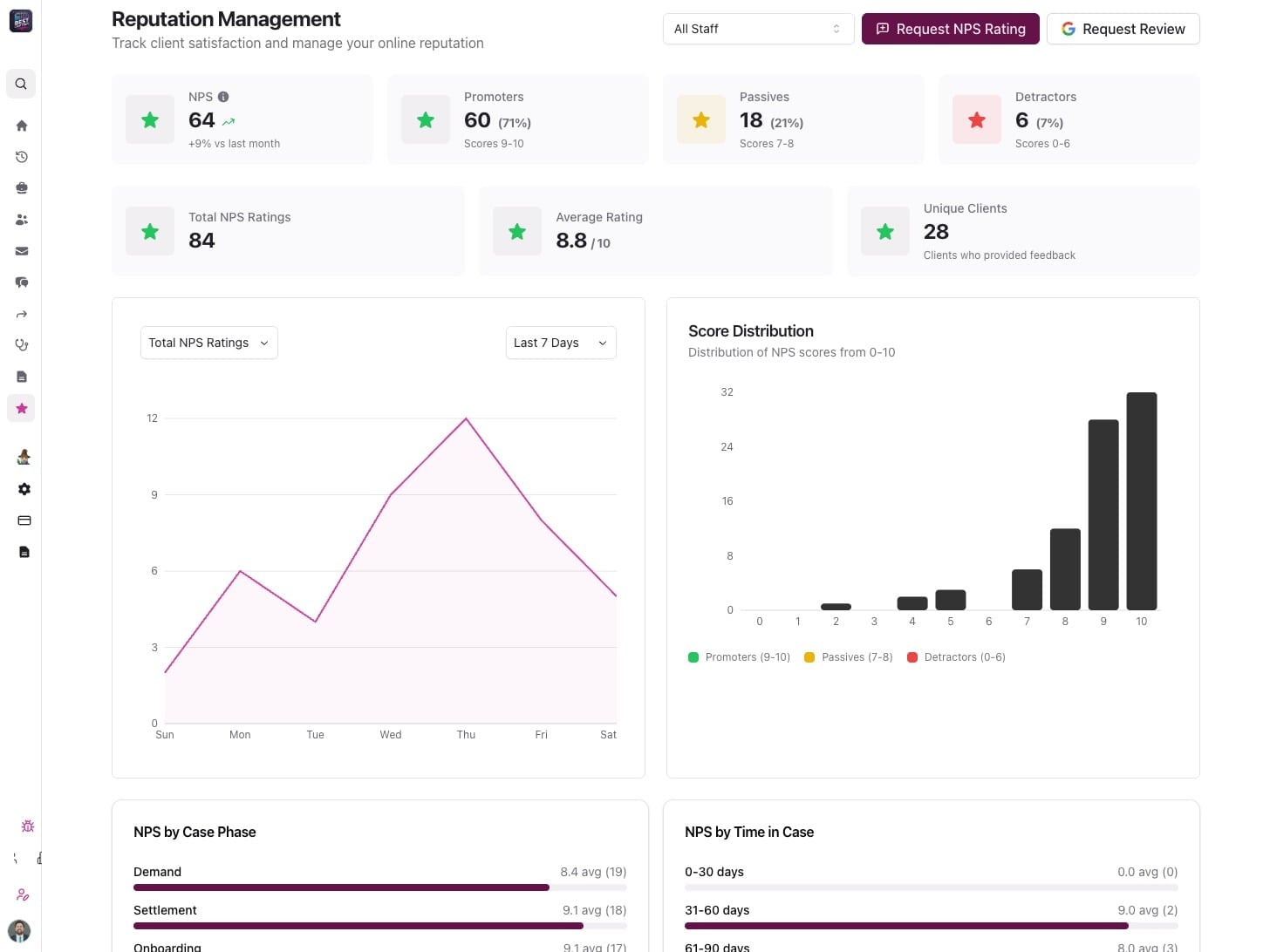
One dashboard to track NPS, reviews, and team performance across your firm.
See who's delighting clients and catch issues before they go public. Every piece of feedback is automatically tied to the right case and person.
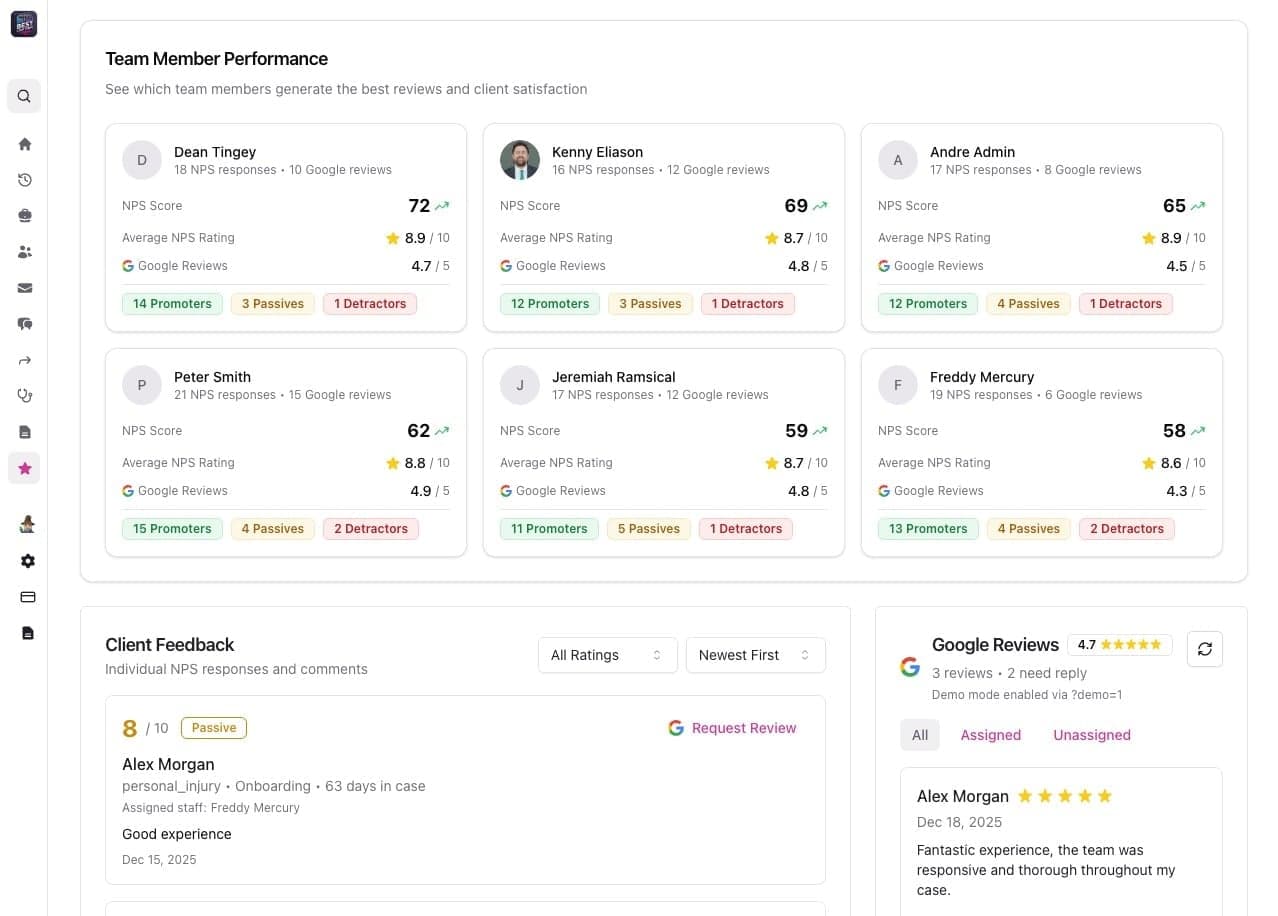
See Which Team Members Generate the Best Reviews
Filter your reputation dashboard by any team member—attorney, case manager, or intake specialist. See their individual NPS scores, review counts, and client sentiment breakdown. Celebrate top performers and identify who needs coaching with clear, actionable data.
Every Response Linked to the Right Case
NPS scores and Google Reviews are automatically tied back to the specific case file, giving you full context on which matters are generating positive feedback and which need attention. No manual tracking or spreadsheets required.
Catch Issues Early—Before They Hit Google
Low scores automatically trigger follow-up tasks and internal alerts instead of sending a review request. Reach out, fix the experience, and turn detractors into promoters before feedback goes public.
Capture Client Sentiment Automatically
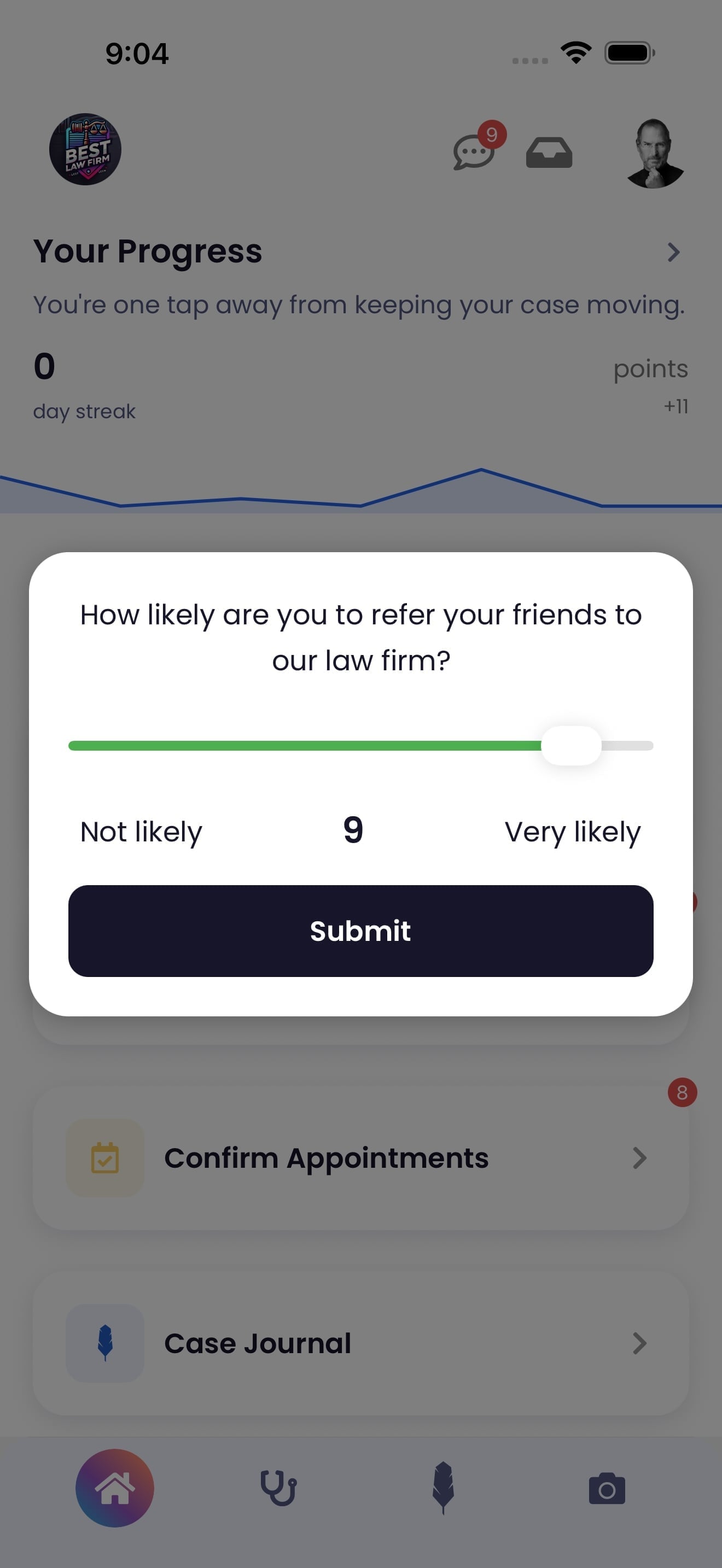
Every client gets an NPS survey at the right moment in their case journey. The simple 0-10 scale makes it easy for clients to share their experience, giving you real-time insight into satisfaction before reviews go public.
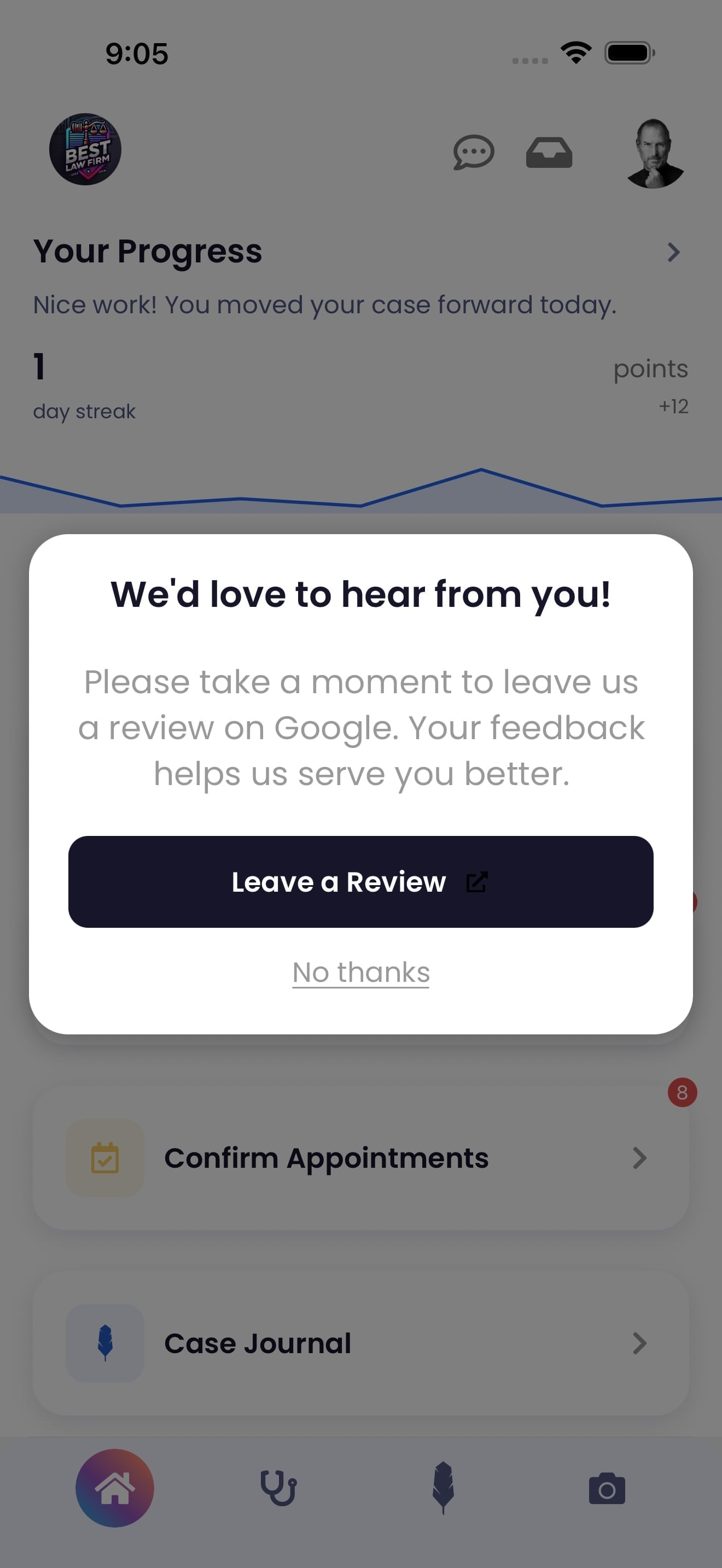
Automatic Google Review Requests for Happy Clients
When clients score 9 or 10 on the NPS survey, Quilia automatically prompts them to leave a Google review. Only satisfied clients get asked, significantly increasing your chances of receiving 5-star reviews. Learn more about the review process.
Everything You Need to Build a Five-Star Reputation
Unified Dashboard
See NPS trends, review volume, and completion rates in one place. Filter by date range, team member, or case type to spot momentum and bottlenecks quickly.
Score Distribution Insights
Visualize how NPS scores are distributed across your firm. See the breakdown of promoters, passives, and detractors to understand overall client sentiment trends.
Role-Based Controls
Decide who can enable automatic review requests, view scores, or respond to detractors. Keep sensitive feedback secure and actions accountable.
Works With Your Case System
NPS results and review links stay in sync with your existing case management workflows, so your team never re-enters data or chases spreadsheets.
Ready to Transform Your Firm's Reputation?
See how Quilia's reputation management dashboard helps you track NPS, manage reviews, and build accountability across your team. Let's show you how it works.
Reviews & Reputation FAQs
How does Quilia help my firm get more Google reviews?
Quilia uses NPS scoring to identify happy clients and automatically prompts them to leave a review on your firm’s Google profile. That means more 5-star reviews without extra work from your team.
Do all clients get asked to leave reviews?
No. Only clients who give a high satisfaction score (8–10) are prompted. This keeps reviews authentic while avoiding frustration from clients who may not be ready to post feedback.
Can Quilia flag unhappy clients before they leave bad reviews?
Yes. If a client gives a low satisfaction score, your team is alerted immediately so you can address concerns before they go public.
Does the review process feel complicated for clients?
Not at all. Clients complete a one-question survey in the app and, if they’re a high scorer, they’re taken directly to your Google review page. The whole process takes less than 30 seconds.
Can we track review performance over time?
Yes. Quilia’s analytics dashboard shows NPS trends, review request activity, and which clients left feedback, helping you spot patterns and improve client satisfaction.