Wednesday, December 3, 2025
Faster Client Responses and Better Reviews for Attorneys and Law Firms
Client communication just got even easier across Quilia — whether your team is working in the portal, on mobile, or through our browser tools. This update brings new messaging capabilities, automatic follow-ups, better review collection, improved image support, expanded language access, and a smoother experience inside our Chrome and Firefox extensions.
Key Updates in This Version
Collect Feedback and Reviews Effortlessly
Firms can now request client feedback without leaving the conversation. This feature is part of our full Reputation Management system launched later in December.
-
Ask for NPS scores directly inside messaging
-
Prompt satisfied clients to leave a Google review
-
Customize survey timing and flow
Why it matters:
This makes gathering client sentiment and building your online reputation easier and more consistent.
Automatic Follow-Up Messages for Unanswered Chats
Clients sometimes forget to respond — now Quilia reminds them automatically.
-
Sends an SMS nudge when a CaseChat message hasn’t been answered
-
Keeps clients engaged and reduces delays
-
Helps staff spend less time chasing responses
Why it matters:
Important updates get seen, cases move faster, and attorneys get quicker replies.
Expanded Language Support: Hindi
Quilia is now easier to use for Hindi-speaking clients and staff.
-
Full Hindi translation available
-
More inclusive and accessible communication
Why it matters:
Firms can support a wider range of clients with a more comfortable experience.
Better Handling of iPhone Photos
HEIC images (the default on Apple devices) now display consistently everywhere.
-
Automatic conversion for smooth viewing
-
No more unreadable or missing images
-
Clearer documentation for injury photos and uploads
Why it matters:
Your team can rely on consistent, error-free photo uploads from every client.
A Smoother Experience Across Chrome & Firefox
Your browser workflow is now faster, simpler, and more intuitive — whether your team uses Chrome or Firefox. We’ve brought the same communication improvements into the extension so everything feels seamless from portal → mobile → browser.
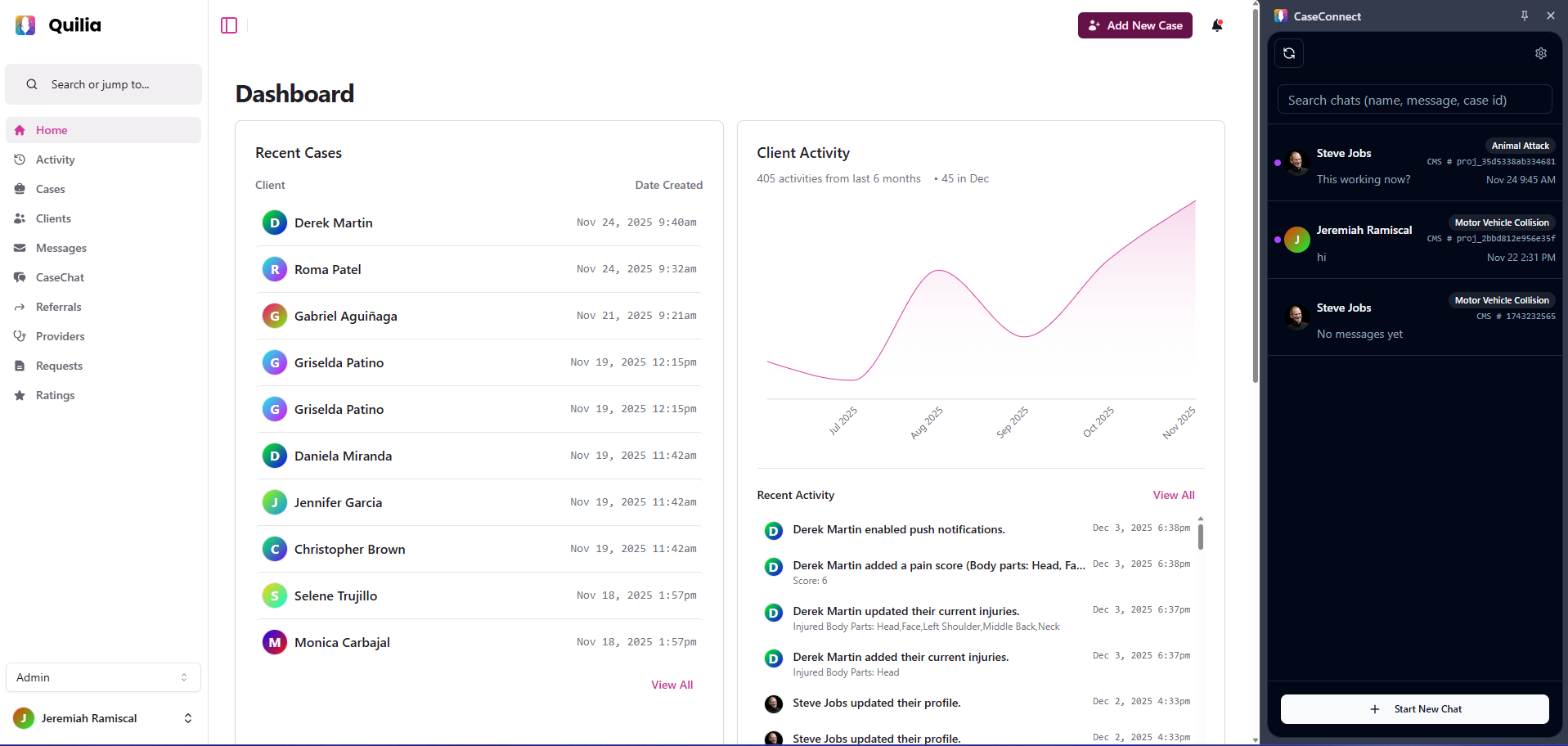
Faster, Easier Chat Management
-
Quickly search conversations
-
Start new chats more efficiently
-
Navigate messages with less clicking
Why it matters:
Your team can respond faster and stay organized, especially during high-volume workdays.
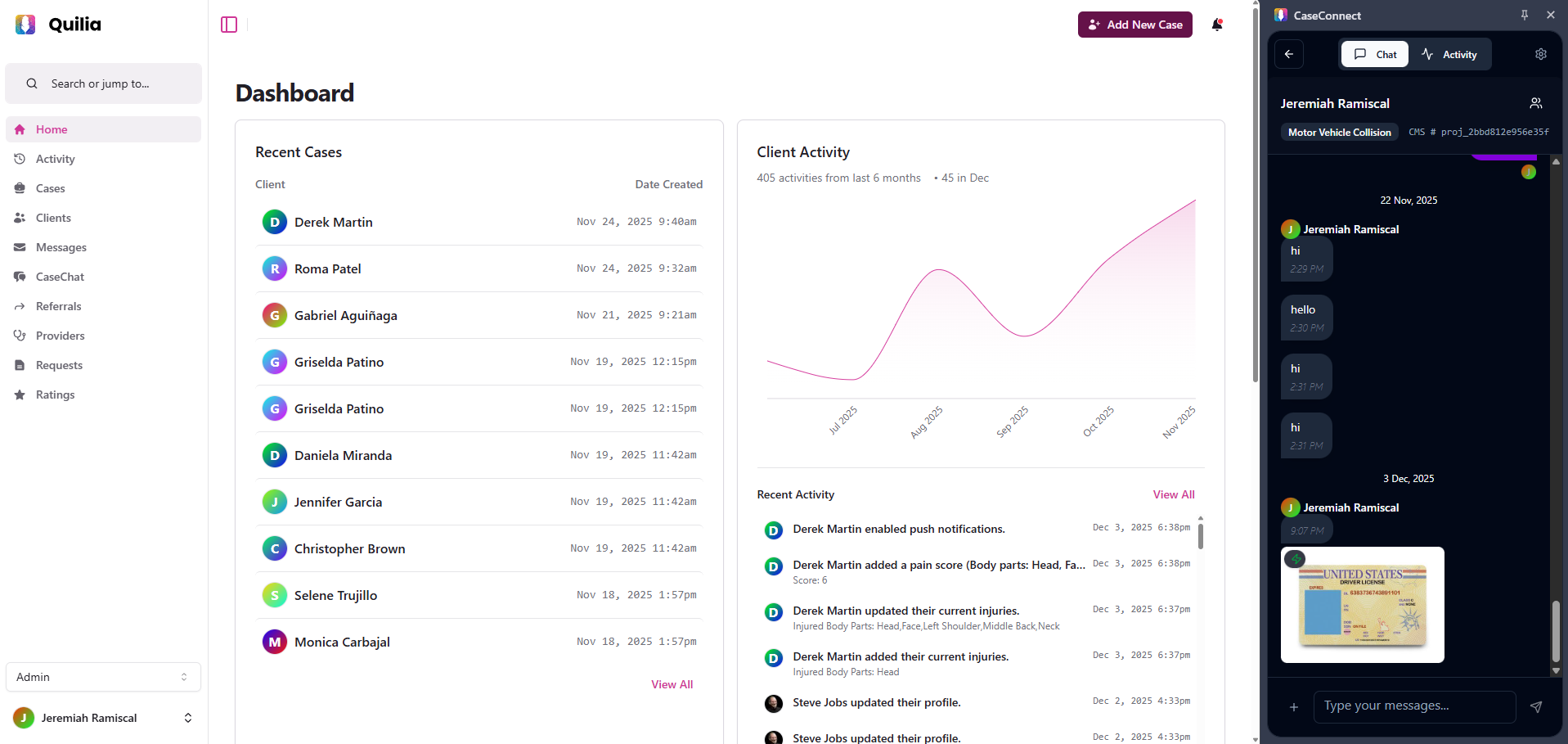
Improved Image Viewing
-
Images appear inline automatically
-
Click/tap to view fullscreen
Why it matters:
Reviewing images — injury photos, documents, screenshots — is now much smoother.
Things To Keep In Mind
-
Review and feedback prompts can be tailored to your preferences
-
Automatic follow-ups help clients respond more reliably
-
The Firefox extension is now available
-
Image uploads from all devices now work consistently
What’s Next
We’re developing a feature that can pull key details straight from the documents clients upload. When a client submits something like a medical record, Quilia will recognize important information and help update the case automatically — such as identifying the medical provider, noting documented injuries, or linking related appointments.
This will reduce manual data entry and help ensure cases stay accurate and complete with far less effort from your team.