Monday, November 24, 2025
Case Management, Scheduling, and Workflow Enhancements for Law Firms
Managing cases, appointments, and documents inside the Quilia Portal is now faster, clearer, and more organized. This release focuses on upgrades that reduce manual work, improve accuracy, and make it easier for attorneys and staff to keep cases moving.
Key Updates in This Version
CasePeer Integration Enhancements
Importing CasePeer matters into Quilia is now much simpler:
-
Paste a CasePeer case URL into Quilia and we’ll pull the case in automatically
-
The Date of Incident displays before you import, helping confirm you’re selecting the right case
-
Key case info syncs directly into the new Quilia file
Why it matters:
No more searching for case IDs or worrying about pulling in the wrong case. Imports are faster, clearer, and more reliable.
Neos Integration Enhancements
Neos-connected firms now have smoother and more consistent case imports.
What’s improved
-
More reliable case import flow
-
Better syncing of client and case information
-
Standardized experience across all supported case management systems
Why it matters:
Firms using Neos now get the same seamless import and syncing experience enjoyed by other platforms.
Legal Appointments Calendar
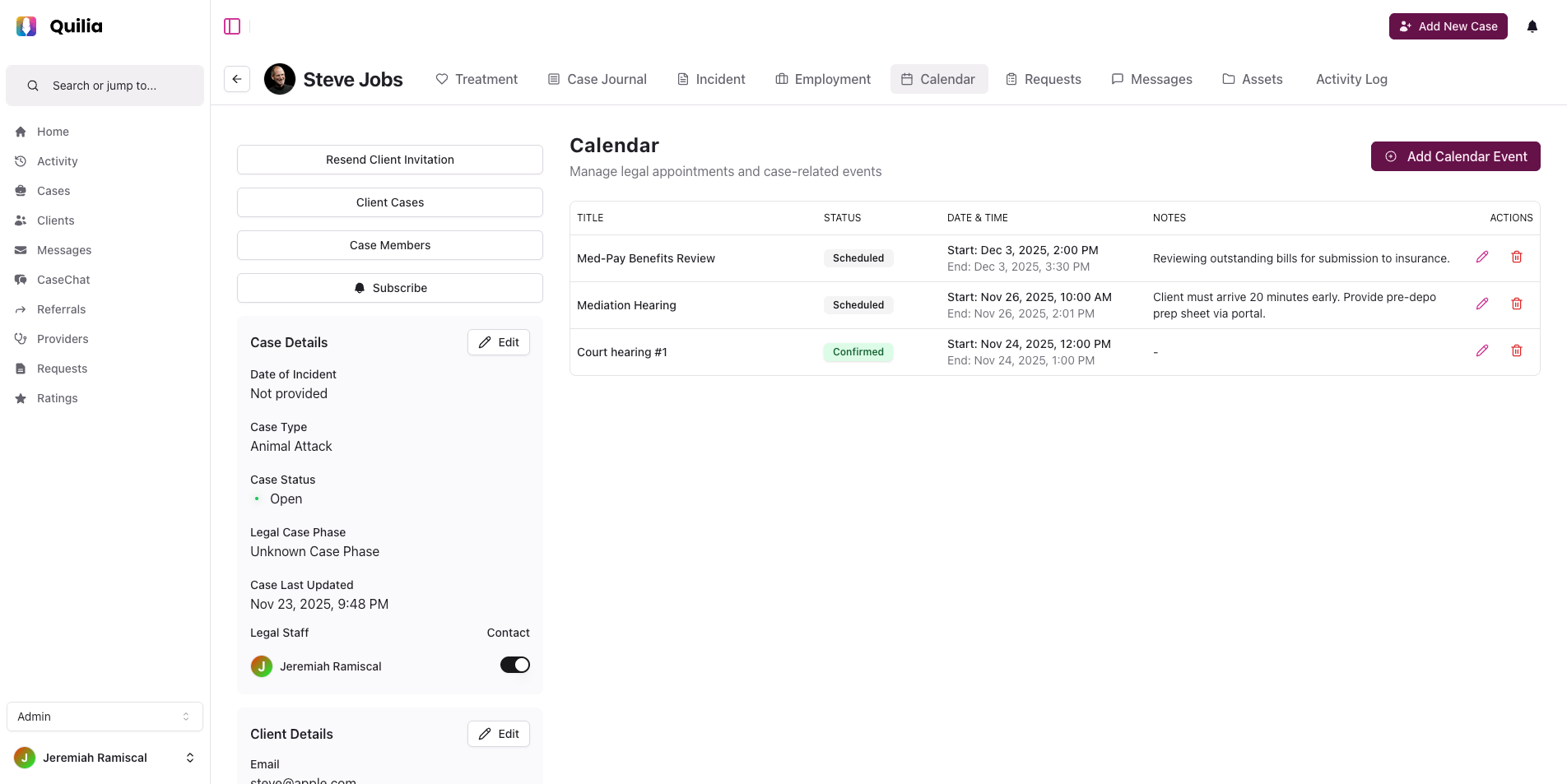
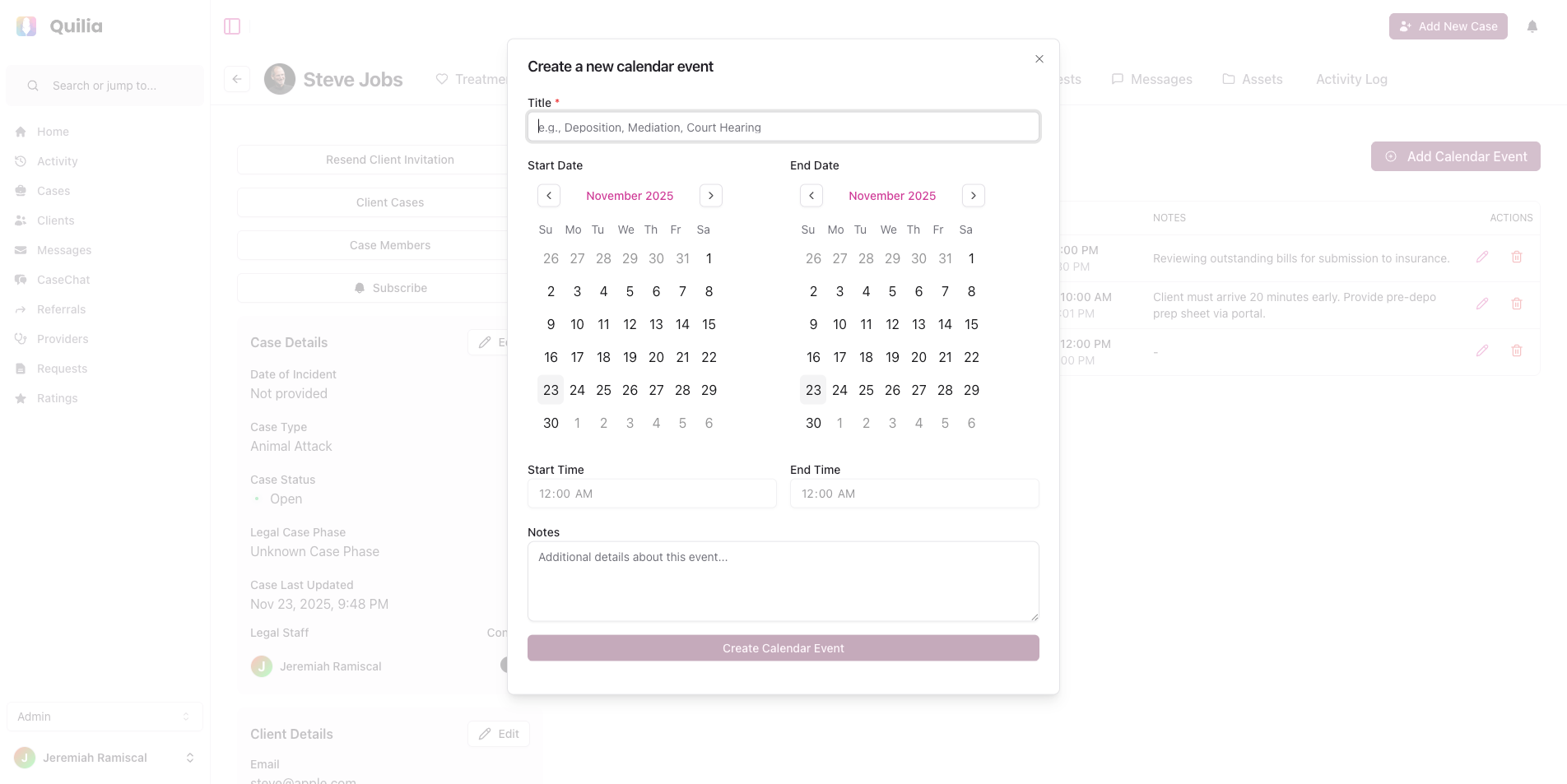
A new centralized calendar makes it easier to manage legal appointments without switching tools.
What’s improved
-
View and track appointment statuses in one place
-
Helpful warnings when modifying confirmed appointments
-
Cleaner layout combining start and end times
-
Automatic status updates when changes are made
📌 Appointment UI previews
Why it matters:
Helps your team stay organized and prevents scheduling mistakes or conflicting updates.
Employment Case: Incident Log Page
Employment firms now have built-in tools for documenting workplace incidents.
What’s improved
-
New incident log page inside employment matters
-
Structured fields for documenting incident details and evidence
Why it matters:
Keeps employment cases organized and ensures important details never get lost in emails or scattered files.
Enhanced Asset Viewing (Unified Lightbox Gallery)
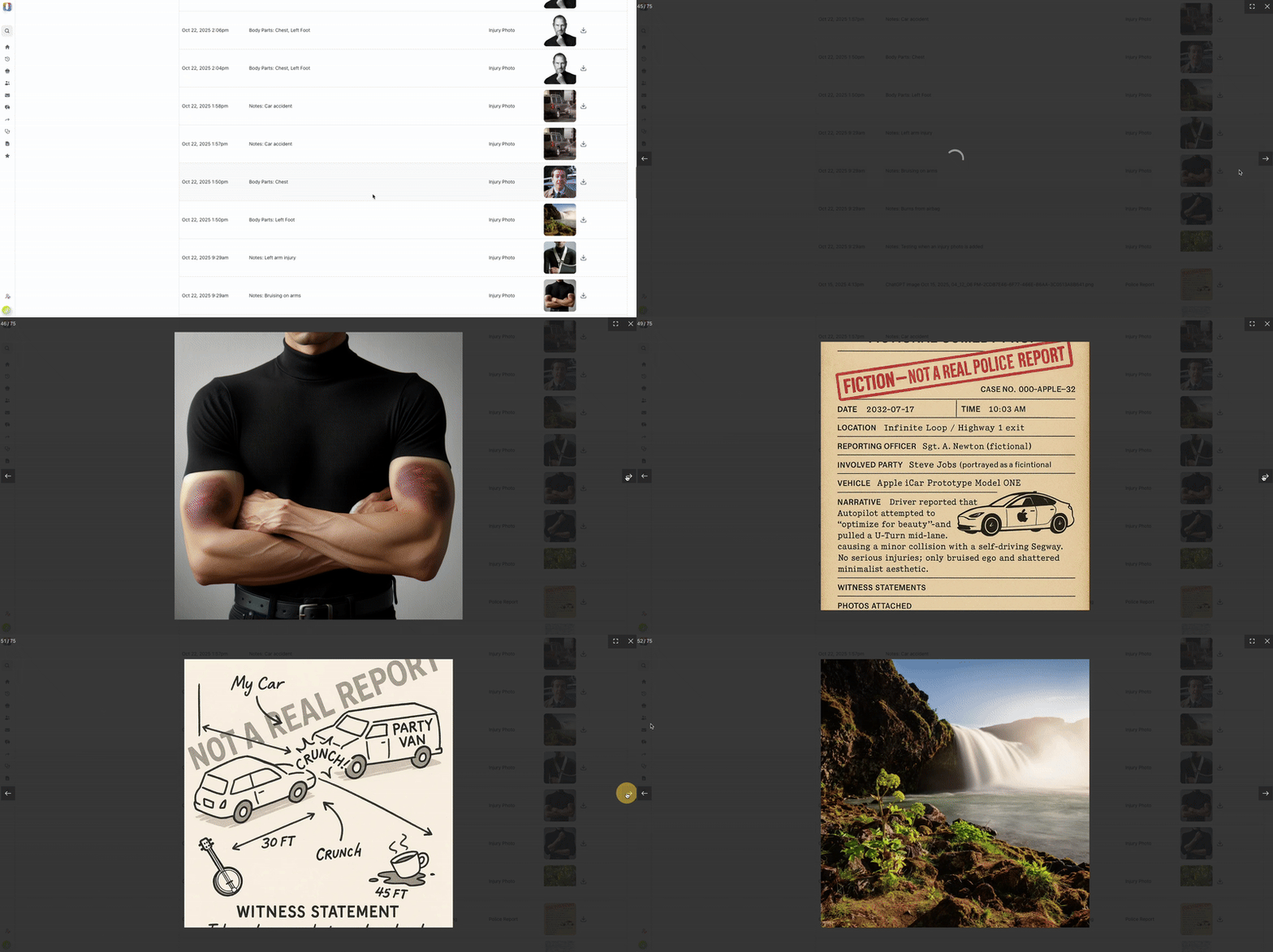
A brand-new gallery lets you view all photos, documents, and videos in one place.
What’s improved
-
One unified gallery for images, videos, and PDFs
-
Quickly move between different types of evidence
-
No external apps needed
📌 Preview of the new gallery
Why it matters:
Reviewing case evidence is now simpler and much more efficient — ideal for attorneys preparing demand packages or negotiating with adjusters.
Bulk Team Member Import with AI Column Mapping
Adding new team members to Quilia is now effortless — especially for growing firms.
What’s improved
-
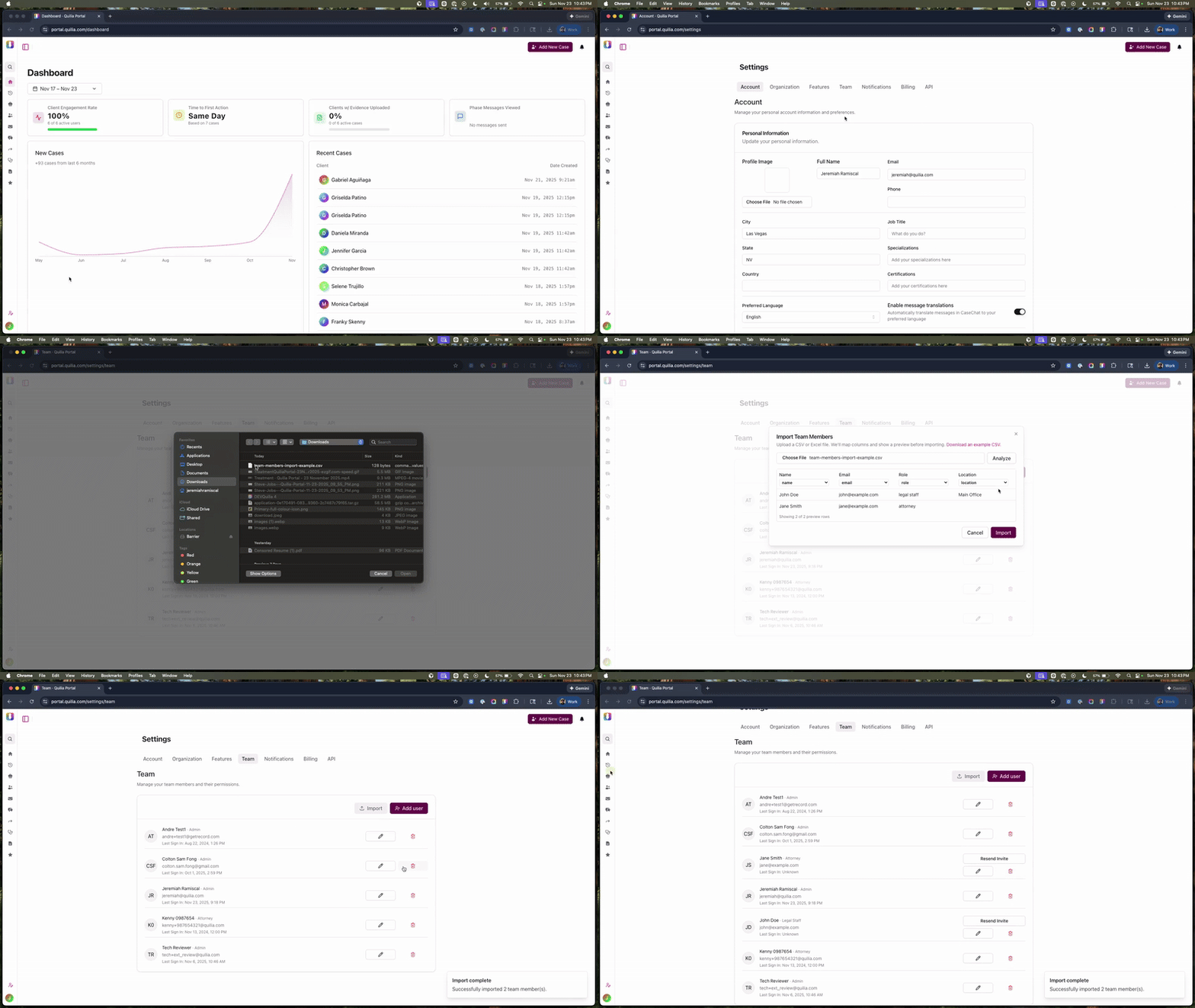
Upload a CSV or Excel file and Quilia will recognize the correct fields automatically
-
Supports flexible formats — no strict templates required
-
Detects duplicates and updates existing users
-
Automatically resends invitations when needed
📌 Bulk import preview
Why it matters:
Law firms can onboard staff in minutes instead of entering each person manually. Perfect for expanding firms or those with large support teams.
General Workflow Improvements
We’ve made a series of updates across forms, case activity, and overall portal usability to make day-to-day work smoother for your team.
What’s improved
-
License plate field added to vehicle records for more complete documentation
-
New date/time and location fields for incident reports
-
Built-in lightbox viewer for incident photos and evidence
-
Pain score filter now defaults to “all time”
-
Search bar added to Activity Logs for faster lookups
-
Pagination for long-running or high-volume cases
-
Faster loading across large case histories
-
New forms and galleries now available across all case types
-
Appointment status updates are clearer and easier to follow
-
All imports from connected case management systems use a unified, simplified flow
Why it matters:
These enhancements make it easier to capture complete information, review case details quickly, and keep your entire team aligned with less clicking, less searching, and fewer workflow interruptions.
What's Next in Quilia
We’re developing a feature that can pull key details straight from the documents clients upload. When a client submits something like a medical record, Quilia will recognize important information and help update the case automatically — such as identifying the medical provider, noting documented injuries, or linking related appointments.
This will reduce manual data entry and help ensure cases stay accurate and complete with far less effort from your team.